Search the Community
Showing results for tags 'sbrick'.
-
 BrickController2 is an Android and iOS application that allows you to control your Lego models using a compatible gamepad. It supports the following devices: - SBrick - BuWizz 1-2 - BuWizz 3 (basic support) - Lego Powered-Up devices: Boost, PUP HUB and Technic HUB (or Control+) - PF infrared (on Android devices having infrared emitter). Features: - Multiple profiles for a single creation - Multiple motor (or output) assignment to a single controller event - Different types of devices can be used at the same time - The same motor (or output) can be assigned to multiple controller events - Different joystick characteristic settings - Different button modes: normal button, simple toggle, ping-pong toggle, carousel toggle, ... - Train mode on joysticks - Normal and servo mode for the new Control+ motors - Sequences (like for flashing light) BrickController 2 on the Google Play Store: BrickController2 android BrickController 2 is also available on the Apple App Store. BrickController2 iOS Video tutorial created by @kbalage (many thanks for this): And another great video by @kbalage: Older versions: BrickController Android application. It lets you to control Lego creations via Lego infra-red, SBrick and BuWizz V1 and V2 using any Android compatible game controller: Current version: BrickController 0.6 User guide: BrickController User Guide Minimum system requirement: Android 4.4 and bluetooth low energy support on the phone (or tablet) Video on the older SBrickController application:
 -
 Hello! We are ethusiastic adult LEGO fans and we have developed this new remote technology (kck.st/1sf6zOU). We know that lego is not just a toy, but an expression of the passion of creation. We are very interested in your opinion! Once upon a time there was a group of LEGO fans that had a dream, namely the dream of not simply taking readily existing building blocks to create a new model, but rather to create something that would take the LEGO experience to an entirely new level. They started their journey half a year ago but in order to fully realize their dream they now need your support. Take a look at what they’ve achieved so far and play your part to help turn what was simply a dream six months ago into a reality today . What they have produced is the SBrick, a universal remote control unit that slots simply into your existing LEGO models and allows you to control up to 64 Power Functions® units using your smartphone or tablet. This is just one of the very many things it does (there is a full list of the features listed below). If you browse any of the LEGO forums worldwide, it soon becomes clear that this is something that this is something fans have wanted for a very long time and the good news is that this very product is here now.
 -
Hey there guys! I finally got myself an S-brick, i wanted to test it out so i built this go-kart. Functions: - 2 gears gearbox - auto clutch - braking system - differential The vehicle turned out to be pretty fast and with a great handling, unfortunately i need to wait some better weather to shoot a video of it and a bigger place as well. Like in a real kart there's no reverse gear so i'll probably need something like a parking lot to test it out. The gearbox is working great with the buttons of the S-brick operating the M motor I hope you'll like it!
-
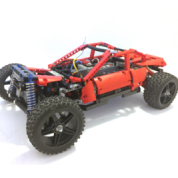 Hello, I have discovered that when using Sbrick you can bridge ports and have double amperage and double power cutoff. I think this might be useful for MOC's but please give me your opinion. IMG_0385 by JJ2Sam, on Flickr The black 9v wire represents where the RC motor will connect. Thanks
 -
I've been lurking here for a while but have never been satisfied with any of my MOCs enough to post them here. The nearest I came was an MLRS that worked well but looked rubbish :P Anyway, I'm in the process of designing a Grave Digger monster truck replica (approx 1:15 ish scale). Features: - 4 wheel drive - 4 wheel steering - Steering modes: 2-wheel, 4-wheel, crab - 4-link, very long travel suspension - Suspension travel is also to scale. Almost. - All motors contained in the chassis (no servo-on-axle affairs) - SBrick control - Tyres from a Tamiya Lunchbox I'm designing this in Sketchup and rendering with the Twilight Render (free) plugin. Note that I've drawn all the pieces myself, and they're all drawn to have a low polygon count so that my machine doesn't croak to a halt. Some of the pieces aren't very accurate atm (e.g. the XL motors). So far, I think I've got the chassis designed: And here's a couple of closeups: Issues I can foresee so far: - Friction from so many knob wheels - Bump steer (but I don't want to sacrifice suspension travel by putting the servo on the axle) - Not sure whether having the steering upside down like that will have any negative effects. - Not sure if I can get all of the parts in green that I want Can anyone see any other potential issues with this design (before I start putting in BL orders)? Thanks
-
 So I prefer to build small. I managed to miniaturize all the functionality of a standard forklift (driving, lifting, tilting) into a chassis only 11 studs wide. One of the advantages this offered me (among better strength, speed and maneuverability) is that I was able to build an entire warehouse to muck about in. This wasn't always the plan. I thought I'd just build two or three containers to show off its functionality, and that would be it. Then, the Android Sbrick app crashed and burned (or at least, it did on my phone) and it took two months for them to update the thing into relative functionality again. So I had plenty of time to build some scenery. For the enthusiasts; I've uploaded a LXF file to Vayamenda.com so you can tinker with it. (By the way, if you're a person who has built a forklift, could you link me to a picture of your forklift in this view? https://www.flickr.com/photos/28134808@N02/26063611241/ I'm very curious to see how it's scaled relative to other people's MOCs.)
 -
Hello, I have been building with Lego technic and power functions for about 2 years now and like many others have discovered that the 7.2v of 6 rechargeable batteries is sometimes not enough for some creations. One day I found a old TYCO RC for free, looked at the battery and saw,"9.6v" I thought "SCORE!" and started making a adapter for it. I made this "Rat Rod" to test out how the extra 2.4v effected fast models. So enough talking here are the pics IMG_6020 by JJ2Sam, on Flickr IMG_6021 by JJ2Sam, on Flickr It uses: . Servo for steering. . 2 L-motors geared 3:1 for drive. . and obviously 1 custom battery "Box" The car was literately built around the Sbrick and has almost no open space in the chassis and it is very rigid for how small it is. The steering is regular rack and pinion and the L-motors were coupled together because there was sadly no room for a differential. I have not measured the top speed but I think it is around 6-10mph on a full charge. When I built the bodywork I tried to make it look tough and powerful almost like an armored bank vehicle. The battery almost took up all the space on the top so I had no room even to make a rough interior. I am not at all happy about the hood because of the steep angle and gaps but this was built just to test out the battery not to win a beauty award IMG_6024 by JJ2Sam, on Flickr Almost forgot the most important picture. Here's the video All pictures and more are on my Flickr account LINK Thank you for reading
-
 Hello, Almost all of us use Sbricks as just "long range remote control with smooth speed control", right? It take time to know more about Sbrick functions that can be programmed using Profile designer. New possibilities, opened with Sequence and Circuit, was not presented and described well in guides (SBRICK Team should do a detailed guide and how-to manual). So I have to learn them by myslef. Car is just a mule for all functions we planned. So no need to describe design. We did it with my son for robotics contest in his School in January. Functions Independent suspension openable doors, including motorized rear door Rear wheel drive and steering Auto turn lights (+ manual buttons) Auto emergency lights (+ manual button) Auto backward drive light (+ manual button) Daylight and rear lights powered with solar panels All electronics 2x L motor for propulsion Servo motor for steering 2x LED for turn and emergency signals 2x LED for front and rear daylights 1x LED for backward drive signal M motor for trunk door opening WEDO tilt sensor for safe/dangerous drive control 1x LiPo batery 2x Solar panels 1x Smart Brick 1x Smart Brick PLUS Control profile is a mess of buttons. I think I need a real designer to design something nice in designer profile Small buttons are circuits, that are ON on the start, and no need to press them. So that's why I make them small (May be, hiding them is the better design decision) For example, circuits was used to make aut turn light: left or right turn LEDs are on depending on SERVO motor rotation direction. Circuits are like "IF" functions, that can be linked any port of Sbrick, but it is not described in Manual, so I have to expore it by myself. Round sequence buttons work like ON buttons but with programmed timings and power. So I can do blinking lights with described intervals of LED on and pauses between. The same I can do with motors. When driving, you can see that some sequence buttons on the iPad turns ON automatically (I don't press emergency, backward or turn rights at all) Another experiment: solar panels. They work well with LEDs. They even make work Sbrick. But too weak for motors. I saw some moving cars on YT with one solar panel and one motor under bright sun, but I can't name that "CARS" - just some liftarms and wheels with solar panel and M motor. My car is too heavy. Almost all functions can be done only by Sbrick. Sbrick PLUS is only used for connecting WEDO Tilt sensor. Tilt sensor detects "agressive driving": fast acceleration or brakes, crashes, shaking and roll over of course. Then circuit sends command to emergency lights. Another function I planned, but failed: automatic rear door opening detecting hand or leg under the rear bumper (like modern cars do). Unfortunately, I can't set up WEDO distance sensor. It should detect leg and open door only at small range. But everytime it detects surface under the car - it opens the door I also have to do some tricks, for example "all off" circuit, to prevent manual turn off emergency and rear drive light after every auto turning on... I think, this can function can be useful for big supercar scaled models or truck, especially for events. But Sbrick team shoud do a user friendly predesigne profiles for that and do a detailed manual for every function in profile designer. And I am also waiting for iOS support drivers You can turn on english subtitiles in the video. Describing how to programm all that buttons in Designer Profile need a separate video. Thanks.
 -
 Today I like to show you my latest MOC: The Mercedes Zetros 1833 Expedition Truck 4×4. It's my second LEGO Technic Zetros in an approximate scale of 1:13.5. The construction time was actually only three weeks. Then the truck was finished by and large. The extensions and improvements took another 11 months. For the impatient among you, here's the video first: This MOC was originally designed for lightweight construction, best off-road capabilities and adequate speed. Therefore I completely redesigned the chassis and the axles. And because it has to work in forest, desert, arctic and jungle, I designed the chassis and drive as simple as possible. Each wheel of the 4×4 truck is driven by an XL engine. Via a 90° deflection via knob wheels, the drive goes to planetary gear. Thus the highest possible torque is available at the wheel. The steering is done by a servo motor. Two SBrick are used to control the truck. In addition, a Power Functions infrared receiver is installed. The Zetros draws its energy from two large PF battery boxes. The lightweight construction was not quite successful. The Zetros weighs 5.7 kg including batteries. Therefore I had to reinforce the springs several times. Now the long red springs are in front ( a bit softer ). In the back there are four yellow, hard springs as well as two spring-loaded shock absorbers. The shock absorbers were necessary because the body quickly built up during off-road driving. So the truck is very stable and easy to drive. About the functions: At the front of the Zetros there is a cable winch with pulley and hook. The winch is operated via one of the SBricks. In the rear of the fully equipped superstructure there is a garage for an ATV. I control its winch via the PF IR. The ATV is quasi a “MOC in the MOC” and of course fully functional. It has a fake V2 engine and rear axle suspension. For a long time I worked on the retractable awning. This stretches itself. The motor, which is hidden in one of the built-in cabinets, only rolls in and out the fabric. The awning is also controlled via the PF IR. A real highlight is the lighting of the truck. Functioning front and rear lights go without saying. The indicators also work on the left and right as well as on the “warning lights”. There is a floodlight bar on the roof. And because it is equipped with an odd number of single LEDs, there was one left. Well, now the truck even has cabin lighting. For interior design. There is a passage between the driver’s cab and the superstructure, as in the original, which is covered at the top and sides with a flexible rubber bead. In the living area there is a loft bed (above the ATV garage), a small bathroom with a suggested toilet, a suggested kitchen block (which hides the winch for the ATV), a closet (which hides the mechanics for the awning), a table and two storage compartments (one is empty, the other contains the awning shaft). On the roof of the driver’s cabin is a luggage rack with two expedition boxes (what’s inside, I reveal in the Behind-the-MOC video) and three canisters of water and diesel (what else). I hope I haven’t forgotten anything. More photos of the finished Mercedes Zetros 1833 and the Work in Progress of the Zetros can be found on my Flickr channel.
 -
 I've wanted to build another bike MOC for quite some time now, seeing that my Stealth Bike from 2 years ago had plenty of room for improvement. I wanted to make one that drives much faster and remains more stable than my Stealth Bike, and to get as much speed as possible out of the PF system. The idea for a second bike came after getting the 42054 set on discount. I saw the tires as a perfect opportunity for a bike, as their size means that I can make a bike large enough to fit all the electronic components inside. I also found that they are not easily tipped over, which is advantageous for a bike model. To reduce friction, I connected two L motors directly to a single wheel geared 1:1, which was a lot of speed for PF. In fact, I was very surprised that I did not have to use RC Buggy motors (which I don't have) to get such speed. The MOC features a modular build, with the rear wheel/suspension part being attached to the main body which housed the battery box, and the steering mechanism coming off of it. The suspension worked well and had decent range, and is not overly stiff. I used an interesting mechanism for the steering, which involved a servo motor controlling 2 links that steered the front wheel. However, I had to reduce the servo's angle to 45 degrees in the profile designer, as making the full 90 will cause the servo to stall. A small turntable allows the wheel brace (I'm not sure what you call that) to pivot as it steers, and there are handlebars that work. One thing I wasn't so happy with about this MOC is the large turning radius. Because I found large steering angles made the bike tip over easily, I had to make it small, and making U-turns in a reasonable space is nearly impossible. Another thing I didn't like is how steering must be done at low speed to prevent it from tipping over. This was worsened by the fact that it was quite windy the day I filmed it, which made it hard to control. Overall, this is a MOC I'm pretty happy about. I got lots of speed out of using just PF elements, and it did not become sluggish as weight was added on during the build. It was lots of fun driving it around, and remained quite stable without the use of support wheels Video: Photos:
 -
Mercedes Benz Arocs Crane Truck Full rc MOC with 21motors, 2 sbricks. 100% lego orginal parts
-
 I am continuing to explore the fascinating world of the pipe transportation with a new prototype. You may already have seen it on youtube, I’m a bit late to post here (busy week-end). If you have a good memory, I did a first prototype on track (here) that had some limitation; in particular it couldn’t transport more than one pipe at once. The complete album is available on FlickR Prototype 2. For this second iteration, I started again form a white sheet to try something new : The transporter is now on tire with multiple axle steering for a good maneuverability and good translation speed (more adapted to road). I choose to keep two cranes for the consistency with the first proto. First advantage this allows making them smaller, as each crane support almost half of the weight of the pipe they don’t need to be reinforced and a mini actuator is enough to make them move. Second advantage is that the pipe remains horizontal even if not loaded exactly on its center of gravity. What’s inside ? There is 6 functions in this truck (5RC + 1 manual). Propulsion on axle 3 and 4. Steering on axle 1-2 and 5-6. The cranes : 1- 360 degrees Rotation. 2- 90 degrees Lift. 3- Cable. The truck was built from the center to the extremity, both crane are a copy-paste and are actuated by the same motors placed in the middle of the truck. Advantage: the crane move simultaneously and are always in the same position, drawback: you can’t use only one crane if you want to (I don’t know why you would have to use only one crane but well.) This was a choice at the conception because the goal of this prototype was to test the concept. With an alternative built it would have been possible to upgrade the truck so each crane have its set of motor , and the simultaneous movement is manage through the software (because yes, SBrick allows you to control several port with one command) Last functions are the additional lateral support that are deployed manually. They were added lattely in the building process (when I tried to install a larger pipe that clashed with the cranes), so I did not had enough room left in the truck to install the pneumatic line. Not a big issue in my opinion, I will do better next time. Good and not compare to the first prototype: Good Can transport more than one pipe Can load/unload up to two pipe in total autonomy No real length limitation Better road capabilities Not good Still requires a manual intervention to catch the pipe Range of operation : Cranes are not long enough to load the additional support. The dual crane are still not independent. Some improvements are still possible. So, project to be continued. Thank you for reading Edit: One additional word: in the video you can see a support vehicle. It is a not-so-good mini forklift only used to load the truck, It has been possible by the use of a 3rd Sbrick (both vehicle controlled through the same interface) and 4 M motors. Dedicated video here (yes I was terribly boring when I did the miniature ):
 -
 Hey guys, sorry I haven't posted in a while. I've had the clips to make this video for 2 months now, but not enough time to edit. Anyhow, with that said, here's what I have done. I have rebuilt both of the rear axles so they can be driven by 2 L-Motors, and rebuilt the front axle so that it can be steered by a servo, and still be able to fit an engine and have room in the cab for other motors. I also rebuilt the front of the truck since it seemed too sparse to me, but I've left the rest of the truck (besides some of the internals) original. I decided I only wanted to use a single Sbrick, and I had only one port left, since there was already an M-Motor in the model to drive the functions connected to the distribution gearbox, so I built a custom sequential shifter that I could fit in the cab, and access the axles of the changeover catches in the gearbox, and thus shift through the functions sequentially. This is done with one M-Motor. All of the internal mechanics of the gearbox were left stock, besides the elimination of any white 24 tooth clutch gears. I did not change the rest of the model that much, though I did think having an inline-4 seemed kind of lame, so I put in a V8 instead. i will not release any instructions due to the extense of the modifications. Please enjoy the video and photos below, and feel free to leave a reply!
 -
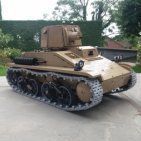
 Lego RC E-100 super heavy tank by Tommy Styrvoky, on Flickr I have been busy with my latest model, the WWII German prototype vehicle E-100. This one being my second rendition of it since 4 years ago, when I started building MOCs. This one is smaller and greatly improved scale accuracy. more information and photos on my blog. http://tommystyrvoky.blogspot.com/2018/02/e-100-super-heavy-tank.html instructions https://www.rebrickable.com/mocs/MOC-13061/TommyStyrvoky/rc-e-100-super-heavy-tank/#comments The process of rendering all of the animations for this video took some time, as I rendered all of this on my laptop, the end result, each frame requiring about 5 minutes at only 720p , and well there are a few thousand frames rendered for the animations, and I also completely redid my channel outro with the new PBR shaders from Meccabricks. Lego RC E-100 super heavy tank by Tommy Styrvoky, on Flickr And after all of that time rendering I realized that I forgot to include the second turret hatch... This is probably one of my most accurate vehicles so far, given the constraints of lego, and the mechanical challenges. Though I am still striving to do better in the future. Lego RC E-100 super heavy tank by Tommy Styrvoky, on Flickr and a comparison with blueprints from the real one. E-100 Blueprint overlay by Tommy Styrvoky, on Flickr
 -
Foremost is a Canadian company specialized in oil & gas, heavy oil, mining, water well and construction equipment. You can have here on Foremost’s website a complete overview of their activities and product. Note that @Erik Leppen is also working on a Foremost truck; the Delta III, which can be viewed here to discover a great modular big MOC. On myside, I prpose youthe Commander Tri-Axle. The main and only goal of this MOC was to test the “tri-axle” design. The Commander C Tri-Axle was launch in 2011 and is a 8x8 evolution of the classic 6x6 Commander C. “by adding a third axle to allow for an extended oilfield deck while maintaining low ground pressures. This also increases the maximum payload capacity from 60,000 lbs (27,216 kg) to 80,000 lbs (36,287 kg).” says Foremost. In the main line the truck is an all wheel drive articulated truck mounted on Terra tires, equipped with a 500hp Cummins engine, a 11m bed and a 58t winch. The full documentation of the Commander Series is available here. The MOC. The truck is a 8x8 articulated RC truck. The full Album is available on FLickR There is three power function controlled through a SBrick controller plus a manual one: 1 PF-XL motor for propulsion (redution 1:1) 1 PF-M motor for steering (12t-36t-Worm-24t) 2 PF-LED for headlight Manual winch with locking system The tires used are 68.8 x 40 Balloon Large. The front axle is only pendular, just to simplify the construction. The 3 rear axles are pendular and independent from each other. The forward axle has stiffer shock absorber to support the weight of the 2 motors and the battery box. The winch is manual and equipped with a locking mechanism. There is only few details in the cabin, it is actually hard to find pictures, it is a simple three seats cabin. The driver’s seat is equipped with some instruments. (the music in the video may not work properly ) Some Bonus. The Commander fitted with a "special" load for delivery: The commander fitted with gopro mount for outdoor filming: Nose 360 degrees mount Lateral 360 degrees mount (can bee fitted on both side) bed upper mount The aft cabin support used in the video has been included later so picture available Thank you for reading ! All my other MOC available here below ↓
-
BuWizz or SBrick?
Tarix819 posted a topic in LEGO Technic, Mindstorms, Model Team and Scale Modeling
I'm thinking of getting a Lego device that will give my models more power and allow me to control them outside and from long distance using my smartphone. As far as I am aware the best two options are BuWizz and SBrick, however I am not sure which option is best, as comparisons I have seen have never determined a clear winner. SBrick is way more affordable, more compact and seems to be popular in the Lego Technic community. I only learnt about BuWizz recently, it seems to generate an insane amount of power but it costs over twice as much as an SBrick and is bulkier, plus I already have 6 Battery Boxes and it would be a complete waste not using them. Of course they are both clearly better than the Official Lego PF IR Sensors I am currently using, which are god awful past a 2m range and are useless outside, however I would like to know people's thoughts, opinions and experiences to help me decide which is best value for money before I blow loads of cash on a toy. Currently I am leaning towards SBrick, but from what I've seen online, BuWizz looks like a viable option also. Cheers -
Some month ago, I discovered the Сокол -80M (Сокол = Falcon), a heavy Russian crane with a lifting capacity of 80t on a two stages telescopic boom, thanks to another couple of hour spent on Youtube instead of working. See the video here (starting at 1:38) After some difficult search, I found that two variant exists, the first one is Falcon 80.01 and is mounted on a wagon for railway crash salvage and recovery, the second one is Falcon 80M which is mounted on a self-propelled tracked vehicle equipped with outriggers, able so to be also used in hard off-road environment . It is this version that kept my attention. The Lego Version This MOC is ‘inspired’ by the Сокол-80M more than a real scale reproduction. All the pictures are availavle on FlickR The transporter part is mounted on two track and equipped with deploying outriggers adapted from the 42009 Mark II Mobile crane. I had to modify them in order to avoid clash with the tracks There is 4 functions integrated in the transporter: Left track + Right track with a PF-L motor each Deployment of the outriggers through PF-M Extension of the stabilizers through PF-M These functions are controlled by a SBrick and powered by a single rechargeable battery installed in the cabin. The superstructure supports the main mast which is erected using two linear actuator. Due to the gear reduction (PF-L > short worm gear > 20T > LA) it moves very slowly but it works. I would really love to see one day Linear actuator twice the length of the current ones. Superstructure is installed on a 60t turntable and integrates all the functions required to operate the crane: Rotation of the superstructure through a PF-M Erection of the mast through PF-L Deployment of the telescopic part through PF-M Cable operation through PF-M These 4 functions are also operated through a dedicated SBrick powered by the battery. The only cable passing through the turntable is for the electrical alimentation The transporter and the superstructure are independent and can be separated. The assembly is done by simply clipping the turntable onto the transporter. A video : Good and to improve: Good : It’s like a mobile crane but more badass. Each transporter and superstructure can be controlled independently from the other Could have been done better : The visual aspect of the transporter and the crane cabin are not really perfect. I won’t lie, reproduce real machine at a mid scale is still not my cup of tea. What could be done better: Upscale it. Bigger, more space, more possibility. Thank you for reading
-
At the beginning of 2018, TLG has released a new series of Lego City sets, including the 60188 Mining Experts Site with a big drilling machine called The Crusher. It’s some sort of a hybrid between a tunnel drilling machine and a bucket wheel excavator. #Makeitbigger I’m not a big fan of re-build/improve official lego set but a take one CITY set and #Makeitbigger in TECHNIC is surprisingly challenging. (A good idea for a contest in my opinion). The Crusher XL’s MOC is not an exact upscale of the 60188’s Crusher, I built it like a “bigger” one, but still at minifig scale, with Bluetooth control through 2 SBricks and some power function elements: - 1x Battery Box - 6x PF-M Motors - 2x PF-L Motors - 5x PF-LEDs - 3x 15cm cable extensions - 1x 50cm cable extension The main differences with the original model: - The tracks are doubled and driven by a PF-M motor each. - It is composed of two parts. The lower part is the vehicle. It is built on a cross structure with track at each side. The 11x11 rack from set 42055 are reused to rigidify the assembly and support the upper superstructure. (LDD on google drive here) - The upper part is the superstructure. It can rotate nearly 300 degrees (the limitation is here to preserve the PF cable) and contains the electrical heart of the machine. The small PF-B battery box is place at the rear to be used as counterweight and completed with two boat weight (73090b);There is 4 motor and the 2 SBricks fitted in this little space to control the mains function. - The cabin is a reuse of the 42055 set. It fits well to this model and defines the minifig scale of the vehicle. The position has been forwarded for the operator to have a better view. - The arm is raised and lowered by cable actuated by a PF-M. A single cable is used between the two winches so it can accommodate the difference of position. - There is no moving counterweight (‘cause it is ugly) - The drilling head can tilt. It is mounted on a turn table and can turn to 360 degrees. The turntable is old and jam a little so the movement is not very smooth. Both drilling and tilting function are powered by a PF-L motor each. The Video : Possible improvements There are some points I initially wanted to include in this MOC but they wouldn’t have fitted in this scale. So I keep them in mind if one day I decide to build a Mk.2 : - 360 degree rotating track instead of a rotating superstructure: the challenge here was to find a means to control each 4 tracks separately (see picture below) - Telescopic arm: why not ? - Material belt conveyor between the dual drilling head like a bucket wheel excavator Thank you for reading :)
-
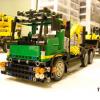
 Quick question for those who own a SBrick, do you know if a Samsung S5 will work with an SBrick? Considering getting an SBrick, but don't know if I have the correct phone for one. Thanks!
 -
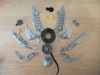
 Hello All, Since we now have tractor tires, let's build some tractors! Here is my version of the Case 620 HD farm tractor, rated at 620 hp and designed for large farms: First, the real thing: Now the Lego version: This tractor features 4 pneumatic remotes, as well as pneumatic steering controlled by a servo and switch. Other features include seperate PTO, drawbar, recovery cable, opening hood and pivoting center section. It is driven by one XL motor, and the pto and air pump are powered by M motors. There wasn't room under the hood for two receivers, so an sbrick is used to control all functions. Additional pics: Short video clip of steering: Thanks for looking, other pics and LXF file are available at http://www.brickshelf.com/cgi-bin/gallery.cgi?f=568801 Brick_Sticker
 -
 My MAN TGS 8 x 4 Cement truck has been upgraded from Power Function to SBrick, but rather than killing the old red truck, I made a new Bright Light Orange / Dark Red version with a series of small upgrades: In the video I go through the functionality and compare it to the old version: The truck was finished a couple of weeks ago, but I wanted to improve some details before making a video and posting it here. The most "controversial" change (at least when I it comes to changes which I'm unsure of) is the windscreen. To replace the 12x2x4 windscreen that I'm using in everything with the 12x3x3 does change the whole aesthetics of the truck quite dramatically. The A-pillars might be too massive now, but I have chosen to keep it. For the picture above I have also reduced the angle of the windscreen slightly in order to better fit the A-pillars than shown in the video. Another battle was to use either a single time or details in two plates width to cover the SBrick: I ended up using 2 plates (the gray 1x4 and 2x3 plates under the tiles) which protrudes just a bit too much on the side. Still I like it better than simply using tiles as seen on this earlier version: It doesn't look better, but it looks more realistic (at least in my opinion. It's the same rationale I'm using with the windscreen) And just for fun. Here is the same picture with a slow shutter speed and the barrel rolling: Here is how to program the SBrick for the truck: Here is the old thread for the red truck: BrickShelf gallery, once approved: http://www.brickshelf.com/cgi-bin/gallery.cgi?f=568737 Building instructions to appear once I have made all those I promised for the DAF.
 -
 So, some users may remember that in Russia there was an event in June 2016. Some users, especially me, liked this one the best, so I decided to reverse engineer it. I did it at the end of July 2016, but I never posted it here. Here are some pictures of the initial version, which had some problems, especially the suspension. I decided to give it another go using the LDD file I made, and add my own details. So this is what I created... The rear suspension comes directly from @Madoca 1977's PF Buggy 2.^^ LDD: sorryitsconfusing.lxf Rebrickable: http://rebrickable.com/mocs/MOC-7147/offroadcreations/downhill-racer-reverse-engineered/ Enjoy!
 -
 Well, I recently took the plunge, and purchased a few Sbricks for use in my creations. In order to test the setup, I connected some motors, and used a profile I threw together. The setup I used has 2 SBricks being controlled by my device at the same time, and my problem is that, with one of the SBricks, I have two M motors hooked up to it, and when I activate them, they run just fine, but when I let the joystick return to center, the motors buzz, almost as if the SBrick is not fully shutting them off. I'm not sure if it's a problem with the SBrick, or not, as it is one I tested before, and it had trouble with controlling my other motors. Is there a setting I am not aware of that would fix this? Has anyone else had this issue? Update: I tested it, and it seems to be an issue with the brick, although, in a bizzaro twist, I don't have the problem with sliders, only when those channels are controlled by joysticks.
 -
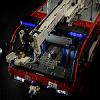 Hi to everybody! I'm here to present my new Moc. I started building this crane truck about 6 months ago with the main idea of solving the problems related to a failed attempt of a crane for my previous truck. IMG_1608 by Lucio Switch, su Flickr Starting from the cab...despite the undeniable resemblance to the cab of the dump truck (with a bit of the tractor truck), it has slightly different dimensions, and the add of some new details/functions, forced me to revise it completely. In fact, in addition to the "standard" opening doors, this time, as on real trucks, the cab is suspended, while maintaining the tilting function and the working steering wheel and the front grid is openable. Moreover the seats are pneumatically suspended via 2 (1+1) 1x5 pneumatic cylinders. The chassis has the tractions on the 2 last axles, they are driven by 4 XL Motors and uses 2 Servo Motors to steering the first two axles (with different turning radius). The first two axles use independent suspensions. In this case I was inspired by the Mod of the chassis of my Tractor Truck done by Efferman ... that has a perfect shape for a fake v8. On the back there are 2 live axles (with a total of 24 hard shock absorbers). Between the first two axles there are two small pneumatic pumps moved by two L Motors. In addition to that, on the chassis are present 2 Li-Po Battery, 5 Leds for lights and 2 SBricks. Behind the cabin there is the base of the crane, it contains the front stabilizers, extendable via a M motor (connected to one SBrick), 6 pneumatic valves, moved by an M motor each, 4 IR receivers to control the 6 valves motors plus 2 other M motors, one to rotate the crane and one for the winch. The 4 receivers take power from a port of an SBrick. Finally the crane ... well, the classic design of this type of crane with the upper arm offset (as on 8258 for instance) built on this scale, gave me big problems twisting the whole structure ... and a lot of headaches. One day I came across by chance in a truck with a Cormach crane, it presented a unique design that would solve the twist problem. So inspiring to this design, I have developed my crane, which consists of a telescopic upper arm (extension via 2x 1x11 pneumatic cylinders) supported by two side arms moved by 2+1 2x11 pneumatic cylinder each. It isn't able to lift heavy loads, but it works and, considering the masses involved, I'm fine with that. Now some numbers: Length: 86,4cm 108studs Width: 24,8cm 31studs, 28cm 35studs with mirrors Height: 39,2cm 49studs Weight: 8.6 kg Total number of parts: 8000 PF elements: M motor: 9 L Motor: 2 XL Motor: 4 Servo Motor: 2 PF LED: 5 Lipo Battery: 2 ..and a couple of wire extensions Pneumatic Elements: Small pumps: 2 1x5 Cylinder: 2 Medium Cylinder old: 4 Medium Cylinder new: 2 1x11 Cylinder: 2 2x11 Cylinder: 6 Valve: 6 ..and several meters of pipes. For more pictures check my Flickr Album: Crane Truck Flickr Album And this is the video: To conclude, I would say that, in some way it was a new and interesting experience for me. Due to circumstances beyond our control, I was forced to transfer my Lego room in the basement, comfortable although perhaps a bit rustic but not directly connected with my apartment. This, coupled with the fact that my free time has been drastically reduced, has led me to review my usual workflow. So this is my first model built before digitally and then physically. This way allowed me to use better my free time and to select and pick up only the needed parts to build, reducing drastically the mess in the living room. Also part of the work for the BI is already done, I'll done them for sure, but I don't have idea when they will be ready. I'm afraid that it will be a huge job! I hope you like it!
 -
Hello all! Today I am presenting my newest project, an Ultra4 buggy. I know it isn't an exact copy, but I based it off one I saw and added my own details, like fake injector stacks. All that is left is an interior and working on the front suspension some more. I'm not very good at making them (suspensions), so it usually takes a while to finish them. Oh, and there's one more thing... I need to test it! I haven't been able to, because it is using broken motors as stand-ins, because my working ones are in something else. I will replace them with the real 2 L-motors and 1 Servo. I plan on using an SBrick. Tell me what you think of it so far, and what else I should add later. Thanks for taking a look! Edit: Here is the video of the completed model. LDD: http://bricksafe.com/files/Offroadcreations/competition-buggy/Ultra.4 FINAL.lxf Rebrickable: http://rebrickable.com/mocs/MOC-7815/offroadcreations/ultra4-buggy/