

Equilibrium
-
Posts
169 -
Joined
-
Last visited
Content Type
Profiles
Forums
Gallery
Everything posted by Equilibrium
-
Custom LDD bricks and fixes
Equilibrium replied to Equilibrium's topic in Digital LEGO: Tools, Techniques, and Projects
Thanks :) Arch angle is probably not correct but anyway: @M2m I don't really intend to model everything myself, that would be an incredible amount of work! So far I did the "fast" ones. Cutting panels ~1h, scaling wheels ~10min each. And I'm still unsure where this thread might lead or end up. -
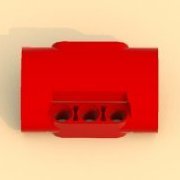
Please comment, request and discuss about LDD new parts here Now this topic is intended as a support area for the LDD New Parts thread Ok, let's do this. Inspired by @M2m thread I've started wrting a 3D Studio Max script that allows importing, editing and exporting LDD brick geometry and their XML data. They are rough, some geometry data is unknown (this doesn't have any visible or noticable impact so far) but it works and here's the result (click for bigger pictures): Fixed connectivity issue of 90 deg tube (pretty popular piece for 2018/2019 technic sets): Custom 3x5x2 panel that I saw in one of the Chinese custom (not copied from Lego) models: I was curious how my MOC would look like with more realistic, narrow tires so I shrinked Unimog tire to fit on 42029 rim. Dimensions: 81,6 x 30: For the tractor enthusiasts - how could a Class tire look like on an Arcos rim - also that Chinese model. Dimensions: 64,2 x 20 (I've made is slighty bigger than original tire): Moved some parts around and fixed default orientation of some of technic panels:
-
Nice work. And even though I'm not using any of these programs it inspired me to create such thing for a 3D Studio Max. So I wrote an importer and exporter for the geometry and since I was at it I wrote an XML import/export. So... the next logical step was to create a custom brick and test if it would work in LDD. But I'm not sure if I can post the result.
-
@Cumulonimbus Yes, I know. That's why I based the length on the small side shoot on the bottom right corner. It looks like the space between front and 1st rear axle, could fit 3 wheels one next to eachother. Main picture was only for the panels reference. And now that I'm looking at it some more I think the side panel should be the 11 studs long one (with many pin holes).
-
I was also trying to build it in LDD (figuring dimensions and front mostly). Here's what I came up with so far: That 90deg tube pointing down should be pointing back but it interferes with small panel so this is probably not how it's done. Front wheels might be one stud to the back, hard to tell. And one of the side panels might be 11 studs instead of 7.
-
@Paknaloid Looks like You didn't connect wheel hubs at all, light grey part (above red marking) and dark grey (the one with brake disc) should be pushed inside untill they click and become extremely hard to take apart using hands.
-
Mhm, I thought it's the same thing but with nicer GUI. I haven't been here for a while. In that case I can upload "bublible_sunflow_20160717-win" and ~300 pages pdf of sunflow wiki from 2016.
-
It looks like Bublible is still working on his mod. You can download it from his website http://lego.queryen.com/?s=busufl&j=en.
-
This is my only studless set so I don't have any comparison regarding their softness but, in my case they sit on the rim pretty firmly and don't come easily. There is some kind of sound when fitting/taking off the rim. Out of curiosity, how are yours Technic-beam-2-x-4-l-shape-thick (red) colour wise? Mine are less vivid than any other red part in this set.
-
You can add it yourself. bucket 64 row
-
Few days after I posted about that I was browsing his site and found out that he knows about it and he's not going to fix it (apparently it's an error in LDD texture mapping for these parts). It can be fixed by turning off "exactdecorbp" option in scene file. Although, there are two other errors; one with plate material (which can be easily worked around) and one with rendering custom texture. Which I didn't have time to report yet. Here's something I was working on (only safe print left to make and I'll post few renders in appropriate forum):
-
Same problem with 42029. Every single red https://rebrickable.com/parts/32140 in this set has lighter/less vivid colour than other red parts.
-
I think I have found a workaround... Rendered with 25 fov:
-
Amazing model White one looks better with grey parts.
-
Thanks for the interview guys it was very informative. Sariel, you did cut your video one Fernando's question too early (about 3d printed parts). Also, what pin is Fernando referring to in 34:30 (Sariel's video)? Is it this one http://www.bricklink...tem.page?P=4274?
-
No problem :) It seems I didn't copy whole line. New plane colour should be like this: diff { "sRGB nonlinear" 0.5411765 0.57254905 0.5529412 } Otherwise you get different colour :P I'll update my previous post.
-
You have to change shader name only: % BASEPLANE (aka "BACKGROUND") object { shader mat2 type plane p 0 %LOWESTPOINT% 0 n 0 1 0 } This will give you colour and material type of Light grey (mat2). Since baseplane material in this case will be plastic, you will get mirror-like reflection on the ground of any object placed in the scene. To get rid of it you will have to create another material (I did it in bublible_special.sc) or edit existing one (not recommended). # BASEPLANE LIGHT GREY shader { name lightgrey type diffuse diff { "sRGB nonlinear" 0.5411765 0.57254905 0.5529412 } }
-
Ability to show brick seams bought me instantly. Models look a lot better now. But I have also found an error with rendered road base plates (standard ones are fine). There's some noise applied to them:
-
I really like it. Especially from the side view. It would look even better if You curved back (rear window, engine cover) a little.
-
Seems I'm Forestmen's Crossing: Not bad, I always liked this old Castle theme :) P.S. Hello everybody ;)