

Equilibrium
-
Posts
169 -
Joined
-
Last visited
Content Type
Profiles
Forums
Gallery
Everything posted by Equilibrium
-
 Finally, my first Eurobricks contest :) I wanted to enter one for some time already but for one reason or another I didn't in the end. So... from the moment theme was announced I knew what I'm going to shrink. I chose one of the not so popular sets I think which is 8446 Crane Truck from 1999. I do own one and it has a couple of cool functions: Steered both front axles Crane superstructure mounted on a turntable with raising/lowering arm function going through it where both of those are operated from sides of the chassis Arm that ends with spring locked grappler Front cabin raised by damped shock absorber I'm going to incorporate all but the last one. Picture of original set: What I've made so far with spare bricks:
 -
42160 Audi RS Q e-tron
Equilibrium replied to keymaker's topic in LEGO Technic, Mindstorms, Model Team and Scale Modeling
Having fixed towballs also limits mounting options to only two parts. Old hub will still be used everywhere where we don't want/can't use towball arms. -
Hard to believe it is made from set only parts. I'm not into theme but this looks simply great
-
General Part Discussion
Equilibrium replied to Polo-Freak's topic in LEGO Technic, Mindstorms, Model Team and Scale Modeling
@R0Sch Probably https://rebrickable.com/parts/67142/technic-panel-curved-5-x-13-x-2-tapered-left/72/ , https://rebrickable.com/parts/18945/technic-panel-5-x-11-x-1-tapered/72/ and https://rebrickable.com/parts/18944/technic-panel-curved-3-x-13/72/ in DBG -
I don't disagree :) That would improve connection but doing same thing to the chosen version would improve it even more as well and yet they didn't do it. We can only guess - maybe they wanted to make it "symmetrical" so front and rear axle hubs both being connected by 3L "arms" without bracing. Or additional bracing itself would be too bulky. Or neither of these and they just wanted to use more XOX connectors :p
-
I'd say left one feels less prone to cracking under increased load (pushing model down during pumping) and thanks to one connector being placed vertically with axle going through it is unlikely to disconnect.
-
42160 Audi RS Q e-tron
Equilibrium replied to keymaker's topic in LEGO Technic, Mindstorms, Model Team and Scale Modeling
Can't wait to get those new tires :) -
Custom LDD bricks and fixes
Equilibrium replied to Equilibrium's topic in Digital LEGO: Tools, Techniques, and Projects
@BrokenEye I've fixed it 2 years ago. Looks like it wasn't included in a pack. Download link -
General Part Discussion
Equilibrium replied to Polo-Freak's topic in LEGO Technic, Mindstorms, Model Team and Scale Modeling
Of course! I'm already in need of but 1 stud wide so that piece will do :) -
Technic 2023 Set Discussion
Equilibrium replied to Dami's topic in LEGO Technic, Mindstorms, Model Team and Scale Modeling
@mla2 Even better, thanks! -
Technic 2023 Set Discussion
Equilibrium replied to Dami's topic in LEGO Technic, Mindstorms, Model Team and Scale Modeling
And small and recent new front shocks in black. -
Technic 2023 Set Discussion
Equilibrium replied to Dami's topic in LEGO Technic, Mindstorms, Model Team and Scale Modeling
Pictures of 42153 (mainly black and white with some red and blue), 42154 (dark blue) and 42155 (black on black :p) are on instagram. -
Custom LDD bricks and fixes
Equilibrium replied to Equilibrium's topic in Digital LEGO: Tools, Techniques, and Projects
@suenkachun Files for torsos: Link -
Custom LDD bricks and fixes
Equilibrium replied to Equilibrium's topic in Digital LEGO: Tools, Techniques, and Projects
@BrokenEye I didn't use it for the last 2 years, sorry. @suenkachun I think I understand why they mapped uv's like this. It was made so they didn't have to make unprintable border themselves, only align more or less and it was finished. I've edited uvs on torso so decoration fills whole front and I'm not sure if it looks that good. Depends on print I guess... -
Custom LDD bricks and fixes
Equilibrium replied to Equilibrium's topic in Digital LEGO: Tools, Techniques, and Projects
@Stephan, @jester, @suenkachun Image is distorted because UV mapping of this part exceeds texture bounds no matter its dimensions. Range should be from 0 to 1. @BrokenEye -
General Part Discussion
Equilibrium replied to Polo-Freak's topic in LEGO Technic, Mindstorms, Model Team and Scale Modeling
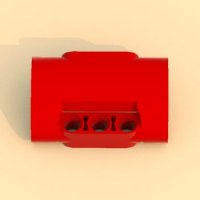
@astyanax It's just a render of one of my first custom bricks for LDD (1st link in my signature). Based on some chinese knock off brand. They had a nice red tractor that used it as front "grille". With Lego releasing so many new panels recently we might eventually get something similar :P -
General Part Discussion
Equilibrium replied to Polo-Freak's topic in LEGO Technic, Mindstorms, Model Team and Scale Modeling
Like I said - it depends on bricks category. Bestsellers are shipped from Poland while standard from Denmark. If you had pieces from both, they will be split into 2 orders. -
Custom LDD bricks and fixes
Equilibrium replied to Equilibrium's topic in Digital LEGO: Tools, Techniques, and Projects
@legomanijak Don't set them all to 0s :) <Collision> <Box sX="0.01" sY="0.01" sZ="0.01" angle="0" ax="1" ay="0" az="0" tx="0" ty="0" tz="0" /> </Collision> "S"s are collision scale and can't be 0 or below. You can leave it like above, this should be small enough. Angle + "A"s are angle coords leave them like this. "T"s are position coords - 0,0,0 will place collision at bricks default point. Depending on brick and its maker it will or will not collide with anything. For example technic beams default points is mostly at bottom/top in the middle of first pin hole - collision would collide with pins/axles. For plates it's mostly bottom in the middle of a stud so it should work. It depends. These are the only values you should adjust. Try to stay inside brick bounding box. If you have enabled developer mode in LDD you can press V to show collisions. You can also try polymaker's LDD Brick Editor https://github.com/Polymaker/ldd-brick-editor @M2m wrote python script for compiling unpacked files back into one lif file which allowed to use both blueprint for instructions and bluerender(bublible also) for rendering - check my avatar. -
General Part Discussion
Equilibrium replied to Polo-Freak's topic in LEGO Technic, Mindstorms, Model Team and Scale Modeling
I have recently ordered some parts from both categories (bestsellers and standard). The former took 3 days since they are shipping them from warehouse within our country, and the latter exactly 3 weeks. -
Custom LDD bricks and fixes
Equilibrium replied to Equilibrium's topic in Digital LEGO: Tools, Techniques, and Projects
It's not your fault. Bricks without collisions will crash building guide mode. Since not fully completed pieces are allowed there might be a lot more of them. If you want to fix it "the fast way" just add 1 tiny collision inside a brick and it will work. -
No chance. It will be printed.
-
Custom LDD bricks and fixes
Equilibrium replied to Equilibrium's topic in Digital LEGO: Tools, Techniques, and Projects
@Stephan In your latest update you are using some older versions of xml files while their g ones are up to date. The xml files from my updates - the ones that I've noticed - mostly collision fixes and category changes: 80286 80268 80267 78267 71708 70644 Can be downloaded here. And there's a missing 63037.g file where I fixed that part flexing error. Can be downloaded from older update here (in updated parts folder). -
Custom LDD bricks and fixes
Equilibrium replied to Equilibrium's topic in Digital LEGO: Tools, Techniques, and Projects
@Count Sepulchure, @SNIPE Default colour of extended mode bothered me for quite a while as well so I wrote a macro to brute force through all potential "red" values... Default colour is at position: 1910678 (decimal) or 1D2796h (hex) and holds at least 2 bytes. The value is material's number from material selector. Use any Hex editor on LDD.exe to change it. UPDATE: Changing this value breaks some license responsible for flexing parts. What a bummer... -
Only those short side "wings" (?) left to add and we got a cool mod :) I do like the shape now, although Airwolf painting is too black for my taste.
-
@efferman Looks a LOT better, how's the view from the front? I also wonder if rising tail section up a stud or 2 wouldn't be a bad idea.