

Equilibrium
-
Posts
169 -
Joined
-
Last visited
Content Type
Profiles
Forums
Gallery
Everything posted by Equilibrium
-
 Yes on PC/W10, I had different errors. In info.xml there's only db version.
 -
When I packed vanilla + my recent release it crashed, but packing vanilla + random 2 of them do work. When I get some time I'll try to debug it.
-
Custom LDD bricks and fixes
Equilibrium replied to Equilibrium's topic in Digital LEGO: Tools, Techniques, and Projects
I have merged them together becouse it was basically the same part. I made aliases so it's backward compatible with existing ldd projects. Strange, I remember having problem with finding fitting part number for one of the pistons which after some clicking led me to this number. But now when I look at it it shows me 70834 on ldraw site. Fixable. I can split it into two parts no problem. Yes, but in LDD it's impossible for a part to slide and rotate at the same time so I had to split them. And since you had piston and gasket as separate parts I thought it was best idea to do it this way. So if I merged cylinder base + cap it won't properly export? I'd have to split them as well? I can do it. For 26288 yes I had to split it into two parts since Ldraw had it as one part. I haven't thought about it when I created these parts. My goal was going after multiple features, but now that I know how it works I'll keep it in mind in the future. -
I've tried packing vanilla files and blueprint worked so I it doesn't have anything to do with blocks order after all. Now I'm trying to pack vanilla db with my custom brick which proved to work a year ago. Unfortunately this is gonna take a while.
-
Ok, I managed to successfully run it. Took 20 min :/ Looks like order of data blocks is incorrect. First block of data inside data block in vanilla is assemblies while yours outputs CurrentMaterials.xml maybe that's why blueprint crashes as it expects certain order of data.
-
Custom LDD bricks and fixes
Equilibrium replied to Equilibrium's topic in Digital LEGO: Tools, Techniques, and Projects
It's an assembly 469400. It was included. -
Windows 10, it doesn't stop or error if I fix print syntaxes and trim " from directory. It just goes on and on. After 10min I was at LOD0\24XX. I'm just terminating it. We need someone else to test this on windows as well.
-
Custom LDD bricks and fixes
Equilibrium replied to Equilibrium's topic in Digital LEGO: Tools, Techniques, and Projects
Ok, all my bricks have proper collisions (apart from internal mechanism parts) and connections (carts slide on every monorail piece for example), some are gruped into assemblies. Credits and numbers where updated. One important note: I gave you an ability to extend parts (shocks/actuators/pneumatics/rails) at the expense of moving them as one part. What it means is that if you try to move for example small technic shock absorber by its base it will disconnect from top part. You have to grab both parts. During rotation they are kept connected so I'd say it was worth it. Have fun :) Download Link -
Sizes are being printed in addition to file paths. But now I can't find new db.lif anywhere.
-
File size is still 0 and it goes and goes... Maybe I'm doing something wrong. File itself is being created depending on where I start the command: C:\Windows\system32>"C:\Program Files (x86)\Microsoft Visual Studio\Shared\Python37_64\python.exe" "D:\XXX\Różne\LEGO\Programy\LIF Packer\LIF Packer\LIF_Packer.py" "C:\Users\XXX\AppData\Roaming\LEGO Company\LEGO Digital Designer\db\" This will create db in system32, if I cd\ to C: it will be created directly on C etc.
-
I'm on Ryzen 5 1600AF and 16GB ram so something is wrong. I have found the files... in C:\Windows\System32. All of them are 0 bytes (even the one currently running) so again something is wrong :P This is how it looks like: Adding: C:\Users\XXX\AppData\Roaming\LEGO Company\LEGO Digital Designer\db\Primitives\LOD0600880.g1 etc. Shouldn't there be one more slash? After LOD0.
-
Ok, I trimed walk_dir again, fixed print syntaxes (I forgot to tell you that :P). And looks like it does work. I can see that files are being added, man it's slow... Maybe it worked whole time but I thought it would take only a min :D Anyway output file was db_4.lif but I can't find this file anywhere.
-
Custom LDD bricks and fixes
Equilibrium replied to Equilibrium's topic in Digital LEGO: Tools, Techniques, and Projects
From what I saw it was the other way around - just some had collisions. If you are accepting (imo unfinished) bricks try to keep track of what and which ones have to be updated. I think I should be ready to release my bricks later today if everything goes well. Had some problems with messed up outlines on monorail and pneumatics. While I fixed most of them on monorails, pneumatics would require more time so I'll do it later and provide as is. Turns out brick studio needs 3d model mesh to be made in some particular way to provide nice outlines which doesn't always go with "proper" modeling method. That's one thing. Now the real question :P Should I release my custom bricks? Unimog tire scaled down to 42029 tire, Class tire scaled down to Arcos tire, Shortest technic curved panel (5 studs). -
It doesn't work. In windows cmd while providing folder path it is required to add " " if the path contains spaces. "C:\Program Files (x86)\Microsoft Visual Studio\Shared\Python37_64\python.exe" "D:\XXX\Różne\LEGO\Programy\LIF Packer\LIF Packer\LIF_Packer.py" "C:\Users\XXX\AppData\Roaming\LEGO Company\LEGO Digital Designer\db\" So I did this and started getting error with incorrect file name. Script tried to create file "db".lif" but it obviously failed. I have trimed walk_dir = walk_dir.strip('"') from one quotation mark (print function showed correct path (C:\Users\XXX\AppData\Roaming\LEGO Company\LEGO Digital Designer\db) and script at least started and it immediately fell into some infinite loop using 20% of my cpu and doing nothing else.
-
Custom LDD bricks and fixes
Equilibrium replied to Equilibrium's topic in Digital LEGO: Tools, Techniques, and Projects
I'm slowly updating xmls with proper part numbers (I was going down from 999999...) and credits also resaving them with Brick Studio to get brick outlines (I couldn't manage to output that with 3D Max). I don't have too much free time currently so it takes a while. Also, I have browsed through some of already uploaded parts and noticed that you guys don't make any collisions -
Custom LDD bricks and fixes
Equilibrium replied to Equilibrium's topic in Digital LEGO: Tools, Techniques, and Projects
Well, that's a lot of updating then. That's also an option. -
Custom LDD bricks and fixes
Equilibrium replied to Equilibrium's topic in Digital LEGO: Tools, Techniques, and Projects
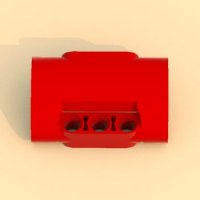
Hmm, so I'd have to update all the files with credits. I was initially thinking about creating parts pack installer. I know pretty simple way of making file patches. But it would require tool to import new/modified bricks into LIF file. That would also enable creating instructions/renders like I have showed at the beginning (I have actually manualy added that red panel to db.lif using hex editor :P). I was going down starting from 999999 or something like that if I remember correctly. It wouldn't collide with an official update but it creates a problem in case when someone would like to export xml parts list for BL or sth. And if more people would do as they please it would create an unnecessary disorder. -
Custom LDD bricks and fixes
Equilibrium replied to Equilibrium's topic in Digital LEGO: Tools, Techniques, and Projects
Nice, so was it agreed on some standards regarding crediting parts original author or numbering in case LEGO released another update? How parts are distributed to users? Before I stopped last year I have made few more parts apart from shown on the first page: The carts do slide on rail, they do have hinges and stuff :) -
Custom LDD bricks and fixes
Equilibrium replied to Equilibrium's topic in Digital LEGO: Tools, Techniques, and Projects
@Zerobricks Yes, I'm using imported LDraw models. Then doing all the necessary changes, collisions and connections myself. I wouldn't be able to model them on my own since I don't have these parts to take measures, etc. @BrickWild Thanks. Not yet, I'm going to add pneumatics and I'd like to release first update. @jamesster I saw that thread while I was checking if someone did this already, before I started. @pagicence I have those. Their author(s) manualy edited saved scene file with different coordinates for parts of an assembly. While shock are correct, LAs are extended (one row) beyond their real bricks counterpart limits. I'm basically letting you do the same through LDD with a disadvantage of being able to disconnect parts and requiring to group them for moving as "one piece". Can I somehow make a poll on it in this thread? I'd rather include this but maybe most wouldn't like it. Anyway, I got sick so not much have been done. Added possibility to connect these pieces: Added pneumatic switches: Also, if someone has this mast piece (from 70810 MetalBeard's Sea Cow), could make such assembly with real bricks? Put 2l axle at the bottom as deep as possible, a plate with holes and half-bushing. And let me know if an axle sticks out of the bushing or it's the other way around. I'm asking becouse it's not possible to place 32l long axle in this model in LDD and I could fix it if it's masts fault. -
Custom LDD bricks and fixes
Equilibrium replied to Equilibrium's topic in Digital LEGO: Tools, Techniques, and Projects
But these are not entairly separate parts. This is just the same as in current LDD verison but you can move each subpart (or part piece) individually. So ability to move them as one single piece is traded for an ability to adjust them. I wouldn't call this a code I can use parts that I made no problem (since I don't think Lego will bother changing file formats or something like this). -
Custom LDD bricks and fixes
Equilibrium replied to Equilibrium's topic in Digital LEGO: Tools, Techniques, and Projects
@Zerobricks Knowing my luck, Lego will release an update adding 10 times more bricks within a month after I post this update rendering most of my work obsolete @MatthewRC That's something I haven't thought about. That'd be very unfortunate turn of the events to say the least... Anyway, I think I've found a way to patch everyones db.lif. I have to test it on my 2nd PC just to be sure but it seems to be working great (on windows at least). It should also work on linux and mac but I don't know basic command lines of these systems (patch starts through a .bat file on windows). I have edited hub a bit so it acts as assembly. Scrapped my wheel arch panel and used LDraw ones, also added smallest one: 3 small system bricks (red, yellow and green ones): I've also made a kind of workaround for adjusting shocks/LAs/any other pistons (it seems like LDD just misses some "move inside assembly" tool): It has a downside of being able to disconnect assembly parts so if one would like to move them all bricks would have to be selected. Rotating works fine, parts stick to each other. Deleting any part of an assembly deletes whole brick. It seems to be backward and forward compatible - saved files wise. Should I stick to it? Pneumatics can also be made that way. -
Custom LDD bricks and fixes
Equilibrium replied to Equilibrium's topic in Digital LEGO: Tools, Techniques, and Projects
Ok. I've successfully added (manualy so far) additional brick to db.lif. Both Blueprint and Bluerender work just fine: -
Custom LDD bricks and fixes
Equilibrium replied to Equilibrium's topic in Digital LEGO: Tools, Techniques, and Projects
@Zerobricks Thanks :) I know about CV joints, but I'm asking about an ordinary axle. New hubs have "two stages"; one where you can slide slighty an axle and it will slip on it (kind of illegal connection) and one fully connected where you can rotate hub by axle. Since older hub doesn't have an axle hole I assume it cannot accept an axle as rotation input. You can click on pictures to open them in a new tab where it is possible to enlarge them (all are in full hd). Or should I post them somehow differently if there's a trouble viewing full picture? -
Custom LDD bricks and fixes
Equilibrium replied to Equilibrium's topic in Digital LEGO: Tools, Techniques, and Projects
@pagicence I can't share it yet due to what I wrote above your post and one other thing. @Scrubs, @SylvainLS Thanks guys I didn't know that! With this in mind I tried adding the wheel hub. I had to edit part model a bit, split it into two pieces (in order to be able to rotate it freely - just like newer hubs) and fix some errors but everything worked out pretty nice btw. I don't own this part, so: it is not possible to insert an axle there (where CV joint connects), right? And maybe a bit silly question, but is this enough regarding part copyright (bottom left corner)? -
Custom LDD bricks and fixes
Equilibrium replied to Equilibrium's topic in Digital LEGO: Tools, Techniques, and Projects
Yes, having these bricks would be nice. I could do the tire but it goes with a different rim so it would also have to be made. And as I wrote yesterday I want to avoid modeling parts myself. I looked over LDraw license and from what I understand I could use their parts (with all due credit). I'd add collisions and connectivity options myself. This would speed and ease the process. However, there are some issues that I haven't thought about before (if we ever get to the sharing part). Current way of adding new bricks/fixes breaks Bluerender and Blueprint completely (don't know about POV but probably also). I'm using unpacked db.lif (so it has to be renamed or moved somewhere else so LDD uses folders instead) while these programs require it to run. So in order to use them db.lif would have to be patched with new bricks. While I know its structure, writing a patcher is beyond me I'm afraid. Compatibility issues with other programs. I can't number pieces using official Lego codes becouse if I'd do this and an update for LDD would be released with these bricks, chances are official bricks could have different initial position in 3D space which would result in missplaced/deleted parts upon opening saved file. Also importing an ldd file into other programs would result in these parts missing. So yeah... I don't know. I'll try to use LDraw parts for few of the parts above, will also have to rewrite/update scripts and we will see how it goes I guess.