


Superkalle
-
Posts
6,069 -
Joined
-
Last visited
Content Type
Profiles
Forums
Gallery
Everything posted by Superkalle
-
You can use LDD Manager to find parts. I've made this mapping between LDD and BrickLink ID's.
-
Due to very few posts, the LEGO Universe forum has been merged with the Culture and Multimedia forum. So from now on, welcome to discuss all your LEGO Universe questions there. /The EB staff
-
[Software] LDD Manager
Superkalle replied to Superkalle's topic in Digital LEGO: Tools, Techniques, and Projects
Yes, you are absolutely right. Let's hope this functionality changes in the next LDD release. Life is strange sometimes -
[Software] LDD Manager
Superkalle replied to Superkalle's topic in Digital LEGO: Tools, Techniques, and Projects
Hi Peter Well, you were right (and I had forgotten), that you're problem was not this. Anyway, I fixed a potential in LDD in any case. -
LDD Community Gallery?
Superkalle replied to Dr. Edgewood's topic in Digital LEGO: Tools, Techniques, and Projects
Hi Doc. And welcome to the forums. Like Andy says, if you want to store LXF-files, Brickshelf is a good site. If you want to browse what other have done, then you can search for "LXF" at Brickshelf and you'll get a lot of hits. Also, have a look at the Index topic for more info. -
[Software] LDD Manager
Superkalle replied to Superkalle's topic in Digital LEGO: Tools, Techniques, and Projects
Yes, you're right - I did actually test your file. But now I can't remember how I tested it, zipped or unzipped and now it's gone. Can you send it again please? -
[Software] LDD Manager
Superkalle replied to Superkalle's topic in Digital LEGO: Tools, Techniques, and Projects
I've managed to figure when this error can appear, and it's when you try to open a LXF-file that is not a LXF. For example, if I take a .TXT-file and change the .LXF and try to open in LDD Manager, I will get these errors. In other words, make sure that the file you try to open is LXF-file. In the next version of LDD Manager I will explicitly handle this error to give the user a bit better information. -
I've forwarded this info. Let's hope they have some time to look into it. PS: The 20 tooth wheel has now been fixed in DB.lif - now we just have to wait for the next update
-
If you want, send me the file, and I'll have a look at it. PM me in that case (or if you allready have my mail adress). EDIT: Just found out that bricks take up 30% more memory in 4.0 then in 3.0. This is because of the added shading and rendering information needed. This means that if there is a memory shortage issue on your computer, it could explaning your problem. I edited your original post like we discussed About your open vs. import problem - I'll pass the question along to the LDD Developers, and let's see what they say. EDIT: Got information that there shouldn't be any difference in the load process in Open vs. Import. The only thing is that in Open, a new scence is initialized and created, but in Import, the existing scence is used.
-
Hidden Mountain Base MOC
Superkalle replied to alienwar9's topic in Digital LEGO: Tools, Techniques, and Projects
Great job. Simply stunning -
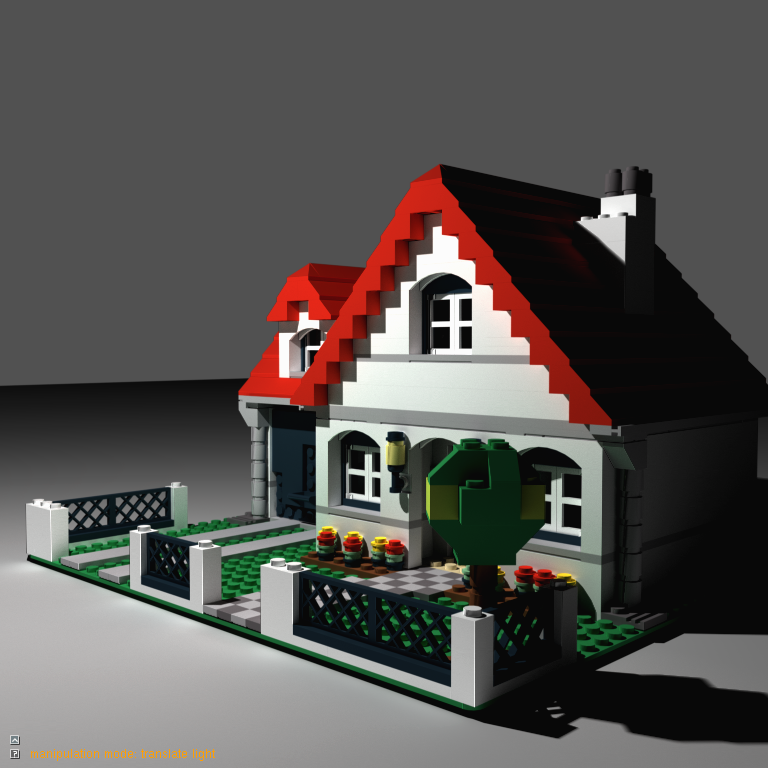
I just noticed this picture when browsing the web. It's from the same instituion (Alexandra) that helped TLG with the advanced shading in LDD 4. It shows a technique called CUDA photon mapping. I don't know if it's real time rendered or not, but it looks really good. I have now clue if this is just a test where they used a LEGO model as a dummy or not. Maybe something to drool for in LDD 5.0?
-
The first three places were just amazing. I'm always impressed how the contest at EB keep turning out such absolutely awesome MOCs. Great job Kim for hosting this, and congrats to the winners!
-
Thanks for pointing that out. I did some quick updates to make it a bit better.
-
I guess you are right, but the results are not always that good - and it look nicer if it is written as a posted review.
-
[Software] LDD Manager
Superkalle replied to Superkalle's topic in Digital LEGO: Tools, Techniques, and Projects
Not that I know of, but that is a brilliant idea if someone would want to make a better help -
Very intersting first review. I'm struggling with the spanish however How would you think of the idea to make a review in english and post it here on Eurobricks. I think it would be much appreciated.
-
[Software] LDD Manager
Superkalle replied to Superkalle's topic in Digital LEGO: Tools, Techniques, and Projects
Yes, Calabar is right. You can allready in LDD change all bricks of a certain color. 1) First go to the Paint Bucket Tool and select in the Color Palettet Tool the color you want to change TO (target color) 2) Then use the "Color selection tool" to click on a brick with the color you want to FROM (old color). Note that all brick with that color will be selected 3) Click on the Paint Bucket Tool. 4) Done This is actually the reason I did not add the batch color replace feature in LDD Manager. It's so simple to do it directly in LDD. (But you are right, it would be very easy to add a batch color replace in LDD Manager, but for the time being I decided not to. ) -
That is simply stunning. You are definetly leading the way in state-of-the art LEGO CAD
-
Well done. Very well done indeed
-
[Software] LDD Manager
Superkalle replied to Superkalle's topic in Digital LEGO: Tools, Techniques, and Projects
Sorry, no there is no such function, and the reason is that the feature Aanchir explained allready exists in LDD, so I didn't think there was any use for such function in LDD Manager. The only batch replace feature that is in LDD is the "Batch Replace parts". Out of curiosity, why is the LDD color change feature not sufficient? Is there any particular case you have bumped into? -
[Software] LDD Manager
Superkalle replied to Superkalle's topic in Digital LEGO: Tools, Techniques, and Projects
The runtime version of Access is the same now as it was in May, so that shouldn't be a problem. Howver, yes, it's a good idea to install the newest LDD Manager -
Hi Strikeman. Glad you came out of the dark ages! And welcome to the Digital Designer forum here on Eurobricks. I'm sure one of the ML Cad gurus will come by soon and help you with your question
-
[KEY TOPIC] Wanted bricks in LDD
Superkalle replied to Superkalle's topic in Digital LEGO: Tools, Techniques, and Projects
He's welcome! -
[Software] LDD Manager
Superkalle replied to Superkalle's topic in Digital LEGO: Tools, Techniques, and Projects
Hi Petero Sorry for not replying until now. The second problem seems to be related to the Shell32 file in the Windows operating system, because it contains the routines that does the zip-extraction (as far as I have managed to figure out). All the warnings you get are because of that. Even though there shouldn't be, it might be beause of sligh variations in the version of Shell32 between different versions of Windows. Having said that, I haven't heard anyone else having this problem, and I don't know exactly what can be wrong. I'll try to investigate and I'll get back where when I got some news. PS: the file you sent opens fine on my computer, so there's nothing wrong with it per se. -
The same question was put here too. You might find some additional tips there.