Superkalle
-
Posts
6,069 -
Joined
-
Last visited
Content Type
Profiles
Forums
Gallery
Everything posted by Superkalle
-
[HELP] LDD colors
Superkalle replied to syclone's topic in Digital LEGO: Tools, Techniques, and Projects
Let me link to the source file here in the Section Index instead. -
[HELP] LDD colors
Superkalle replied to syclone's topic in Digital LEGO: Tools, Techniques, and Projects
The best way in this case is to contact the LEGO Customer Services. -
Studs in technic holes?
Superkalle replied to ReplicaOfLife's topic in Digital LEGO: Tools, Techniques, and Projects
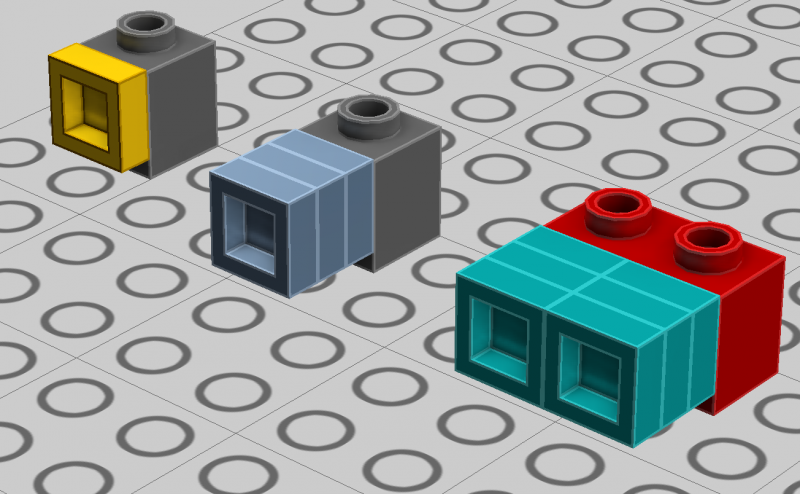
My understanding is that the TLG themselves only allow connecting a stud into a technic hole very rarely, and then only for decorative elements/purposes. I guess bricks are seen as more construction elements and not decoration, and hence why LDD only allows plates. I don't know of any workaround that would allow you to directly attach a 1x1 brick to a technic hole. The connectivity logic of the technic hole prevents even scaffolding a 1x1 brick in place. Ldraw will off course allow this, but I guess that's not what you wanted to hear. It feels you are onto the best solution already; to use three stacked 1x1 plates, and then when placing the order on bricklink dividing by three to get the correct number of bricks. If you are also using the 1x1 plate in that color for other purposes, a trick could be to use a special color for the stacked 1x1 plates, so you can distinguish between them and other places where you really want it to be a 1x1 plate (and naturally another color for when the plates are side by side). (see attached image) EDIT: Not sure I follow your reply Calabar. 1x1 bricks will not scaffold in place no matter how you try (at least I have never succeeded). Also, 1xn bricks/plates do have the same nominal pitch as Technic holes. The problem is more likely that the pitch precision in the physcial brick may be off with a slight value from stud to stud and hole to hole, which would put large forces on the bricks (since there is no "wiggle room" in a technic hole) and make it very difficult to put the brick in place and take apart. But maybe that's what you meant?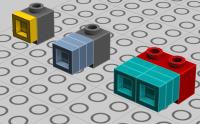
-
Hi Hip It seems you question is more related to purchase strategies on BrickLink rather the digital tools. I think you'll get more help in the General LEGO section, so I'm moving your topic there. Also note that LDD Manager is no longer supported, so some of the newer bricks are missing. Use with caution.
-
Simple answer - no, there's no way to modify or update the colors in LDD. What you can do is to create a custom LDD brick palette (LXFM-file) with all the color/brick combos in for example BL and then use that in LDD. That would give you what you want. But there some work involved. You need to somehow read data from BL, do all the mapping to LEGO bricks/colors and then finally create the custom palette (which is basically a LXF-file). Not sure if anyone has gone to the trouble of doing this already. Check out the section index about info how to create a custom brick palette Note also, if you are missing any color from the LDD GUI that you need, most of them are already in LDD "behind the scenes". Use the color picker tool from an already existing model. Here is a "palette" for such purposes. Hover the mouse over each color and you will see the LEGO color ID and the LEGO Color name. As for new colors being added by TLG, they are usually added as the LDD brickset is updated.
-
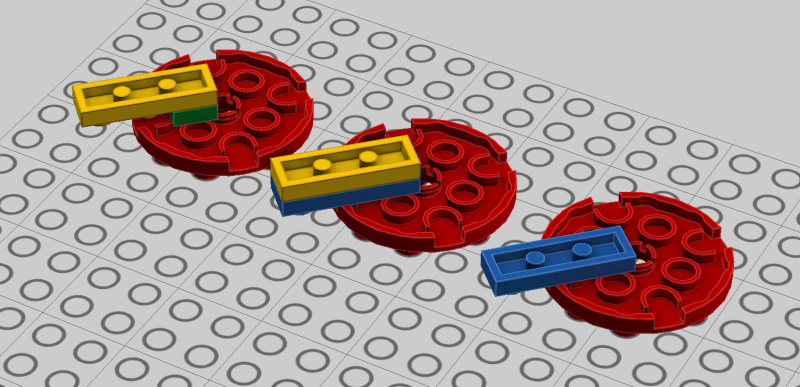
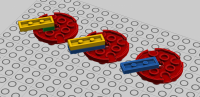
Fixed title for you as best as I could As for answer, Yes, it's fairly easy to do. put a 1x1 plate in the position closest to the 4x4 hole Rotate it 45 degrees. Put a 1x3 on top . It will now be in position as you want, just one plate too high up. Remove the 1x1 plate under Take a new 1x3 and put it in between the 1x1 and 4x4. It will orient itself after the 1x1 Remove the top 1x3
-
Can you call this LEGO?
Superkalle replied to Ulrik Hansen's topic in Digital LEGO: Tools, Techniques, and Projects
I think it's time to end this discussion. -
There is topic for BrickUtils. I'll move your post there.
-
Top notch review mate!
-
Problem in attaching treads in LDD
Superkalle replied to SirDoDDo's topic in Digital LEGO: Tools, Techniques, and Projects
SirDoDDo, welcome to Eurobricks. I helped you make a clearer title for your topic. There are several CAD-tools being discussed here, so I added "LDD" and clarified the problem description. -
Crowkillers in Counting Cars
Superkalle replied to Meatman's topic in LEGO Technic, Mindstorms, Model Team and Scale Modeling
Absolutely amazing. I'm stunned. This is showing the way forward for LEGO Technic. There's no going back now! -
LDD 4.3.9 Update Released
Superkalle replied to legolijntje's topic in Digital LEGO: Tools, Techniques, and Projects
The straight (but boring) answer is that no one knows. A few years back, brick updates used to arrive regularly (2-3 times per year). However, since sometime last year this stopped, and at the moment we don't know what the schedule is...not even if there is one. -
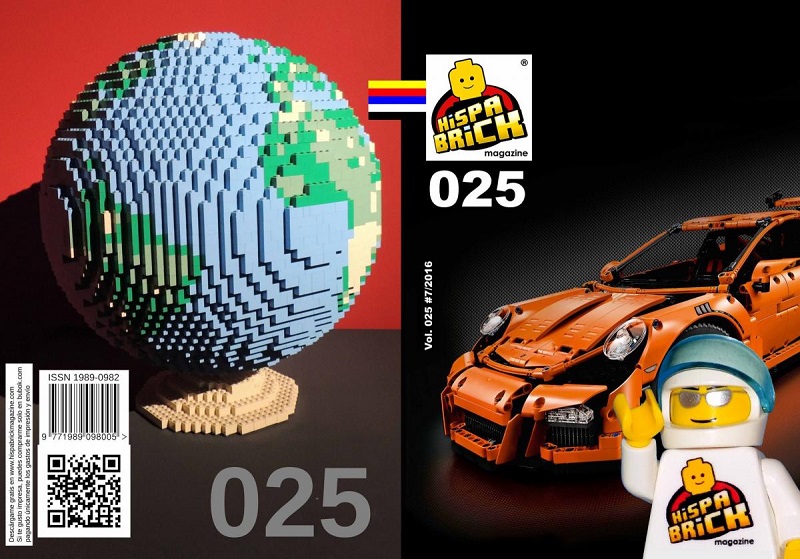
Hispabrick Magazine #25 is out. In this issue the 42056 Porsche GT3 RS is taken for a spin. There is also an article about the creator of a series of Star Wars Maxifigs and a look at some cool MOC sailboats. There is also a report from the Hispabrick event in Mungia. And plenty about the Wedo 2.0 set. Click here to download the mag in PDF-format and here to discuss.

-
Hello I see this is your first post, so welcome to Eurobricks. If you are going to get help, you need to be much more specific: What kind of problem, what computer do you have (specifications), etc. Also, I kindly ask you to read the index which has a lot of good info.
-
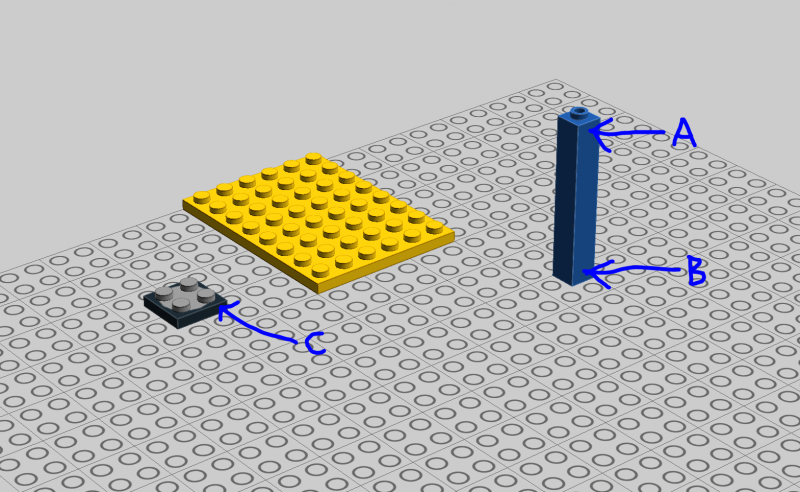
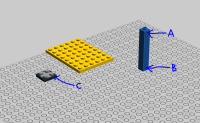
No problem for me. I'm able to place the Mine model anywhere on the 32x32. The only issues is the the black spider that needs to be raised a bit first since it doesn't align with the stud pattern of the 32x32. Please also note that sometimes it matters where you "pick" the bricks you want to attach. I've attached a picture to show you. If you pick the brick on position A, you'll find it in some cases snap to the underside of the plate, but if you pick it in position B, it'll always snap to the top side. In normal building you never think about this, because you intuitively just move the scene around a bit to get it to snap to where you want. But in some cases, for example trying to attach/align huge sub-assemblies to a certain stud on another assembly, it can make a difference. Another similar case is when trying to place a 2x2 turntable with its top on (3680+3679) on a plate, in which the turntable will attach to the underside of the plate if you select them both and then happen to pick the top plate. The solution in this case is to select/pick the bottom half of the turntable (position C).
-
Can you share the LXF?
-
And I'll help you by making the title of the topic a bit clearer. Remember, there are several different digital tools discussed here.
-
I split this into a separate topic. It was posted in the 4.3.9 release topic.
-
LDD Manager hasn't been updated in quite a while, so some data may be out of date. There is an automatic check every time you start the program. You can also check manually in the help-menu (I think it is)
-
Great and initiated review - love how you go into details and make comparisons to the real thing
-
At the time the element was created in LDD several years ago, it wasn't legal to attach a stud to the lattice, so they never bothered to add attachment points. Yes, nowadays it is legal it seems, but I guess it's just one of those things on the "todo-list" at TLG. As for not being able to stick something through the lattice (for example a 3.2 mm bar as in the London Tower Bridge set), it's just a bug.
-
LDD keeps crashing in Win 10
Superkalle replied to Kenneth-DK's topic in Digital LEGO: Tools, Techniques, and Projects
If you can specify more what kind of computer you have, specially graphics card specs and drivers, maybe someone you along a bit better. -
[Software] LDD Manager
Superkalle replied to Superkalle's topic in Digital LEGO: Tools, Techniques, and Projects
You can actually upload LXF-files directly to BrickLink nowadays. I'm not sure how accurate it is though (and if it covers all bricks in LDD). -
Hi I'm moving this to the Pirates section where I hope you can get better feedback then in the Digital Design section.
-
LDD 4.3.9 bugs and issues
Superkalle replied to JC75's topic in Digital LEGO: Tools, Techniques, and Projects
Like you found o0ger (my old technique geek pal ) - it's an approved technique in some cases. The main problem would be if you do this with PC bricks, which would most normally squeeze them together really hard, and kids wouldn't be able to take them apart. For ABS it should be fine. But even for ABS it is a tricky case, because forcing a 3.2 mm bar into a stud hole and then putting a brick "outside" of that, would in some sense limit the ability for the plastic to naturally "bulge", thus leading to too high tension and resulting in cold flow (i.e. risk of ruined brick). But it seems that Design Lab and Model coaches have started become more allowing lately, allowing designer to use techniques that would have been forbidden historically. Anyway, the reason LDD doesn't allow the connection type has more to do with limitations in the connectivity system in LDD then anything else