Superkalle
-
Posts
6,069 -
Joined
-
Last visited
Content Type
Profiles
Forums
Gallery
Everything posted by Superkalle
-
Sorry, no. We'd be swamped with requests for exceptions....
-
This is the rule I'm referring to, and it's been there from the start. I even went back to look at the draft we did before launching the contest, and it's the same wordings: "Although it's possible to use all brick/color combinations when building digital, to keep it fair, use only released color/part combinations, i.e. what can be find on BrickLink." Neither me nor legolijntes, are going to go through the entries to check so that all brick/color combos exist in real life, so you need to do that yourself. And no, we're not going to disqualify someone for missing to spot a single little brick that is in an unreleased part/color combo, but if it's too many or too obvious I'm sure either we, or someone else, will see it. And don't forget you can use any decorations/stickers as described in the rules to add color accents too.
-
It was actually in the rules from day one. About your comment - I can understand and respect your argument - I mean, now that we have a digital contest, why not allow the use of any part/color combo? Right? And like you say - LEGO can introduce new colors with a new theme, so why can't we? Well, I guess the idea with the contest was/is to keep digital building somehow connected to the challenges you face with physical building and not let it drift too far off with all kinds of fantasy color combos. So we just made the decision to have this limitation when we launched the contest. Also I guess it was to have a simple and easy-to-follow rule. Otherwise we'd find ourselves in endless debates about how many new brick/color combos one could use etc.
-
For the contest entry, you are not allowed to post videos (or links to videos) there - only images are allowed. If you want to make a video and post somewhere else (like in the Comment topic) to perhaps get comments or input from fellow builders, that's OK.
-
Yes, you can post your entries somewhere else after they have been added here first. I think the rules already quite clearly answers your question about updating entries during the contest, so check them out again and read carefully
-
What do you mean....are those coinjected?
-
Neat I've been working a lot with Sketchup myself lately, so it's cool to see the kind of animation you can do based on Sketchup models.
-
Hm, interesting question. I don't know if ears etc are printed with tampo print technique, or painted on (even hand-painted for some parts). But I guess it shouldn't matter for this contest and what is meant by "print", so unless legolijntjes objects, I would say yes to your question. Now, for co-injected parts though, you have to stick with the colors that exist as physcial bricks (gotta draw the line somewhere).
-
Sure, you can make a patchwork of smaller images like you showed. I do realize the sub-images and text will be tiny, but maybe you can pick out just a few features/functions to highlight then? About the max of five images (and not linking to high res pictures): Well, I'm thinking since there will be community vote, and let's say there is 40 entries. That means a total of 200 pictures for a voter to check through. I think that's more then enough. But I do understand what you mean, and linking is a good way to reduce bandwidth and at the same time allow users/voters to dive into details if the want. On the other hand, we just had to decide on a simple rule to make it the same for all. Also, don't forget, you are allowed to include a link to the LXF file(s), which would allow people to view the theme in any possible angle and detail. Sure, it won't make it so easy to show moveable feature etc (maybe), but still.
-
A fellow Moderator kindly pointed out that the link to the FAQ is apparently in my own signature. I guess it shows how good I am at this moderation stuff
-
Q1- The solution is to have several models presented in one image - just put them on the same "floor space" (as an example). Or make a patchwork of smaller images to make up the 1024x768 image. Please note - the idea with the max 5 image is to avoid that people plaster their post with a huge amount of pictures (we have to think of the voters too ). So five 1024*768 images is the real-estate you have, and I guess the challenge is to present and convey your theme in a nice an appealing way within that boundary. NOTE: That also means - don't link to a higher resolution picture. 5 times 1024x768 is what you have. It shouldn't be necessary for the voter to have to click on to a high-res picture to be able to appreciate the theme/models. Q2 - yes, you can show functionality like you describe like an array of images/subsets in one image. Q3 - The final conclusion is the same as what the rules say from the beginning: don't use combinations that doesn't exist as physcial bricks (i.e. what you could find at BrickLink). The whole idea is just to avoid all kinds of odd brick/color combinations. After all - LEGO design is about using a system of bricks and colors that has limitations. That's kind of the charm with it I suppose, even in the digital world.
-
It's a tricky case, but we decided to OK the entry. Even if you've posted the theme idea elsewhere (and it's your own theme idea), the models seems to be new like you say. But remember, you do still have 5 weeks for the deadline, so if you want to come up with another theme idea, there's still plenty of time. Sure, it's OK to render airships and stuff like you describe. Yes, you can design and add a theme logo into the pictures. That's OK. There must be a FAQ somewhere here on EB about how to create links. I don't know to be honest - never had that question before. (if someone finds the FAQ, please post it here). Otherwise, you just mark the word you want to have as a link, then click the "link" button in the toolbar, and then paste the link to the post (the post link you can find by right clicking on the post count # to the right in the post banner.
-
About images - it's max 5 images (and max 10 models). As for the MOCs, now that I had a chance to look, they do seem to be exactly like what you've already posted on the Sci-Fi forum, and very similar to what you posted on other LEGO sites, so it feels a bit like you're recycling. I'll have to confer with legolijtnjes about it.
-
Yes, I would say it's OK. The main point with the rule of "not using custom parts" is that you can't create/model your own parts. For LDD this is not an issue since it's not possible, so the rule is mostly aimed at Ldraw tools, where this is possible.
-
I agree, no problem to create a WIP topic. Just to say - the purpose of the "comment and discussion topic" created here in this forum was to gather everything together. But if you want to create a WIP topic in another forum, no problem...may even help to spread some interest of the contest for those who mainly read the other forums at EB No, you're not...it's just that I get messed up in my own wordings sometime.... ...and legolijntjes deciphered it correctly. I think you'll be alone for some time until the rest of the gang struggles to get into the starting blocks
-
Well, it's not a requirement in the contest, but I have to say I personally like the added twist, i.e. to design the models with the same limitations that TLG designers are obeyed by: trying to design cool models for each price point (limited budget etc) and trying to use the same ItemID in many places to keep the number of ItemID's low. But in the end it will be up to the voters of the contest to decide how they want to judge that extra effort that may have gone into something like that
-
[Software] LDD2PovRay
Superkalle replied to Superkalle's topic in Digital LEGO: Tools, Techniques, and Projects
I sent a PM to Hrontos, and hopefully he'll be here shortly to answer questions. About 16709 (small minifigure legs), there seems to be a problem that in the previous version I think they were defined as a "part" and in the new version they are an "assembly" (which is odd since they aren't composed of more then one part). -
Not sure what you mean by new idea. It can be a spin-off on a Licensed theme or an existing LEGO theme, for example a new sub-theme to CITY or something like that. Or like when LEGO themselves made the micro-models of Star Wars ships. It can also be a theme that perhaps didn't exist yet as LEGO sets, but is available in some other format, like "2016 Formula 1 GP Series cars". The key idea is to create a set of models that belong to a common theme, and TLG doesn't already have. That said, it could also be a "fresh-up" of an old theme, like a 2016 take on Fabuland. The sky is the limit. I think the most important is that you think it's a cool idea. And make use of what Digital Tools has to offer, like the ease of making color coordination between models. We are aware it can be kind of daunting to create a new theme, but hey, it's a challenge, right? Hope that answered your question. Yes, no problem. Let me confer with legolijtnjes, but for the time being, let's say like this: As long as the part can be either printed by TLG themselves or that a stricker can be put on the part, then it's OK. If it's not technically feasible to print on the part in real life, then it doesn't make sense to have it in the digital world either. So, rule of thumb: have a look at the TLG prints and stickers put on various parts - if they have done it on some part...then it's OK.
-
We're happy to be able to present the 2016 Eurobricks Digital Design contest, which is open to all digital design tools. Click here to head on over to Digital Design forum and read all about it. First prize will be the massive 75827 Ghostbuster set. Deadline for entries is April 30th.
-
Bob De Quatre posted this MOC a few days ago in the Andromeda's Gate forum. Have a look at more pictures and read the backstory here. There's even a LDD file to download if you want to check out the details.
-
The contest has been live for a couple of minutes and already questions come in we haven't thought about . Let me discuss your question with legolijntes, but for the time being: Yes - don't add backdrops in the render itself. And don't add bricks etc behind the model unless they are part of the model itself. It's just to avoid that people either Photoshop in these yaw-dropping images of the universe etc, or creative massive LEGO worlds behind the models, and then you get distracted from the models themselves. The idea is that it is a "MOC design contest" and the focus is on the models and theme design. Naturally you can add a solid background color backdrop, or a background that transitionins from a foreground to a background color) or something neutral and toned down like that. Also you can add that the models reflect on a the floor as part of the rendering (i.e. like a glossy floor). And you can off course use HDR images for lighting to get the right reflection in chrome pieces etc, but only then as a lighting source.
-
Just add a few more models into one of the images
-
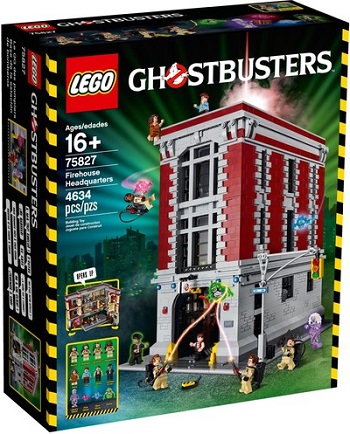
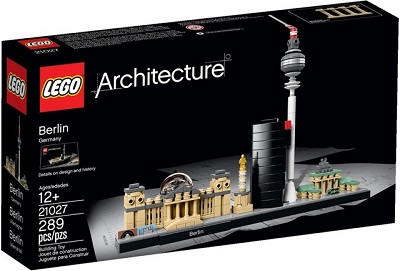
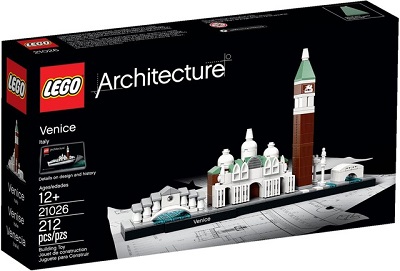
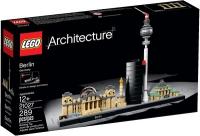
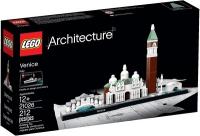
Digital Design building contest - build your own theme After a long hiatus, we're happy to finally present a new digital-building contest open for all digital design tools (LDD, Ldraw, Mecabricks etc)! Before we used to have a class that you should also build the model with physcial bricks to encourage and promote the use of digital design tools as part of the creative process. But this time we skipped that, and have only once class that's an all digital contest. This time, the contest challenge is to create your own theme. You are free to create whatever you want: a new castle theme, microscale cities, household items, unicorn-ninjas, cars, Technic models or whatever. Basically anything as long as it is a coherent ‘theme". For this reason you need to create at least three models so that the theme topic can be seen. NOTE: This is a digital building contest, so you have to build on your PC/Mac, although you may off course build it with real bricks afterwards and showcase that too. Your entry should consist of at least 3 models and a maximum of 10 (Update April 23: you can interpret 10 models as 10 sets). The size of each model is up to you, so if you want to make for example 5 micro-scale models or 3 larger models, or any combination, is up to you. The only limitation is that you use max 5000 bricks total for all models and that all models should be part of one coherent theme. Prizes Of course a contest isn’t a contest without some prizes. And we decided to go all in on this one with a huge first prize and seasoned it with some smaller ones for the runners up: 1st - 75827 Ghostbusters Firehouse Headquarters 2nd - 21027 Berlin 3rd - 21026 Venice Prizes have kindly been donated by TLG. Shipping to winners is courtesy of Eurobricks. Submitting your entry When you’re satisfied with your entry, post it in the designated Entry topic here in the Digital Design forum on Eurobricks along with a name for your theme. You can add up to 5 images. The ‘main-image’ of your post should be an overview of your theme, and the other ones could be details etc. Max resolution of images is 1024x768 or equivalent NOTE: Only post contest entries in this contest topic - one post per entry. If you want to add/get comments for entries, you can do so in the dedicated Comment topic. You may off course add a backstory or description of the theme. Renders are allowed but photoshoping in other parts, backdrop, box-art etc into your images is not allowed. Entry Deadline The deadline of the contest is April 30th noon CET. Entries submitted after the deadline will be disqualified. Voting When the contest is closed, there will be the standard community vote. The voting will be done by each voters casting two votes: One vote for best Model design, theme etc. We will encourage voters to look mostly at the model designs, so to avoid that themes stands against theme. Naturally voters will judge also originality of the theme, color coordination, "coolness", and also perhaps use of the unique possibilities with designing with digital tools, but the main focus should be the quality of the models showcased. One vote for (since its a digital contest) "best presentation/render". The final voting will be tallied so that 70% of weight will be for best model and 30% for best presentation. More details will be presented at a later date when the voting is opened. The voting will be open only to members registered on EB the day before the contest was announced. Summary and additional Rules General: You may build your model using LDD, MecaBricks or an LDraw based program, such as MLcad, LDCad, BrickSmith and more. The contest is open to all Eurobricks members (also new members). EB Staff is not allowed to participate. Your models should be new and not posted before on the internet. It is allowed to make a theme as a spin off on a licensed theme or other LEGO theme (in case you have an idea for that). Use of custom (i.e. non-LEGO) parts is not allowed. Use of custom decals is allowed. Although it's possible to use all brick/color combinations when building digital, to keep it fair, use only released color/part combinations, i.e. what can be find on BrickLink. Update March 29: In addition to this, you are allowed to use max 5 new/own combos in total for your proposed theme. List any new combos you use in your entry post so it's clear which they are. You may not add photoshop backdrops or other "non"-LEGO items into the images - the themes should be possible to judge based on their design quality and theme originality by themselves. Don't use the LEGO-logo in the image Don't create box-art or similar to present the theme - just the models themselves The models have to be physically buildable, so no floating bricks and such. Only 1 entry/theme) per person. We (Superkalle & Legolijntje) reserve the right to disqualify any entry that does not follow these rules. Entry rules: Entries are to be placed in the dedicated Entry topic in this forum - one post per entry. If you want comments, or want to discuss a certain entry, please use the dedicated Comment topic for entries, preferably with adding a link to the entry in the Contest topic. Name your theme, and your models with suitable names The entry post may be edited at any time up to the end of the contest, so feel free to make improvements if you wish. You are encouraged (but not forced to) to share your digital files. This is both to allow other people do judge your techniques when voting, but also to share in the spirit of the community. Questions? Post them in this topic
-
Use this topic to comment and discuss the various entries. The Rule topic is here The entry topic is here
-
Use this topic only to post your entries - one post per entry Don't use this for commenting others entries. Instead use the comment topic for that (with a link to the post here) The Rule topic is here