


kbalage
-
Posts
1,834 -
Joined
-
Last visited
Content Type
Profiles
Forums
Gallery
Everything posted by kbalage
-

Powered Up motors: L vs. XL
kbalage replied to FoxOne's topic in LEGO Technic, Mindstorms, Model Team and Scale Modeling
I'm sure Philo's research was far more scientific than mine, but when I tested the motors after the release I measured the XL motor to have ~10% higher RPM and ~15% more torque than the L one. I'll try to come up with more comparative real-life tests when I get access again to my LEGO :) -
42124 Off-Road Buggy
kbalage replied to Ngoc Nguyen's topic in LEGO Technic, Mindstorms, Model Team and Scale Modeling
Of course, everyone's wish and preference should be there by default... That's why they provide a fixed system and a customizable one. -
42124 Off-Road Buggy
kbalage replied to Ngoc Nguyen's topic in LEGO Technic, Mindstorms, Model Team and Scale Modeling
You can code it in Powered Up ;) Btw I think it has more to do with the tolerance of the bricks and gears, this is not a precision system. It will never go dead straight, or even if it goes the slightest bump can misalign the wheel. -
42124 Off-Road Buggy
kbalage replied to Ngoc Nguyen's topic in LEGO Technic, Mindstorms, Model Team and Scale Modeling
This post has new photos: https://www.instagram.com/p/CH2Y0RKJf8t/?igshid=1qaa8xugig2tv -
42124 Off-Road Buggy
kbalage replied to Ngoc Nguyen's topic in LEGO Technic, Mindstorms, Model Team and Scale Modeling
PU L and XL motors have very similar base RPM, but the XL has ~15% more torque (at least according to my measurements). It must have a structural reason to use the smaller motor, but will need to be modded for sure for a decent performance ;) -
42124 Off-Road Buggy
kbalage replied to Ngoc Nguyen's topic in LEGO Technic, Mindstorms, Model Team and Scale Modeling
Or actually slower, especially off-road. L motor has less torque, with this gearing and the bigger wheels I'm afraid we won't see a stellar performance. -
42123 McLaren Senna GTR
kbalage replied to Ngoc Nguyen's topic in LEGO Technic, Mindstorms, Model Team and Scale Modeling
Now here's a little game for you - try to count the number of #21 / #22 panel fairings in the model :) -
SBrick Light preview
kbalage replied to kbalage's topic in LEGO Technic, Mindstorms, Model Team and Scale Modeling
Take a look at the USB adapter made by PV-Productions, it might fit your needs. -
SBrick Light preview
kbalage replied to kbalage's topic in LEGO Technic, Mindstorms, Model Team and Scale Modeling
The slim version is actually only 1 stud + 1 plate high. The normal version (with the 3 AAA batteries) is 3 studs + 1 plate high. Not sure what test do you mean with the PF XL motors? The SBrick light units have their special connectors and they only control the lights. In the SBrick Pro app you have the possibility to control these units and also every compatible Bluetooth-enabled device, like SBrick/Powered Up/Boost/BuWizz/etc. -
I had the chance to play a little bit with the prototype hardware of the SBrick Light kit. You can see my demonstration and impressions about it in this video:
-
BuWizz Motor [Video Test]
kbalage replied to Sariel's topic in LEGO Technic, Mindstorms, Model Team and Scale Modeling
Can't wait for that ;) -
BuWizz Motor [Video Test]
kbalage replied to Sariel's topic in LEGO Technic, Mindstorms, Model Team and Scale Modeling
Thanks for the sneak peek, I hope we can see soon how they behave in a build with load. For me so far the limitation was not really the motor itself but the power source, so it'll be interesting to see if they work better with the BuWizz units than the old version. @Zerobricks did you maybe do some tests already? Is it still limited to one motor per BuWizz unit at full load in high/ludicrous mode? -
Powered up
kbalage replied to Templar's topic in LEGO Technic, Mindstorms, Model Team and Scale Modeling
There is a simple hub with only physical switches that was supposed to be released in the 42113 Osprey set as you could see in my linked video above, but since that set was cancelled you cannot realistically buy it at the moment. The 88010 remote only connects to the 2-port Powered Up hub (88009) directly, so you won't be able to use it with the 88012 hub without the app. It is possible to use them together, but you need the Powered Up app to configure what the remote should do with the outputs of the hub, and you need both to be connected to a smartphone/tablet with the app during operation. I suggest to have a look at the app, having a simple start-stop-reverse control is fairly easy to set up. My code block guide might be helpful for that. I also have several Powered Up related videos published that might be helpful. -
SBrick Pro beta preview
kbalage replied to kbalage's topic in LEGO Technic, Mindstorms, Model Team and Scale Modeling
@deehtha I connected a Technic hub with a Large motor to my phone for the comparison, there's no visible difference in the input latency between BC2 and SBrick Pro with touschreen or gamepad. Of course this might be affected by the performance of the smart device. -
I had the chance to test the closed beta version of the SBrick Pro app and share the experience with you, hope you'll enjoy: A few highlights: The app can control Sbrick, Powered up (AA/AAA) hubs, BuWizz, WeDo 2.0 units It can use Powered Up controllers and 3rd party game controllers as well Public beta is planned soon, watch SBrick's official pages for updates As I mentioned in the video the team is looking for feedback about the app and what additional things would you like to see in it (additional hardware support, simplified interface, more blocks etc).
-
[REVIEW] 51515 - Robot Inventor
kbalage replied to Jim's topic in LEGO Technic, Mindstorms, Model Team and Scale Modeling
From that perspective the motor type is irrelevant, since with the adapter you only use raw power control. @Jim yes it is good news for Mindstorms users, not very good yet for Powered Up users :) Motor control is pretty straightforward to add on both sides, I wonder when we will see properly implemented sensor usage in both apps. Would be nice to use Spike Prime/Mindstorms sensors in the PU app. -
[REVIEW] 51515 - Robot Inventor
kbalage replied to Jim's topic in LEGO Technic, Mindstorms, Model Team and Scale Modeling
I wish LEGO did not come up with the Control+ "brand", it confuses everyone @JLiu15 Powered Up motors from the Technic (aka Control+) and non-Technic (aka Powered Up or Boost) sets all work with the Mindstorms hub. Simple motors (medium linear, train) work with power control, smart motors (L, XL, angular, Boost M) work with power and speed control as well. The Powered Up light is also working. The Color & Distance sensor is not recognized by the blocks designed for the Mindstorms sensors, but it returns numerical values according to the detected color. From the other side the Powered Up app does not support yet the Mindstorms angular motors and the sensors either. -
BuWizz and Powered Up
kbalage replied to mudseason's topic in LEGO Technic, Mindstorms, Model Team and Scale Modeling
@mudseason check out Philo's article, you won't be able to go beyond 10.5V with the Technic hub. -
@GelayI'd also suggest to start a new topic for Wixy, and I'd love to know all the possible technical details. What additional hardware is needed for the RC control, can you control a Servo, how many channels can you use etc?
-
@zephyr1934 the "never time out" function affects the screen of the smart device and not the connection with the hub.
-
Technic 2021 Set Discussion
kbalage replied to LvdH's topic in LEGO Technic, Mindstorms, Model Team and Scale Modeling
sure :) it's on rebrickable btw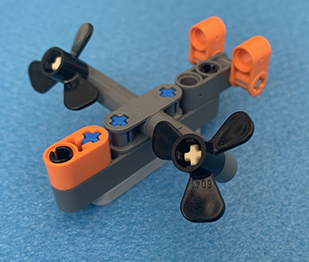
-
Control+ General Discussion
kbalage replied to Jim's topic in LEGO Technic, Mindstorms, Model Team and Scale Modeling
The Powered Up app now has customizable controls with the 3.5.0 release, it is possible to create custom buttons/joysticks/sliders for the official sets with Control+ profiles: -
Technic 2021 Set Discussion
kbalage replied to LvdH's topic in LEGO Technic, Mindstorms, Model Team and Scale Modeling
There are a lot of details that don't make sense if we think about it, I think they just threw a few random parts and text on the box to look like something related to Mindstorms. The page says "color sensor" at the lights and also "distance sensors" and "x4 angular motors". Now the Spike Prime / Mindstorms color sensor does emit light, but it is a total waste of resources putting them behind a car light, as it cannot be used as a sensor there. Also "distance sensors" would mean there's at least 2 of them. That already becomes too much, as even one color sensor + 2 distance sensors + 4 motors are too much for the 6 ports of the Mindstorms hub. About the motors, why would it need 4 of them? What about steering? It actually makes much more sense to add 2 XL motors and one angular or L motor for steering. -
Technic 2021 Set Discussion
kbalage replied to LvdH's topic in LEGO Technic, Mindstorms, Model Team and Scale Modeling
Does not make much sense either. Additionally, this set will be potentially retired next year so highly doubt TLG would release a Mindstorms motorization kit for it. -
@2GodBDGlory the Powered Up app cannot be used to export data so that won't work. @driv3r I suggest to have a look at Pybricks and see if you can find a way to log/export the data using Python.