

Ts__
-
Posts
270 -
Joined
-
Last visited
Content Type
Profiles
Forums
Gallery
Everything posted by Ts__
-
Cute, but the curved bricks at the front are too much for me. The real one don´t have a curve at the front panel and at the side only a small. Maybe the normal cheese slope is better.... Thomas
-
Thank You. For your Question: Space ;-) The CaDa MicroMotor main body is only 3 studs long (the 4. stud is smaller as the main body). The Circuit Cube needs full 4 studs in length. Regarding the forum area: Yes, I agree that my little RC truck doesn't really feel at home here ;-) At Bricking Bavaria, he once visited the large Technic area and also took part in the Technic truck parade (until the other large trucks were too fast and drove off^^) Thomas
-
Thank You! ;-) I shrunk the parts so that they fit inside^^ Thomas
-
I am currently turning a gear wheel by hand on the trailer as shown in the video, this extends the support on the trailer and it is lifted over the top of the cheese slope in the truck unit. You could also install a second Circuit Cube in the trailer and use this to extend the support (and for a rear lights on the trailer). I plan to do this, but haven't built it yet. Then it would be possible to hitch up/unhitch completely with remote control. In an older version, I had a latch in the truck on the saddle plate that could be opened/closed with a motor. But this made the drive in the truck too weak to drive well and the trailer would also need a brake so that it wouldn't be pushed away when you saddled up. Thomas
-
Strange definition of scale. I would consider anything that tries to maintain a scale to fall under it. But never mind ;-) The following electronic parts are installed in the RC version: Tenka Circuit Cube Bluetooth HUB Tenka Circuit Cube motor Cada MicroMotor Your question is probably aimed at the control system: - simple option: smartphone with the Tenka Circuit Cube APP. However, it can be difficult to operate the steering properly here. You have to throttle the power of the steering motor (CaDa MircoMotor). This can be done via the BrickController 2 APP on an Android smartphone. However, I only have an iOS device available, so the BrickController 2 APP does not connect to the Circuit Cube Bluetooth HUB. Therefore I can't try it out - My variant: I used the Lego PU remote control, which is paired with an M5 Atom lite microcontroller via Bluetooth and the microcontroller with the Circuit Cube HUB. You need a program on the microcontroller that translates the commands from the remote control into commands to the motors. Steffen / @Asper has presented a program for the M5 Atom lite here on Eurobricks, which I have used as a basis. Steffen has published his program on GitHUB. I have modified Steffen's program for my purposes, but since I did not write the entire program, I have not published it. I can publish my changes, but I would discuss with Steffen how best to do this. In any case, the topic with the M5 Atom lite is more for people who can also program. For first attempts, the smartphone solution with the Circuit Cube APP is the simpler one and that's how I started (you can see my tablet in the video during the first attempts) If you are only interested in the steering and not the electronics, you can take a look at the manual version, the steering is the same except for the steering motor. Yes, I know some solutions in this way. But I know no other solutlion only in the tractor unit in 1:45. This should be new thing. Thomas
-
Thank You! But I have used Technic parts, kept to a scale and even used more details than some large Technic trucks ;-) Okay, fun. The post can stay here for all I care. Thomas
-
I just see that maybe the subforum “LEGO Technic, Mindstorms, Model Team and Scale Modeling” would be better for my moc. I would be happy if an admin can move the topic. Thank you!
-
Hello! Today I would like to present my first foray into the city theme. This truck started out as a load for a planned train (rolling highway), but I also wanted to know: can I build a trruck that can be driven by remote control? Without hiding the electronics in a Container box.... Yes, I can! The little one is fully roadworthy: 1x Cicuit Cube HUB, 1x Circuit Cube motor as drive motor and 1x CaDa MicroMotor for the steering (here the PF plug had to be exchanged for a Circuit Cube plug, soldering skills helpful). And because it's nicer: front/rear light in the truck ;-) A matching semi-trailer was also built, of course with a prototype. I like the north of Europe, so I often see the semi-trailers of the Freja haulage company and my daughter is also called Freja (only in the German spelling). So it was obvious which haulage company would serve as a role model for me. And the logo was a great snot job: approx. 200 parts per logo.... The trailer has a retractable/extendable pillar, operated by hand via a gear wheel at the front. It's hardly noticeable there and could also be a ventilation detail... I also built a manual version of the truck with “Hand of God” control: no soldering, just drive, no foeign parts required.... .... and with twin tires. I'm still missing them on the RC version and have fallen victim to the lack of space. And because only pictures of moving trucks are boring: I have created a (attention, longer^^) video of the development and with many detailed explanations (but in german, sorry) : have fun watching it: I hope you have as much fun watching the photos / videos and reading here as I had building ;-) Thomas / Ts__
-
This. I need the space above for nice design ;-) Thomas
-
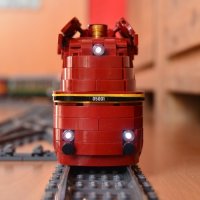
Nice, little shunting locomotive in the pepped-up 80s style. What surprises me, however, is the position of the engine. The Circuit Cube motor sits too low and is flush with the top edge of the rail in turnouts and level crossings. In the video you drive over a turnout, but that shouldn't be safe to operate. I once wanted to install a Circuit Cube motor like this and noticed the problem and turned the motor by 90°. Then you have 1/2 plate space between the rail and the motor. Thomas
-
Very cool and nice part usage. I like the "Tree"-Part :-) Thomas
-
 Ahhhh, very cool! I only saw today that you are now showing your work here. Awesome, I love it. Great realization. Steam Punk makes beautiful decoration possible and you have made full use of it! Thomas
 -
Yes, a voucher makes things easier. But the OcTRAINber also had that, but only as an announcement ;-) (Voucher for BrickModelRailroder webshop, but the voucher was not sent) Yes. Good point Thomas
-
I am delighted that your project has now been successful and has worked out! I've already seen a few pictures and have to say: awesome! Thomas
-
Same here for OcTRAINber 2021 and 2022..... I think, OcTRAINber ist death! It was a great time, but unfortunately probably too much work for the organizers. I can imagine that it was a lot of work and also costly. And we do this as a hobby and everyone still has a life! Thomas
-
Controlling multiple locomotives on the same train with Pybricks
Ts__ replied to and_ampersand_and's topic in LEGO Train Tech
Oh, then I'll probably have to try PyBricks with several HUBs again. I last did that just under a year ago: Result was: yes, works: but.... I had a lot of problems connecting the HUBs, it was not reproducible. Once it worked and my train ran with 2 HUBs. Everything off again, on: doesn't work, the HUBs no longer wanted to work together. Then I gave up for the time being. Your reports encourage me to try again! Thank you. Thomas -
Beautiful! But I'm not a fan of the short one-word postings. Your engine deserves more effort from me... The details and decals are amazing. This really enhances the already superbly built locomotive. I love the movement of the driveshaft and the piston rods. Yes, there are foreign parts, but it can't be done with Lego alone. In the video, I would have liked to see close-ups of a switch crossing. That's always the first place where problems show up. Of course, I don't expect that from you... Simply great or simply: Beautiful! Thomas
-
I think (don't know!) that the Bluetooth part may be identical to the Circuit Cube and you can use the same service IDs and transmission texts. This depends on the Cicruit Cube and not on the microcontroller used. I used Visual Studio Code with the extension platform.io. The reason is simple: that's how Steffen did it ;-) I have no experience with Arduino yet Thomas
-
Hello Thorsten, yes. I have programmed my desired behavior in the M5 Atom. For example, I programmed a steering motor for a short time (50ms) with nearly full power and then continue slowly as long as a button is pressed. I don't follow you here. Do you mean the service IDs? They are also in Steffen's program. You have the interface to the Circuit Cube. This takes the values from -255 to 255 for each of the three outputs. This is then the direction of rotation and the speed. You can see and understand the communication between Atom and Circuit Cube in Steffen's program (CircuitCube.cpp) Thomas
-
[MOC] DB Class 01 Steam locomotive w/ passenger car
Ts__ replied to -DoNe-'s topic in LEGO Train Tech
Nice improvement, it already looks more harmonious! Please take another look at the height of the front buffers. They are too high. I am aware, and this is how I build, that the buffers are generally too low in Lego conversions. The reason for this is that the buffers on long wagons/locomotives are attached to the bogie in the Lego version. In reality, the buffers are attached to the wagon/locomotive frame. In your model, however, the buffers at the front are even higher than in reality. This is probably due to the space problem above the leading axle, but perhaps you can improve this. https://www.bahnbilder.de/1200/die-dampflokomotive-01-202-befindet-935087.jpg Thomas -
I would also like to thank all the organizers, judges and the sponsors TrixBrix and HA-Bricks! Thomas
-
[MOC] DB Class 01 Steam locomotive w/ passenger car
Ts__ replied to -DoNe-'s topic in LEGO Train Tech
Beautiful designs and I am strongly reminded of my first attempts at Lego trains. The locomotive and wagon looked good on their own, but together they didn't work at all. The difference in height was even greater for me. The solution was the middle: build the wagon flatter and the locomotive higher..... I think you should also try one of these Thomas -
Thank you for your work! I would have my doubts about that. I recently tried a CaDa MicroMotor in the drive for a much smaller project: it was too weak for the drive (ok, it was only at 4.5V), a Cicuit Cube motor is much stronger. Of course, this could also be due to the voltage of the Circuit Cube. Thomas
-
I say thank you to the organizers, jury and supporters of the BrickTrainAwards! Without your commitment, these contests would not exist. This should get much more attention, because these events enliven the community. THANK YOU! And to all the winners: Congratulations! Thomas
-
Hello Thorsten, Thank you. Steffen has written that he has continued working with information from the Legoino project. I think Steffen's work is the integration of the Circuit Cube, but Steffen can certainly contribute more. I can create the programming of the operating logic, but for the communication with the Lego PU remote control and the Circuit Cube, I need help: and Steffen's project brought it to me. By the way, I would prefer a direct connection between the remote control and the Circuit Cube. With the ESP32 in between, I have another device that I have to carry around and can forget about... But the advantage of the ESP32 is its programmability. I am not restricted by any APPs, but can do it as I want. In this example, I can gently steer the car so that it doesn't disassemble the gearbox. In any case, I think it's cool how the community develops from one project to the next. One develops something, the next has another good idea and so on.... Thomas