


BrokenEye
-
Posts
274 -
Joined
-
Last visited
Content Type
Profiles
Forums
Gallery
Everything posted by BrokenEye
-

Custom LDD bricks and fixes
BrokenEye replied to Equilibrium's topic in Digital LEGO: Tools, Techniques, and Projects
Bit of a problem. I just installed Stephan's new parts according to the instructions provided on the key topic, but when I opened up LDD, nothing appeared to have changed. I looked for some of the more recognizable new parts and couldn't find them, and when I pulled up some of the parts which had had new colorable areas added, they seemed to still be monochrome. The instructions were pretty simple, so I can't really think where I might have made a mistake, but I must have done so, right? -
Damn it, I think I'm gonna have to start over. The stud holes on the straight sections of the walls don't line up with one another.
-
I think I've finally got it. I'm gonna keep this thread open in case someone comes up with a better way of doing this, but for now, this is what I'm going with.
-
Getting there. I'm gonna try it with the 2x2 wedges later on.
-
I'll definitely give that a shot. I'd have to put some more thought into the support structure below the plates, but then, the crude, flimsy supports I'm currently using was never intended to be anything more than a placeholder. I've seen some creations with frigging flawless, seamless, perfectly rounded domes. I don't know how they do it, when even just the one little angled slope is this hard.
-
So I tried your suggestion with two adjacent slopey bits just to see how it works, and it's much closer, but still not quite. This is as close as they're gonna come.
-
So I'm working on a LDD build based on Number 2's office from The Prisoner. The various minifigs and props I've built and have come out great, and I've gotten started on the room itself. I don't have a tremendous amount of experience building... er... buildings (as opposed to vehicles and props, etc), but building the walls of the room went alright until I got to the slopey bits at the bases of the walls/edge of the floor. As you can see, the current arrangement I've got for the slopey bits--4x8 plates flanked by 8x3 wedge tiles tilted "26.7" (I don't know if that's degrees or some other unit of measurement, but it's the number displayed in LDD's hinge tool)--doesn't fit at all, and trial and error hasn't been going great, and I'm wondering if anyone can help me figure that out. I have any specific requirements for how steep the slopey bits should be or how much room should be left for the flat part of the floor, but I want the edges of the wedges to be flush with one another so the bottom edges create a circle for the floor, and I'd prefer the slope be at an obtuse angle. There's probably math involved, but I'm at a loss as to the specifics. I don't math good. There are twelve wall pieces, each with a footprint of 1x12, and the hinges between them are rotated 30 units (again, according to LDD's hinge tool). By a sheer stroke of luck, this turned out to be exactly the right size, so I'd like to not mess with that part too much (I'm probably gonna redesign the purple bits so they have the correct number of black lines later on, and to add a door and some sort of mounting arrangement for a viewscreen, though those things won't require and changes their dimensions). The floor will probably be much easier, since there's only one axis of rotation and I already know what the angle is going to be for that, but I'll cross that bridge when I come to it.
-
Custom LDD bricks and fixes
BrokenEye replied to Equilibrium's topic in Digital LEGO: Tools, Techniques, and Projects
Could you do a version of the folded umbrella (27150) with alternating panels in four different colors and the wrapped scarf (25376) with three-colored vertical stripes? I'm working on a The Prisoner set and I want No2 to look right. I'm willing to settle for only two colors each, if that makes it easier. Thanks Also: Does the color I made his hair and beard look right? I've been debating changing it to a dark grey or a low saturation brown or something, and it'd be good to get a second opinion. -
Much obliged. EDIT: Alright, looks like it's fixed. Many thanks to you both.
-
Bit of a complication. I no longer have my 4.3.11 installer, and it looks like Lego has finally updated the LDD page on their website, and the download they offer is no longer 4.3.11, but 4.3.12. Which is amazing, but not really helpful to my specific situation right now. Do you know where I can find 4.3.11 again?
-
That's what I tried originally. It had the same problem.
-
I don't know how to check the number of the brickset, but the version I currently have installed is definitely 4.3.12.
-
Recently upgraded to Windows 10 and re-installed LDD. After resolving an unrelated error having to do with my graphics card, I succeeded in booting up the program and opened one of my old build files to discover that an incredibly large number of bricks (mostly ones with moving parts) were refusing to load. Additionally, three of the brick categories in the sidebar were displaying with a bugged icon and a handful more, including hats, heads, and handheld props, were missing entirely. Finally, numerous bricks from these and other categories has been randomly redistributed to incorrect categories, as seen in the minifig parts catagory here. I haven't yet determined whether all of the parts from the missing categories are still present. What's going on, and how do I fix it? I've already tried all the solutions in this thread, in the belief that it was about the same issue I'm experiencing, but in retrospect it's very likely that it isn't.
-
That's where I meant to post, anyway. I had both threads open in separate windows.
-
Custom LDD bricks and fixes
BrokenEye replied to Equilibrium's topic in Digital LEGO: Tools, Techniques, and Projects
Hey, could you please add the extra long minifig arms (973pb0636c99) and legs (970c99pb01) from that one Toy Story set? Also energy effects 35032, 65726, and 50663c08 -
LDD Green Error Screen
BrokenEye replied to KotZ's topic in Digital LEGO: Tools, Techniques, and Projects
I recently got some help solving this exact problem on another thread -
lego digital designer install problem
BrokenEye replied to dgfdhf's topic in Digital LEGO: Tools, Techniques, and Projects
I've tried all of them, and it still isn't working. Bunch of bricks that won't load, and several corrupt or randomly redistributed brick categories. -
Alright, forcing it to use the Intel card didn't work, but forcing it to use the NVIDIA card did. Thanks for your help.
-
Sorry. How do I force it to use a specific graphics card?
-
How do I do that?
-
Alright, I tried uninstalling all the Windows 10 fixes, and the problem didn't go away, though it does manifest slightly differently than it did before. Now hovering my mouse over an interface button causes the pattern of the lines to change until I stop hovering. Still green and obstructing everything, though. I'm gonna need a new solution.
-
Alright, updating my drivers didn't work. Trying the other thing now.
-
I believe it's a NVIDIA GeForce GTX 1650 Ti, and Intel(R) UHD. I'm downloading the new drivers now (the NVIDIA one looks like it might take a while), and if that doesn't work, I'll try uninstalling the various fixes (they can all be uninstalled very easily, and for the most part don't do a whole lot of tinkering under the hood. The aforementioned taskbar replacer is probably the most complicated one of the lot, and it's basically just cosmetic. The standard taskbar is still there if I need it). I'll let you know how that turns out.
-
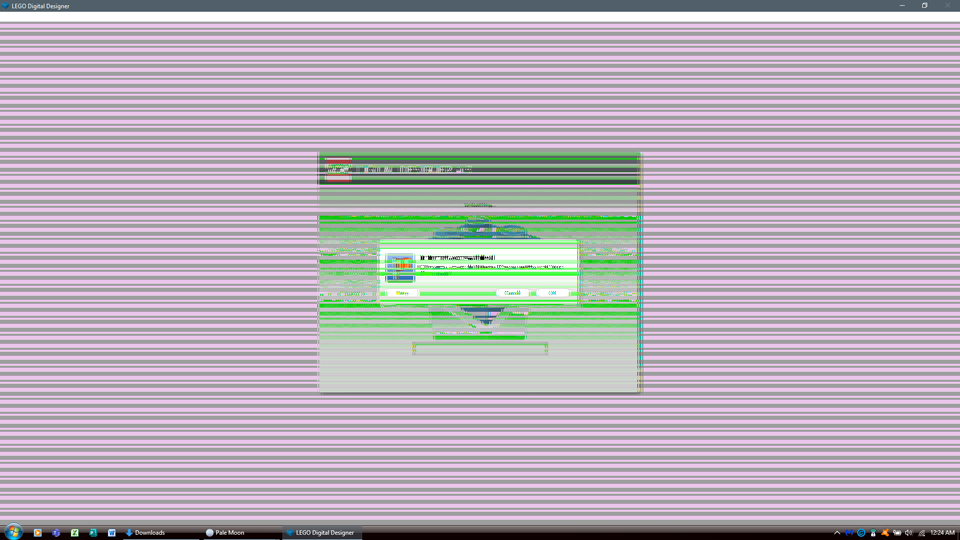
So I recently got a new computer, which necessitated upgrading to Windows 10. I was able to find workarounds for most of the annoyances that caused (as evidenced by the Windows 7 style taskbar in the image below), but when I installed LDD and tried to launch it, it came out looking like this: Crazy scanlines all over the place, and an error message I can't read. You can't really tell in this picture, because it's been shrunk, but each line is only about one pixel in width, they're just grouped together real close in places. The lines stay there when I actually open the build editor. They seem to be in a fixed pattern rather than appearing randomly or moving around. As far as I can tell, the program seems to function more or less normally, but I can't see 90% of what's happening on the screen. I can't even tell if the font is displaying normally or not. I've already tried reinstalling it and repairing the installation, but the problem persists. What is happening, and how do I fix it?
-
LDD 4.3.10 Update Released
BrokenEye replied to gedren_y's topic in Digital LEGO: Tools, Techniques, and Projects
A useful brick, but sadly not one of the ones I've been waiting for.