

dagupa
-
Posts
72 -
Joined
-
Last visited
Content Type
Profiles
Forums
Gallery
Everything posted by dagupa
-

Custom Mindstorms Explorer Robot
dagupa replied to dagupa's topic in LEGO Technic, Mindstorms, Model Team and Scale Modeling
I've noticed that there are just a few Mindstorms models out there. Mostly bases/robots for FIRST Lego League (FLL) Also some amazing but very complex machines. Really difficult to "reverse-engineer". -
I like the cabin and the tires look very good. It looks like something you would drive on Mars. Maybe a lab instead of a dumper.
-
Wow. You are a very talented builder, almost an artist. Those doors not only look good but the way they work is amazing. I don't even know if I have all the pieces (probably not) but still looking forward for the instructions.
-
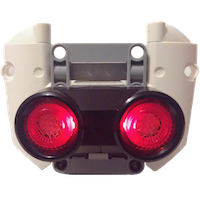
Hello, everyone. I want to introduce my first Explorer Robot. It's just a simple Mindstorms creation that started as a base to test sensors and motors. I made building instructions. I'm new in making instructions for Technic models and I found it to be much more difficult than instructions for buildings. I had to spend a lot of time basically because of two things: 1. The cables are not easy to model. 2. The stud system is basically a two-angle-oriented system: Horizontal (180 degree) and Vertical (90 degrees). While technic beams can go in any degree. Plus, buildings are built from the button to the top. Technic models are usually built from the inside to the outside. At the end, I was happy with the result. But it's only a 306 parts model. Features: It simulates an explorer robot: It drives around and tries to avoid obstacles. It can be manually controlled using the IR Remote: Drive the robot and move the head using the Remote. In Auto-Mode the robot starts moving around with a mix of random movements. The robot measures distances searching for a clear path, but it doesn't follow an optimal path. It just moves around giving the impression that it's exploring. The robot scans the floor using the Infrared sensor. Full Inventory at Building Instructions and .EV3 program at
-
Land Carrier Khagaan
dagupa replied to mahjqa's topic in LEGO Technic, Mindstorms, Model Team and Scale Modeling
That is a very amazing MOC. The size, the functionalities, the little vehicles, everything looks great. It seems that a lot of time and effort was put into that creation. I saw a bridge layer on your youtube channel months ago. It inspired me to build my own now that I have enough pieces. -
Looking at the pictures my mind immediately started thinking: It's time to play EuroTruck Simulator :) Hope to see how this MOC develops over time. Welcome to EuroBricks
-
Nice trick. That's thinking outside the box. To definitely stop the car, just kill the Bluetooth connection. It's not elegant, but it works
-
Hello. Have you tried the Lego EV3 Education Software? It's far better than the home edition. It includes a section called Robot Educator that is extremely useful as a star point. Also, in the "Help" menu there a link "Show EV3 Help" which will open all the documentation for each block. The documentation is in HTML so it will be opened in your browser but it's hosted locally. That's why I can't send you a link. As far as I know, to download the software you have to create an account at: https://education.lego.com/en-us Log in and scroll down to the button of the page and look for: Helpful links >> Download your software The main/basic software is free.
-
Well. The thing is: You can´t program your car with the "Commander App". This App only allows you to "drive" the car. Example: you push one button = one motor runs. That app only reads info from the EV3 sensors. That means that when your color sensor reads red, the apps will display the color red. There's no way to introduce the functionality that you want, just because the "program" that the App uses is part of the EV3 firmware. To really program your EV3 you need Lego Mindstorms Programming App or the Mac/PC software. That's where you "write" your program (It's not actually writing since the app uses graphic blocks) To add the functionality that you mentioned, all you have to do is to introduce a parallel thread in your program like the picture shows. That line has three blocks: 1. The execution of the thread waits in the first block until the color sensor reads red and then it continues to the second block. 2. This block stop the loop that actually controls/drives your car: the car stops. 3. This block plays a sound. The real problem is the loop that control/drive your car. To answer you question: As far as I know, you can't write a program with the Lego Mindstorms Programing Software that actually listens the "Controller App". You can write a loop that listens commands from: 1. The EV3 Remote Control (via Infrared Sensor) 2. Another EV3 Brick (via Bluetooth)

-
Hello. I might help you. Just to clarify: 1. Are you allowed to use the EV3 Infrared Remote Controller to control/drive the robot?
-
[MOC] LEGO Technic Wall-e
dagupa replied to falconluan's topic in LEGO Technic, Mindstorms, Model Team and Scale Modeling
There are two things that I really like about this model: 1. The use of the link treads for visual purposes. 2. How you used the actuators as neck and arms themselves, not just to provide the movement. With the neck, I think it's clever how you go for a simple design that is also functional and it looks good. I may have gone for some sort of lever mechanism... and got stuck on the way. -
2016 came with a lot of medium to big size models, plus the Porche. I wonder why TLG did not wait until 2017. Or maybe there's an even bigger wave of releases coming out next year
-
[MOC] Centrifuge
dagupa replied to 1711902090's topic in LEGO Technic, Mindstorms, Model Team and Scale Modeling
That's how scientists overcome limitations. No centrifuge: It's ok, we have Lego. Reminds me of this: It seems like it performs really well. -
I noticed the same with my excavator 8043. I put it in display for over two years and when I powered it again the motors could hardly move the gear box. I thought it was a deteriorating process due to lack of use. I disassembled the whole model and built it again checking that all moving part could move easily. The model started moving and all functions were responding well. I concluded that the poor performance was due to some problem with moving parts -gears, axles, etc- and the assembly and not to the motors. They still work great. It's not a technical conclusion nor analysis but (just for the fan) it's a solution worth trying.
-
Crowkillers in Counting Cars
dagupa replied to Meatman's topic in LEGO Technic, Mindstorms, Model Team and Scale Modeling
Nice project: Cool design, great charity. -
42055 - Bucket Wheel Excavator
dagupa replied to Jim's topic in LEGO Technic, Mindstorms, Model Team and Scale Modeling
I feel like a kid on Christmas: Receiving a new big turntable. Three huge turntables. -
Technic General Discussion
dagupa replied to Jim's topic in LEGO Technic, Mindstorms, Model Team and Scale Modeling
For me, the servo motor has some great advantages over using a simple motor: 1. I has a great torque, which helps the steering to response even when tires are on an inclined plane or driving over mud. 2. It turns really slow compare to motors, so no gear reduction is necessary. No more delayed steering response. 3. Although is a big motor, is smaller than a return to center mechanism. 4. Eliminate the necessity of rubber bands, which are always a critical point when designing a strong steering mechanism. -
42054 - Claas Xerion 5000 Trac VC
dagupa replied to Jim's topic in LEGO Technic, Mindstorms, Model Team and Scale Modeling
I'm really expecting this model. I own the Tractor 8063 and I was about to sell it. Now, I decided to keep it just to display it next to this beauty. The comparison shows how the Technic Theme has evolved from then. -
I see you are using the Home version of the EV3 Education software. Well, There are good news. The EV3 Education software is now available for free from https://education.lego.com/en-us All you need to do: 1. Create a new account. 2. At the bottom to the page click "Download your software" 3. Click on the tab "Core Software"
-
Optimized Lego Mindstorms Models
dagupa replied to guandul's topic in LEGO Technic, Mindstorms, Model Team and Scale Modeling
Sharing EV3 education programs and Building Instructions it's still a grey legal area. Anyways, there are VERY GOOD NEWS: The EV3 Education software is now available for free from https://education.lego.com/en-us All you need to do: 1. Create a new account. 2. At the bottom to the page click "Download your software" 3. Click on the tab "Core Software" The optimized software can be downloaded from http://www.brickshel...ur_sorter_2.ev3 I'm going to make PDF building instructions specifically for this modified model. I'll send them to you as soon as I complete them. -
Ambitious initiative. To do reverse-engineering processes requires a lot of technical skills. Off course, nothing compares to the skills of the original builder, Akiyuki, in this case.
-
Looks Nice. Actually it looks like an airport. If this is a permanent display, I guess It takes a big room.