Jarema
-
Posts
78 -
Joined
-
Last visited
Content Type
Profiles
Forums
Gallery
Everything posted by Jarema
-
Can you call this LEGO?
Jarema replied to Ulrik Hansen's topic in Digital LEGO: Tools, Techniques, and Projects
In other case. When I watch on YT. I can say: before modification is it LEGO after modification is it ROL /Related To LEGO/ -
Can you call this LEGO?
Jarema replied to Ulrik Hansen's topic in Digital LEGO: Tools, Techniques, and Projects
This sentence to good to be forgotten. So I put this as my signature. I agree with this -
Can you call this LEGO?
Jarema replied to Ulrik Hansen's topic in Digital LEGO: Tools, Techniques, and Projects
You can use what you what, name as you have . But what you must have: LEGO Design Art is Brick Art . But not everything is Brick Art can be LEGO Design Art. That why we have MOC and MOD. Right. This is simple mathematical conclusion : all the elements of A to take the set B; but not all elements of the set B must belong to the set A. -
Did someone can point Me to source where I find informations about margins, font, paper size for Desktop publishing of LEGO Instruction Book. I have implement this functionality in my software. Any idea how DO IT this is welcome.
-
Can you call this LEGO?
Jarema replied to Ulrik Hansen's topic in Digital LEGO: Tools, Techniques, and Projects
You ask how much purify own models must|should|can be when creating digital Brick Art or something similar to LEGO design ? For me Brick Art is really good supplement for all this stuff that do not have only officially signed parts. -
Brick Inventory Search Tool
Jarema replied to Jarema's topic in Digital LEGO: Tools, Techniques, and Projects
Brick Inventory Search Tool can work in windows console only. Get you opportunity to be more familiar with your collection if you carry on Brick Inventory database. Options: -h, --help => show this help message and exit -v, --version => show this program version and exit -n INTEGER|FILE, --number=INTEGER|FILE => retrevies information from your collection about the presence of parts of the specified number(s) -m FILE, --match=FILE => match your collection with pairs of values from specified file, and show what elements you must get to consider task -o DIR, --output=DIR => a normalized absolute|relative version of the pathname for saving result as comma-separated values -w, --without-employment => don't print parts that exist in your collection -i, --incude-non-existent => include in result non-existent parts in your collection -q, --quiet => don't print status messages to stdout Download from bi_tool_0248_win32.zip To make it work extract archive in BI app root directory. -
Brick Inventory Search Tool
Jarema replied to Jarema's topic in Digital LEGO: Tools, Techniques, and Projects
I dislike answer to my own question. I start like this app more that BrickUtils. So how I do this: Authorize on BrickLink go to Orders Placed page on bottom click Download choose what you have to export set File Format as XML save and do import -
I download simple tool for manage my LEGO inventory from this repo https://sourceforge....brickinventory/. And have to know how use Import => BrickLink Order. I have BL account but do not know how I can save my order. Any idea how fix this is welcome.
-
I start using BrickUtils. How add standard set like: 42026 ,75909 ,42007 ,9398 ,45544 ,45560 into My Sets tab ?.
-
BlueSmartControl
Jarema replied to Sariel's topic in LEGO Technic, Mindstorms, Model Team and Scale Modeling
Is this project is A Live ?!! Where I can buy this device now ? -
For Electric Mindstorms NXT RJ12 Cable End remove x from ldraw="x933c01.dat" or you should consider about using 933c02.dat as replacement.
-
This work for Me. <!-- Electric Mindstorms EV3 Brick --> <Brick ldraw="95646.dat" lego="54809" /> <Transformation ldraw="95646.dat" tx="2.4" ty="-3.6" tz="4.8" ax="0" ay="1" az="0" angle="1.570796" /> <!-- Electric Mindstorms EV3 Gyroscopic Sensor --> <Brick ldraw="99380.dat" lego="91996" /> <Transformation ldraw="99380.dat" tx="-0.4" ty="0" tz="-0.8" ax="0" ay="1" az="0" angle="4.712389"/> <!-- Electric Mindstorms EV3 Color Sensor --> <Transformation ldraw="95650.dat" tx="-0.4" ty="0" tz="-0.8" ax="0" ay="1" az="0" angle="4.712389" /> <!-- Electric Mindstorms EV3 Ultrasonic Sensor --> <Transformation ldraw="95652.dat" tx="-0.4" ty="0" tz="-0.8" ax="0" ay="1" az="0" angle="4.712389" /> <!-- Electric Mindstorms EV3 Infrared Sensor --> <Transformation ldraw="95654.dat" tx="-0.4" ty="0" tz="-0.8" ax="0" ay="1" az="0" angle="4.712389" /> But... still need add transformation for: <!-- Tread Small (20 tread 'links') --> <Brick ldraw="71965c01.dat" lego="43903" /> <!-- Electric Mindstorms EV3 Touch Sensor --> <Brick ldraw="95648.dat" lego="95648" /> <!-- Electric Mindstorms EV3 Small Motor --> <Brick ldraw="99455.dat" lego="99455" /> <!-- Electric Mindstorms EV3 Large Motor --> <Brick ldraw="95658.dat" lego="95658" />
-
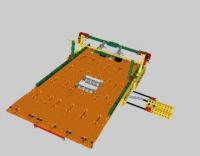
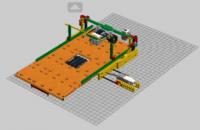
After replace my ldraw.xml file with this http://slswww.free.fr/ldraw.xml . I do it my export to LDRAW format. And Result is so far from acceptable. Any idea how fix this is welcome.
-
LIC- Lego Instructions Creator
Jarema replied to Chas's topic in Digital LEGO: Tools, Techniques, and Projects
LEGO Instruction Creator version 3.0 has now been officially released. Please see our repository https://github.com/remig/lic#licreator for more information. Download Windows version from here. -
LIC- Lego Instructions Creator
Jarema replied to Chas's topic in Digital LEGO: Tools, Techniques, and Projects
ImportError: No module named LDDImporter For Instruction of model created With LEGO Digital Designer you can use Blueprint describe here http://www.eurobrick...howtopic=108346 In LICreator text Import <filename> with 0% on progress bar mean: Wait a while. This step can take some time to initiate parsing process of your model. -
LIC- Lego Instructions Creator
Jarema replied to Chas's topic in Digital LEGO: Tools, Techniques, and Projects
Put content of LIC.LOG from application location here. Together we discover what is wrong with app or model. -
To legolijntje and other Assuming you were addressing me. LICreator doing this work for LDraw users. Try this. Because LDD and LDraw is two different world. But about LDraw stuff this is correct forum here http://forums.ldraw.org/list.php?22 . I have this same opinion about LDD as msx80 have. Unusable BI is main reason why I start interest with LDraw and LeoCAD.
-
In My case, In LICreator sense. After install Python 2.6 and dependence packages { like: PIL, PyInstaller, setuptools }. Just run buid.py script. Then this script can automatically detect environment. In May, when Pre-Ultimate version come to repository. I write article about compilation for different OS.
-
Yes. Python, OpenGL & Qt. LDraw is necessary for this tool. I need some one to handle compilation from Mac and Linux platform.
-
I relay appreciate your work. I'm developer of This some kind of tool for LDraw users. And do not have time to play with LXF files. You can download LICreator from GitHub. Search Eurobricks Forums for download link.
-
LIC- Lego Instructions Creator
Jarema replied to Chas's topic in Digital LEGO: Tools, Techniques, and Projects
Google Company start to close Google Code site. According to this step, this tool of public utility moved to https://github.com/Jeremy1980/licreator. Report Issues via GitHub. And do not forget attach a file lic.log or paste his content. -
OK. So show me or tell me how "Official topic" should Look. Eventually migrate|mark this as" Official". Right. And talk more about what it is us like in this tool. OK.
-
Actually. Yes, I am. If you interested of LEGO Instruction Creator, is better to discover things about this tool by yourself.
-
Now you can download new version of LEGO Instruction Book Creator at https://code.google.com/p/licreator/ Please, share you comments here. In next version one wish per person will be graded**. I you put more that one I selected only one - randomly. This list will be closed at May 20, 2015 at 20:20 ** maximally 10 in total. If I can do it.
-
If I remove this then everything is generated fine. rotate <20.000000, 0, 0> rotate <0, -45.000000, 0> rotate <0, 0, 0.000000> So how fix this file. Any idea ?? 3741c01_15.zip