ord
-
Posts
236 -
Joined
-
Last visited
6 Followers

.thumb.jpeg.ee9f4c610e20ae266cdf7b2b392449f6.jpeg)
About ord

Recent Profile Visitors

-

General Part Discussion
ord replied to Polo-Freak's topic in LEGO Technic, Mindstorms, Model Team and Scale Modeling
Ah, good observation. Then it should probably work, at least under light loads. Thanks for testing! -
General Part Discussion
ord replied to Polo-Freak's topic in LEGO Technic, Mindstorms, Model Team and Scale Modeling
Technic fans are getting spoilt with new parts lately! I wasn't sure about the introduction of gears with teeth not multiples of 4 at first, but in reality it probably doesn't matter so much... Looking at the 14z gear, could a combination with an 8z open up the elusive 1 stud horizontal 1 stud vertical offset? By my calculations it would be about 0.3mm loose... Maybe ok under light loads? -
General Part Discussion
ord replied to Polo-Freak's topic in LEGO Technic, Mindstorms, Model Team and Scale Modeling
Yes it's smooth according to Sariel's video, thankfully (in a previous video it looked like it wasn't). -
General Part Discussion
ord replied to Polo-Freak's topic in LEGO Technic, Mindstorms, Model Team and Scale Modeling
To be clear, I am supporting previous reports that the links are 11L each (i.e. 10L centre to centre of pin holes). So it should be relatively easy to connect gear racks to the rims using 2L or 2L thin liftarms, with 4 of 12 connections being with axle holes to make it a rigid connection. -
General Part Discussion
ord replied to Polo-Freak's topic in LEGO Technic, Mindstorms, Model Team and Scale Modeling
I had a closer look at the images and it appears that the pin holes on the rim are 11L from the centre, which would mean (if I'm seeing this correctly) the large 'banana' gear racks would fit snugly inside them, with 12 equispaced holes aligning to all of the holes on the rim but 1L 'in'. Interesting! -
General Part Discussion
ord replied to Polo-Freak's topic in LEGO Technic, Mindstorms, Model Team and Scale Modeling
This is good news. Can now replace 60-tooth turntables coupled with 12-tooth gears at the (4.2) grid point with these for a ratio increase from 5:1 to 8:1. I don't mind the offset because it makes it easy to make parallel gear trains to reduce backlash. Some nice new parts in this set. Looking forward to what other bike styles people will make from them. The ratchet gear looks particularly useful, though its friction seems quite high based on the video on lego.com where he stops spinning the pedals and the wheel stops almost immediately. -
It's great to see new and innovative GBC modules like this. Nice work! I wonder what the different behaviour of different ball types might be...
-
Pneumatics General Discussion
ord replied to 9v system's topic in LEGO Technic, Mindstorms, Model Team and Scale Modeling
Yeah they do. I stop them at 2bar (~30psi) though and haven't tested much higher. -
Pneumatics General Discussion
ord replied to 9v system's topic in LEGO Technic, Mindstorms, Model Team and Scale Modeling
I guess it could be, but they are brand new from Lego. I'm hesitant to use silicone because of discussion in this thread. Have you had success with it? I do wonder what the original grease in Lego pneumatics is made from... -
[WIP] Mindstorms 51515 Plotter
ord replied to ord's topic in LEGO Technic, Mindstorms, Model Team and Scale Modeling
@OLivier1234 please see my reply to Carsten back on page 1 of this thread. The code is in a hidden comment there. Good luck! -
I think I bought this exact pack of 5. They work well, just the plugs were a bit tight so I filed them down. I bought some 50cm ones a few years ago and those plugs are fine. This is frustrating and I think goes against what Lego is all about, which is backwards compatibility. Technic I buy today is compatible with Technic from the 1980s, but electronics I buy today are not compatible with electronics from 5 years ago. It's a shame that, for example, the two Power Functions XL motors I have (which were so useful) now sit in my drawer as effective paperweights.
-
Also agreed. For me, Lego remote control has never been better than it is now with Pybricks and an Xbox controller.
-
Pneumatics General Discussion
ord replied to 9v system's topic in LEGO Technic, Mindstorms, Model Team and Scale Modeling
They're all similar (and similar to my other cylinders). It's the 5.5L pumps that seem to be the odd ones out - moving them is almost effortless. -
Pneumatics General Discussion
ord replied to 9v system's topic in LEGO Technic, Mindstorms, Model Team and Scale Modeling
I think the volume is the same since they both have a 2L stroke. The new ones (for me anyway) are noticeably harder to push/pull, and I think when doing this hundreds of times per minute this becomes an issue. -
Pneumatics General Discussion
ord replied to 9v system's topic in LEGO Technic, Mindstorms, Model Team and Scale Modeling
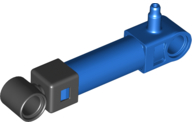
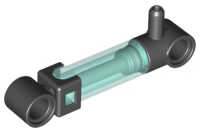
Has anyone noticed much higher friction in the 6L pumps compared to the old 5.5L pumps? I ordered some 6L pumps from Pick A Brick for my compressor but the motors struggle to pump them (even with extra down-gearing), making compression slow and the batteries drain fast.