Superkalle
-
Posts
6,069 -
Joined
-
Last visited
Content Type
Profiles
Forums
Gallery
Everything posted by Superkalle
-
About 2399. Interesting! Has it always been like that? I also noticed now that the tube on the underside is protruding further down then the side walls . And that the top studed 2x2 surface is out of system heightwise (if you put a plate on it).
-
LDD 4.3.8 brickset 1564.1
Superkalle replied to Zerobricks's topic in Digital LEGO: Tools, Techniques, and Projects
This topic was started by a mistake because Zblj thought he got the .2 update, when it was just a glitch with update of the previous update of some kind. Please go here to discuss the .2 update There you will also find a full list of bugfixed parts. -
Brickset 1564.2 released
Superkalle replied to Greol's topic in Digital LEGO: Tools, Techniques, and Projects
And here I got the list of all the bugfixes in the previous update (.1). 3.2 mm bar cannot be placed in anti-stud cavity of 6091 BRICK w ARCH round plates can fit incorrectly inside 99773 TRIANGEL and 11478 LEVEL 5M 6571 STEERING ARM has incorrect con 4266 TECHNIC HUB lack stud con 14740 STEM and 64645 STEM has too much conn 10172 should connect between studs 50450 32M cross-axle does not align end-to-end with other cross axles Conn in 6582 RIM 36 is not in system 76537 SHOCK ABSORBER cannot be placed on scene 55013 CROSS AXLE 8M WITH STOP does not sink fully into Technic hole 98284 PLATE ROUND 2x2 W. VER SHAFT lacks conn to 15395 DOME 2x2 INV 98102 COCKPIT has bad collision volumes 15400 SPRING SHOOTER cannot be multicolored 72326 MINI SPACE ARMOR does not allow technic hole attach 42610 HUB cannot attach to 98100 2x2 ROUND BRICK W KNOB 95288 BOTTLE does not attach to Technic Hole 15706 has incorrect geometry and collision volume 2460 PLATE 2x2 with VERTICAL SNAP does not allow 3.2 mm bar 95228 BOTTLE does not allow connection to Technic hole 15616 MINI HELMET does not fit on minifig body with armour 15618 Minifighand cannot hold 4599 TAP 32270 DOUBLE CONICAL WHEEL has wrong collision boxes 32198 BEVEL GEAR has incorrect collision volume - prevents position over tube 88517 MOTORCYCLE RIM has bad collision volumes 50859 MOTORCYCLE FRAME does not permit connection of all types of 3.2 mm bar elements 3747 ROOF TILE has incorrect collision volume 47753 BRICK 4x4 w BOW cannot be placed under 41751 SHELL 30602 FRONT 2x2 cannot be placed under 2339 BRICK W BOW 6233 ROCKET STEP cannot be rotated in certain combination 54090 AIRPLANE BOTTOM has incorrect stud/hole 85861 PL. ROUND has to small collision boxes 30033 and 75937 PARABOLIC RING should fit with 15395 DOME 2x2 30094 PLATE WITH FRAME 4x4 should fit to 15395 DOME 2x2 11253 MINI ROLLER should fit with 30162 BINOCULAR 4503 MINI HELMET has too small coll boxes 40620 and 71137 EXHAUST PIPE need bigger coll boxes 47404 STERN allows studs to be attached in wrong places 604549 DRILLING MACHINE is missing connectivity 92907 CROSS BLOCK 2x2x2 is missing some details in geometry 32187 MIDDLE RING cannot slide all the way up to the edge of 6539 DRIVING RING 15038 RIM is missing collision volumes on one side 3956 PLATE 2x2 ANGLE does now allow 6589 CONICAL WHEEL to fit all the way in. 85976 TRACK BOW cannot attached to other studs in certain situation 2476 PLATE 2x2 INVERTED should have attachment for 3.2 mm bar 41881 SHELL allows incorrect connections 87086 and 87080 PANELS have too big collision volumes 15459 BEAM 4M W CUP does not fit adjacent to other beams 6539 DRIVING RING allows other elements to slide into it. 23306 and 64567 LIGHT SWORD SHAFT does not allow 3.2 mm far enough 11302 FLAME does not allow cross axle far enough into hole 87087 and 47905 BRICK 1x1 with knobs on side need cavity inside -
Brickset 1564.2 released
Superkalle replied to Greol's topic in Digital LEGO: Tools, Techniques, and Projects
I got some info about the changes, courtesey of the LDD Team: The following DesignID's have been edited/fixed: 4255 6542 11610 23306 32126 47753 54755 64567 87080 87086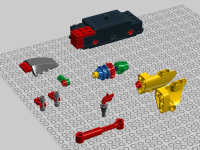
-
Brickset 1564.2 released
Superkalle replied to Greol's topic in Digital LEGO: Tools, Techniques, and Projects
Got it too. 1564.2 -
Hello The LDD forum is mostly for discussing technical issues and question around digital tools - not so much to show MOCs. I'm going your topic to move this to the Special Themes forum, where I hope you will get better responses and help.
-
Tragic news - Sergio (SR3D) passes away
Superkalle replied to kevin8's topic in Digital LEGO: Tools, Techniques, and Projects
Hi Lasse and Kenneth. A few months have passed and maybe it's now is actually a suitable time to make a first inquiry. I'm not sure how to get in contact though. Perhaps the best would be to contact Itlug. Or let's see if someone here in the forum knows? -
[Software] LDD Manager
Superkalle replied to Superkalle's topic in Digital LEGO: Tools, Techniques, and Projects
Sorry...it should be "mdb" file (LDDmanager.mdb). -
[Software] LDD Manager
Superkalle replied to Superkalle's topic in Digital LEGO: Tools, Techniques, and Projects
Hi As you've discovered, the core problem is because Microsoft has made the 32 and 64 bit version of their own program (Access) incompatible. The recommendation from Microsoft is to always run Office 32, unless you are using Excel or Access-database larger then 4Gb. I understand this isn't what you want to hear, but uninstalling Office 64 and installing 32 is actually the best and most sound way, even for those of us (including me) that like to run the latest and fastest. Read more here about other benefits with this. Now, you wrote you actually had installed 32-bit runtime of Access, but it still tries to open the database in 64-bit. I guess a solution to that would be right-click on the .mde-file and then chose "select program to open with...:". And then chose the runtime-version instead of the Office 64 one. Another way would be to edit the StartLDDManager.vbs script so that it it forcefully opens LDDManager with the 32-bit runtime version. However, I haven't looked into that yet. -
How do use this?
Superkalle replied to Microdragons's topic in Digital LEGO: Tools, Techniques, and Projects
Hello Microdragons. Please avoid double posting (I removed the duplicate topic this time). Also, please try to make more informative topic titles then "How do use this". And as deraven kindly implied in the other topic - please have a look in the forum or do a quick search before asking. Thanks -
And to add to that, another common reason for "unconnected parts" is SNOT-building (incl. rims/tyres). As long as you build simple "stacked" models, it should work very good.
-
[Software] LDD Manager
Superkalle replied to Superkalle's topic in Digital LEGO: Tools, Techniques, and Projects
I'm guessing ether LDD, LDD Manager or Explorer (file system) is locking the file. Restart your computer and try again and see if that solves it. -
My 3D Lego Renders Thread
Superkalle replied to dlefik2014's topic in Digital LEGO: Tools, Techniques, and Projects
Hi dlefik2014 What you've done looks absolutely stunning. Great job. ...and welcome to the forum -
Well, you are right JGW3000. From what I've understood, the reason it is like this is because LDD uses the internal Brick categorisation structure at TLG, which is used also internally by designers, manufacturing etc. And in that structure, only new/current bricks get moved to updated categories. Therefore old and new versions of the same brick can end up in different categories. But I agree...it is annoying and takes away a bit of the use of the categoires in LDD, if you can't trust them fully.
-
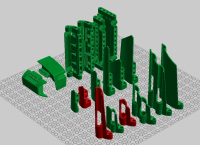
Thanks and no problem. How do you mean "most of". I'd say it's the opposite - most of them have connectivity, see attached image.
-
These have allready been reported to the LDD Team some time ago. I don't know when they will be fixed, but let's hope for the next brickset.
-
1x1 plates (both round and square) should attach to any Technic hole in LDD. There are some exceptions, but for the most part it should work. The plates are allowed because they are normally only used as decorations. One exception is the Technic pulley wheel (4185) because in that case the stud will not seat properly/fully due to the irregular shape of the wheel. As for 1x1 bricks (both round and square), they should normally not attach to a technic hole in LDD. The reason is that this technique is generally not allowed as a legal technique at LEGO. With a 1x1 brick, they are concidered more building/structural elements and it's not generally allowed to use the technic hole for "normal" building. There's only been a very few cases in recent times where a 1x1 brick attaches to Technic hole in offical LEGO sets. One of them was in a SW-set speeder (can't remember exactly which), where a 1x1 round brick was attached to a Technic hole, and for that reason it also works in LDD. Another case that works is the studs on the side of bricks, for exampe the "1x1 bricks with stud on the side". I think this technique was used in one of the Holidays sets (last year?)
-
Missing old part in LDD?
Superkalle replied to mrfuture's topic in Digital LEGO: Tools, Techniques, and Projects
OK, no worries. Case closed -
About this I can mention that it's a so called "loose connection", i.e. it doesn't have any clutch power, and that's the reason it won't attach. Still, maybe it could be reasoned it should have connectivity since it's otherwise hard to put the round plate it in place - at least for someone that is not used to various "work arounds" in LDD.
-
Not sure which is the best theme forum for this, but I think Town forum. Moving it there...
-
Hm, that was actually a quite serious one since it will break any model that use that (fairly common) brick (besides the fact that the brick itself isn't usable anymore).
-
You can do this in a batch with LDD Manager, although it won't create lxf's as a result, only lxfmls. But I'll look into a feature like this now that you mentioned it. Or if you can't wait, you could just use some file editing tool that will batch unzip the lxf's, search and replace the DesignID, and then zip them up again. I'm sure there is some kind of simple batch tool like that out on the internet. Note that you can only do this sort of batch operation with parts that have the same zero-point (origin) and shape, as the part you want to replace it with.
-
INFO: Please post all bug reports about brick issues here: http://www.eurobricks.com/forum/index.php?showtopic=47953
-
The story with the antenna I got explanined as follows: The antenna got a new shape/mold some years ago with a square top. However, TLG decided to keep the same DesignID (3957), so the LDD Team was forced to update it in LDD to have a square top. Naturally this situation wan't very satisfying when you are trying to make an old set in LDD, and you really want that look of the rounded top. The solution was to use the DesignID for the transparent version of the antenna (30064) for the rounded top, and now we have both version available to use in LDD.
-
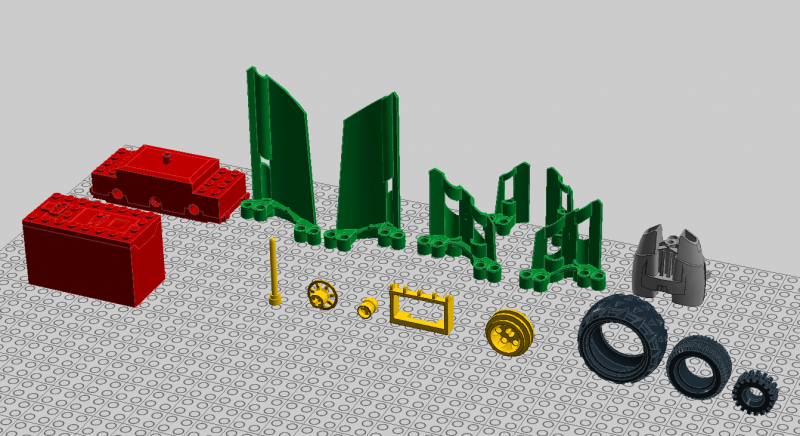
These are the "old" bricks that I could spot. 17 bricks. Some maybe not so common (like the 60930 Rocket backpack), others very common. Like the 4214 Frame and 4084 Tyre.