


Jim
-
Posts
17,203 -
Joined
-
Last visited
Content Type
Profiles
Forums
Gallery
Everything posted by Jim
-

[BRICKPI] BrickPi General Discussion
Jim replied to Jim's topic in LEGO Technic, Mindstorms, Model Team and Scale Modeling
I am not sure what I am doing, but I try to run the setup.py program. sudo python setup.py install Things are looking okay, but at the end I get an error: nstalled /usr/local/lib/python2.7/dist-packages/brickpi3-0.0.0-py2.7.egg Processing dependencies for brickpi3==0.0.0 Searching for spidev Reading https://pypi.python.org/simple/spidev/ Downloading https://files.pythonhosted.org/packages/36/83/73748b6e1819b57d8e1df8090200195cdae33aaa22a49a91ded16785eedd/spidev-3.2.tar.gz#sha256=09d2b5122f0dd79910713a11f9a0020f71537224bf829916def4fffc0ea59456 Best match: spidev 3.2 Processing spidev-3.2.tar.gz Writing /tmp/easy_install-7GLDQj/spidev-3.2/setup.cfg Running spidev-3.2/setup.py -q bdist_egg --dist-dir /tmp/easy_install-7GLDQj/spidev-3.2/egg-dist-tmp-Br6XdJ unable to execute 'arm-linux-gnueabihf-gcc': No such file or directory error: Setup script exited with error: command 'arm-linux-gnueabihf-gcc' failed with exit status 1 I am following the steps on this page, but I get the feeling that I am going in the wrong direction. https://github.com/ynsta/steamcontroller/issues/42 -
Great to hear!
-
Nice!!
-
[BRICKPI] BrickPi General Discussion
Jim replied to Jim's topic in LEGO Technic, Mindstorms, Model Team and Scale Modeling
I have cloned the repository to my Pi with this command: sudo git clone https://github.com/DexterInd/BrickPi3.git So now I have all the files on the Pi, but I think I need to install the Python modules somewhere. -
My BrickPi has arrived, but I am running into some issues. If someone could shed a light.
-
[BRICKPI] BrickPi General Discussion
Jim replied to Jim's topic in LEGO Technic, Mindstorms, Model Team and Scale Modeling
I am having issues getting the BrickPi up-and-running. I am not sure I grasp the setup process. The BrickPi comes with DexterOS, which boots with a "windows like" GUI. However, I am using the Pi Model 2/3 image on my Raspberry Pi3. When I try to run a program, the module brickpi is not found. I am not sure how to install it. I was trying to run setup, but I am not sure this is for ev3dev. #!/usr/bin/env python # # https://www.dexterindustries.com/BrickPi/ # https://github.com/DexterInd/BrickPi3 # # Copyright (c) 2016 Dexter Industries # Released under the MIT license (http://choosealicense.com/licenses/mit/). # For more information see https://github.com/DexterInd/BrickPi3/blob/master/LICENSE.md import setuptools setuptools.setup( name="brickpi3", description="Drivers and examples for using the BrickPi3 in Python", author="Dexter Industries", url="http://www.dexterindustries.com/BrickPi/", py_modules=['brickpi3'], install_requires=['spidev'] ) Starting: brickrun --directory="/home/robot/ev3dev-test" "/home/robot/ev3dev-test/setup.py" Started. ---------- usage: setup.py [global_opts] cmd1 [cmd1_opts] [cmd2 [cmd2_opts] ...] or: setup.py --help [cmd1 cmd2 ...] or: setup.py --help-commands or: setup.py cmd --help error: no commands supplied ---------- Exited with error code 1. When I go to this page, I don't see any instructions to install/download brickpi. http://docs.ev3dev.org/en/ev3dev-stretch/platforms/brickpi3.html#setup I am able to update the firmware, so the board is properly found. It's my python installation that can't locate the brickpi module. I have followed this setup https://www.instructables.com/id/BrickPi-Setup/ When I run a program, I get the message that I need to install the BrickPi Drivers. import brickpi3 # import the BrickPi3 drivers -
[BRICKPI] BrickPi General Discussion
Jim replied to Jim's topic in LEGO Technic, Mindstorms, Model Team and Scale Modeling
My BrickPi's have arrived EDIT: Following are a lot of issues and problems. I recommend skipping to the final comment and reading my posts backwards Let's go... https://www.dexterindustries.com/BrickPi/brickpi3-getting-started/ -
Technic 2019 Set Discussion
Jim replied to dimaks13's topic in LEGO Technic, Mindstorms, Model Team and Scale Modeling
Done -
I won't be commenting in the separate topics, but I do see some nice progress! Just so you know I AM watching
-
Technic 2019 Set Discussion
Jim replied to dimaks13's topic in LEGO Technic, Mindstorms, Model Team and Scale Modeling
No worries, all reviews will be online before the Toy Fair.....most likely. Thanks -
Technic 2019 Set Discussion
Jim replied to dimaks13's topic in LEGO Technic, Mindstorms, Model Team and Scale Modeling
Not sure you understand my post That's not my kitchen -
Nice project! I will move this to the new Mindstorms forum.
-
Technic 2019 Set Discussion
Jim replied to dimaks13's topic in LEGO Technic, Mindstorms, Model Team and Scale Modeling
I guess we will see reviews earlier...again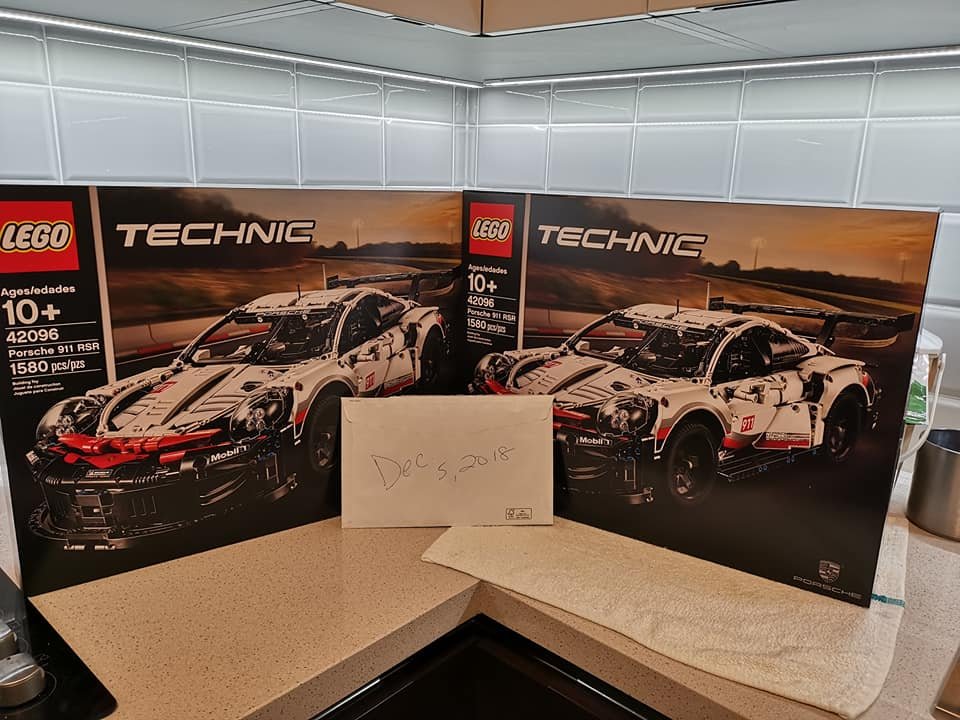
-
Yeah, sorry. Using old Technic beams and plates is okay, but we are looking for “pure” Technic builds.
-
Sure! As long as you don’t make it Model Team.
-
Technic 2018 Set Discussion
Jim replied to Jim's topic in LEGO Technic, Mindstorms, Model Team and Scale Modeling
Most likely it is seller better than you'd expect -
Don't worry about it too much. Sometimes enthusiasm makes a person eager to create a topic and get started. You are forgiven hehe
-
Sounds like a plan!
-
[TC15] Concept Aircraft
Jim replied to Didumos69's topic in LEGO Technic, Mindstorms, Model Team and Scale Modeling
Same here! -
They don't want to win the raffle prize It's explicitly stated in the rules that a discussion topic needs to show some progress. However...... I do think that generating discussion is what we are looking for on EuroBricks. So we probably need to loosen the rules a bit, in order to get more active discussions.
-
Sounds like you have done all right in 2018 For most of the projects, a Raspberry will suffice. Would be great if you get a Pi so we can do some testing.
-
It's a Raspberry Pi 3 Model B+ Camera Kit 5MP Focal Adjustable Night Version Camera+Holder +IR Light +FFC Cable for Raspberry Pi Zero W
-
[BRICKPI] BrickPi General Discussion
Jim replied to Jim's topic in LEGO Technic, Mindstorms, Model Team and Scale Modeling
I have ordered one for "testing purposes". If it meets my expectations, I can get another one. I definitely want to avoid using a ton of rechargeable AA's and a dozen separate battery packs. So one, or two, rechargeable packs to power the beast is preferable. Do the Raspberry and the BrickPi have any internal protection? In other words; can I break them when I use the wrong power source? -
Does face recognition work well with Raspberri Pi 3 and a camera like this one? You are already helping me a lot, by giving me pointers like Azure Event Hubs and MQTT etc. You don't have any hardware for ev3dev? Or do you have a Raspberry Pi? I would love to work on someting together. Maybe the @MajorAlvega can join us. I will be very busy with reviews during the next couple of weeks, so I won't have much spare time. Maybe we can work something out for next year. A Raspeberry Pi won't break the bank, so maybe we can work something out.
-
Yup hehe. And in the meantime I will have my BrickPi’s and robot fully functional and I probably don’t want to switch to a new system So I am not in hurry. Let’s wait a year or two