Search the Community
Showing results for tags 'ldview'.
Found 3 results
-
This is a fictional space-themed LEGO shopping mall complex named "The Spaceship" due to the shape of main building resembling a spaceship. If that naming idea had come sooner I would probably have designed something that actually looked more like a spaceship, but the idea only came to me more than halfway through the project when I saw what shape the building was taking so I just used the idea to name and style numerous parts of the model. The model uses approx. 175000 parts and 258 custom sticker designs and measures 3810mm x 3493mm x 519mm (13.3m² footprint). It features 30 shops, 218 car parking spaces, 500 minifigs, bank, post office, library, cinema, amusements, restaurant, foodcourt, admin/security office, service access, maintenance areas, escalators, functional elevators, toilets, ice rink, gymnasium, boating pond, custom brick-built road layout, and real LEGO lighting in most of the main building and ice rink. The design attempts to be as functional as possible by providing convenient car access, separate rear public transport access, and separate rear service vehicle access to all shops on the first two levels, as well as multiple entrances and fire exits. It also attempts to be wheelchair/buggy friendly as much as possible using a mixture of stairs, escalators, ramps and a glass elevator. The main glass roof can be removed in two halves, as can the roofs of the gym, the wing shops, and the rear section, the latter of which reveals the battery packs for the LEGO lighting. There's also manual cable winders on both the customer and service elevators. I managed to get the water tank in too but had to forego the boiler room - despite the size of the build I found myself running out of space. The massive size of the model caused numerous problems, especially due to buggy software and PC limitations, so I had to reduce the intended length of the mall and forego a few other features too, but it's still by far the biggest model I've built. It probably should have taken around 6 to 9 months to complete, but due to personal and technical issues it ended up taking more than 2 years. This virtual LDraw model was built using MLCad software and rendered with LDView (sadly it's too big to render with POV-Ray), with additional construction, graphic and animation support via the use of PHP, LDraw Sticker Generator, LDraw txt2dat, LDraw LSynth, ImageMagick, Paint Shop Pro, GIF Movie Gear, IrfanView, PNGOUT, AviSynth, VirtualDub, and ffmpeg. Even had to use Excel to write macros to compute the precise angles needed for the curved window walls on the wings, which were too difficult to compute on paper. And no, I don't intend building it for real! Links: Flickr (lots more images) YouTube (looks better at 720 resolution) The video contains still images and many flyby sequences which give a better impression of the model by restoring some of the 3D visual cues lost due to the non-raytraced renders containing no shadows. Excuse the length of the video and number of images. It's a REALLY BIG model, and 25 images just wasn't going to do it... This is my first post here, and may well be my last! - during the uploads of the more than 200 images the PC terminally died and the remainder of the uploads and this post had to be done from a Raspberry Pi.
-
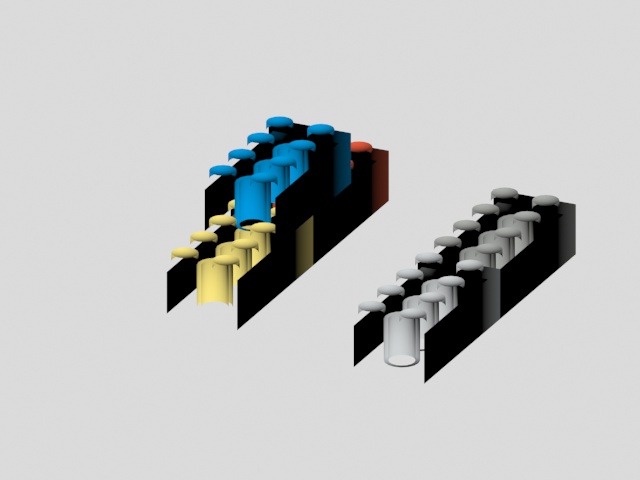
Hello, I was trying to import my LDD file to 3DS max, but everytime when I render the object I get this. Can someone help me to get this right? Greetings, Tom
-
 Hi, I'm having a problem where "special" colours used in ldCad are not displaying correctly in ldView and povray. As it's going wrong in ldView, I suspect something wrong with my LGEO setup in ldView but can't quite follow how the mapping is all set up. Perhaps someone here (Philo?) can help. I'm using ldCad 1.1b, ldView 4.1 and povray 3.7 running on Linux Mint 13. I'm using the wheels (part 32077) from set 8428 which peeron describes as "Metallic Silver" and so have selected this in ldCad. This is described as (80,M) in the ldCad colour selection. My MPD file contains the following lines for the part in the model. 0 FILE wheel-and-tyre.ldr 0 NAME wheel-and-tyre 0 AUTHOR chorlton 1 80 0 0 0 1 0 0 0 1 0 0 0 1 32077.dat I open my MPD file in ldView and Export to povray. The resulting povray file contains #declare LDX_wheel_dash_and_dash_tyre_dot_ldr = union { // NAME wheel-and-tyre // AUTHOR chorlton object { LDX_32077_dot_dat LDXSeamMatrix(149.999939, 149.999969, 71.093002, 0, 0.000015, 0.046499) matrix <1,0,0,0,1,0,0,0,1,0,0,0> #if (version >= 3.1) material #else texture #end { LDXColor80 } } and #ifndef (LDXColor80) // Black #declare LDXColor80 = LDXOpaqueColor(0.2,0.2,0.2) #end So, it appears that ldCad thinks colour 80 is metallic silver, but ldView thinks it is black, or at least very dark grey. When I set things up, the instructions for ldView and the LGEO part library spoke about colours but I think I've followed all the steps correctly. Does anyone with experience know where I might have gone wrong? I didn't want to include all my config so please ask for anything relevant. Thanks chorlton edit: There are other colour mismatches, for example the smoked glass of the PF receiver, but the silver wheels give a good example. Hopefully one setup fix will correct everything.