


Lok24
-
Posts
1,241 -
Joined
-
Last visited
Content Type
Profiles
Forums
Gallery
Everything posted by Lok24
-
Hi all, strange! Got now a second PoweredUp Hub. And: Boost sensor + Boost motor work together! the difference: the one not working I had already connected to the App and it made a FW upgrade the one working is "out of the Box". Is there a way to read the FW-version without updating?
-
 Hi, yes, sure, it's another appraoch. Needs all tracks to be buld in a certain height, of course. But for a station you could perhaps use only sensor half a meter before the first switch!
 -
Thanks for the moment, i'll tried that withe the "static" (think i did that already yesterday, and it worked, stay tuned) The debug-Mode: sounds familiar to me Can you imagine what happens if you have different RampMotor commands, which are executed twice parallel? Funny! Donation is difficult, cause I got no PayPal....
-
Electrified third rail add on for Lego trains?
Lok24 replied to Trekkie99's topic in LEGO Train Tech
That's possible, but not simple. The contacs must be higher then the rails, but the contacts not be higher than the rails. That' a bit difficult in case of switches, where the rails cross the track. -
And here's your project used for a shuttle train, please note the smooth acceleration.... https://youtu.be/RWmmEqOEAD0
-
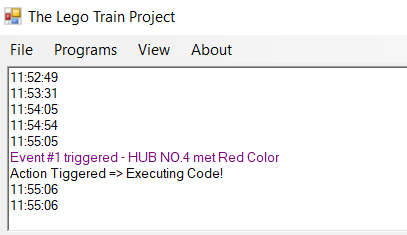
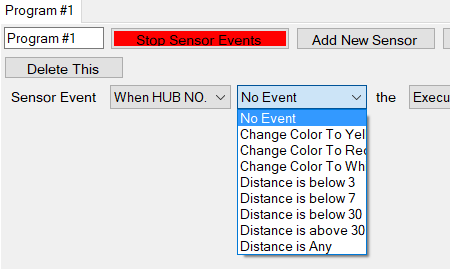
I have a red plate of app. 15cm length on the track, here's an example, as you see the message "Action triggered" appers only once, the "Writeline" twice: I can only select these three colors in the drop-down field? That was my idea! But: And here's the translation: Compiling code ... Compiling failed. Error (CS0120): An object reference is required for the non-static field, method, or LegoTrainProject.DynamicCode.MyGlobalFunction () property. Error (CS1998): This async method lacks the 'await' operators, so it runs synchronously. You should consider using the await operator or await Task.Run (...) to wait for non-blocking API calls or perform CPU-bound tasks on a background thread.
-
It doesn't matter if sensor is assigned to A and motor to B or vice versa. Error is the same.
-
Hi, just a little bit testing, but I'm totally lost in C# - made some code snippet like "MainBoard.WriteLine(DateTime.Now.ToString("h:mm:ss tt"));" If I use a sensor-event (color) to execute it is always executed twice? And how to choose the other colors? And third problem: How to call "MyGlobalFunction" in such an event? No Idea for the syntax Sorry for having so many questions...
-
I expect (delivery this week) two WeDo motors and two WeDo sensors. I'll test and tell you what'll happen. @treczoks I understand what you mean, indeed the complete idea of compatiliby is useless if the simplest things don't work.
-
Hi Mr Hobbles, that explains it, would it be the same with the Wedo motors?
-
Hi Cosmik42, just started and wanted to let you know that it is - amazing? Here's a litlle video (22sec)
-
Hi, yes, I did, and it did
-
Thanks for your reply. Behavior is exactly the same with the handheld and the mentioned software. I remeber a post here where same was reported, but with two motors. can't find it anymore. Might be a bug in the hub? You'll find a short video showing the project of Cosmik42 in the other thread!
-
Hi all, I just tried to build my first remote controlled layout, but it doesn't work! Connecting a boost sensor and boost external motor to a PoweredUp Hub stops the connection immediatly. Sensor or motor alone work fine. Is this a known issue? Can anybody confirm? Boost sensor an PU Train motor work as well.
-
Hi, you colud use PoweredUp, each controller can handle 5 hubs with two outputs , but there might be more than one controller to use different networks. But: number of type of motors is only three of them.
-
I'm fully happy as it is now. Ramp takes a time, normaly I wouldn't drive a train a specific period, but till next sensor event. But as my boost-Set isn't opened yet there are no sensors...
-
Ooops! USER ERROR! I'll test that during weekend, thanks. Hope I 'll get a complete layout soon.
-
Thanks. It's not that important with the numbers, Perhaps I find a way to change de default font size in Winows.
-
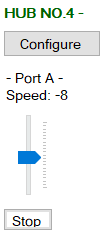
Yes, it accelerares with in three seconds, the wait is six, so it runs fur further three seconds. Sorry, but no. Moving the slider very carefully only 7 numbers are shown: 0, 2,5,8,-2,-5,8 But thats not critical in any way. Is there a method to use "RampMotorSpeed" to decrease the speed?
-
Hi, with my automated layout I used the follwing: Accelerate to 70 If sensor in the engine is triggered first(!) it decelaretes to app. 30, if sensor is triggered second time speed is set to 0
-
Indeed, much better, THX Works: Hub[0].RampMotorSpeed("A",25, 75,3000); Wait(5000); Hub[0].Stop("A"); Does not what I expect Hub[0].RampMotorSpeed("A",25, 75,3000); Wait(5000); Hub[0].RampMotorSpeed("A", 75,25,3000); Hub[0].Stop("A");
-
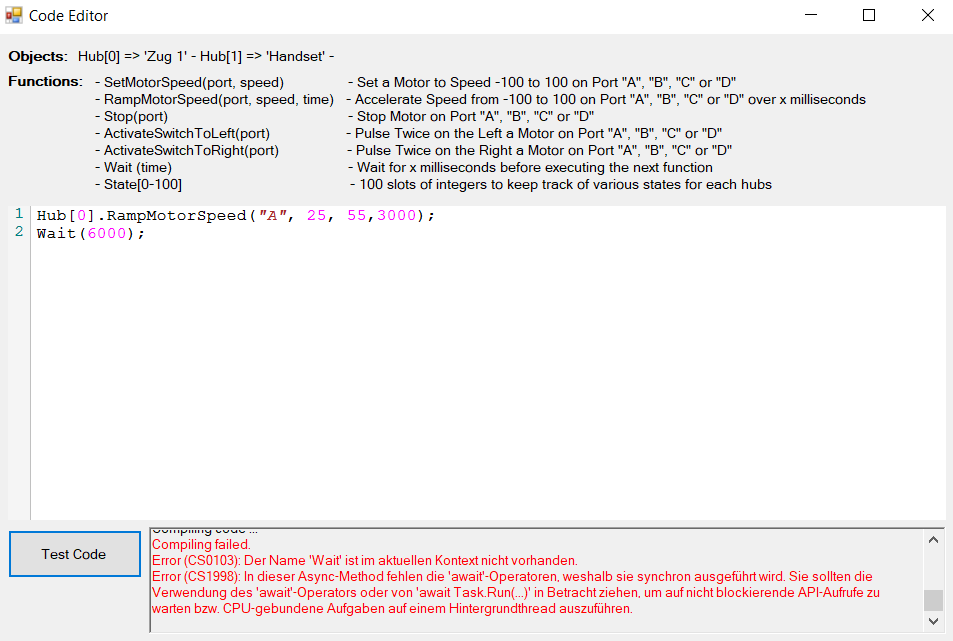
I can and I will... ... here it is.... Compiling failed. Error (CS0103): The name 'Wait' does not exist in the current context. Error (CS1998): This async method lacks the 'await' operators, so it runs synchronously. You should consider using the await operator or await Task.Run (...) to wait for non-blocking API calls or perform CPU-bound tasks on a background thread. -------------------- Compiling failed. Error (CS0103): Der Name 'Wait' ist im aktuellen Kontext nicht vorhanden. Error (CS1998): In dieser Async-Method fehlen die 'await'-Operatoren, weshalb sie synchron ausgeführt wird. Sie sollten die Verwendung des 'await'-Operators oder von 'await Task.Run(...)' in Betracht ziehen, um auf nicht blockierende API-Aufrufe zu warten bzw. CPU-gebundene Aufgaben auf einem Hintergrundthread auszuführen.
-
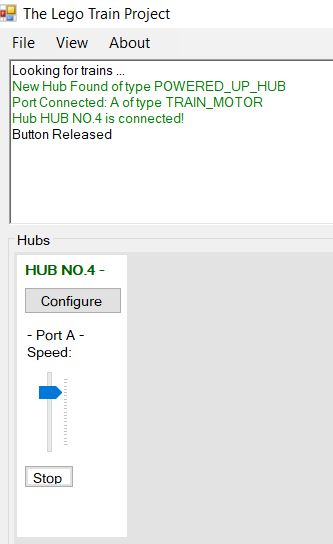
Hi, thank you for your quick response. here is the slider: And here the "Wait" command", "Compiling failed". Ramp with start-value works fine.
-
Hi, here are some questions concerning the project V0.3.1 from 8th of January, hope not to many... 1.) the value right to Hub name ist the batterylevel? 2.) the "speed" doesn't reflect the changes (the slider does) 3.) are there any properties that can be used? like "Hub[0].BatteryLevel" or similar? Didn't you give an example with "IsActive" (but that might be an earlier version) Or this replaced by filling some slots in "state"? 4.) I still have some trouble with RampMotorSpeed -------------- Hub[0].RampMotorSpeed("A", 75,3000); -------------- Works fine ------------- Hub[0].RampMotorSpeed("A", 75,3000); Wait(5000); Hub[0].Stop("A"); ------------- does not? 5.) here is my little ramp routine, it allows a start value, which is very useful Works fine, but cannot be stopped during "loop" int n = 25; int t = 5; int v = 70; String port = "A"; var z = Hub[0]; while (n < v) { z.SetMotorSpeed(port,n*-1); z.Wait(t*1000/v); n++; string s = Convert.ToString(n); MainBoard.WriteLine(s); } MainBoard.WriteLine("End ramp"); z.Wait(2000); int min = 20; t = 1; while (n > min) { z.SetMotorSpeed(port,n*-1); z.Wait(t*1000/v); n--; string s = Convert.ToString(n); MainBoard.WriteLine(s); } z.Stop(port); Thanks a lot for your work and patience!
-
Hi , thats's great. I now spend some time with your program, and there are some small issues that are not quite clear to me, would you discussed it here or via private message ?