

Lok24
-
Posts
1,245 -
Joined
-
Last visited
3 Followers


About Lok24

Recent Profile Visitors
6,382 profile views


-
 What is the question, or, where is the problem? Just connect motors to the hub, connect remote and hub , that's all
 -
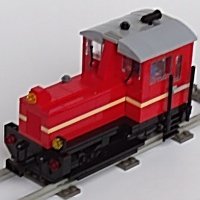
Hi, none of them is attached to the rails(!), you should check/change this. Or is there an original you refere to? White is a strange color, isnt it? (BTW: your pictures are very large ...., hard to display)
-
According to LEGO alternate instruction it belongs into the separate tender ;-) And why PuP? The description on the website says : POWER UP THE TRAIN – Add the LEGO® Power Functions kit (sold separately) to motorize the steam locomotive and control it with the Powered Upapp or remote for even more play options
-
There is only the Powered Up App, and there are some predefined use cases. Otherwise you can code it yourself, it is very simple.
-
Yes, but it is only on-off. I would not recommend it.
-
you don't need the SBrick-App to use the hardware. Did you try Brickcontroller2 ?
-
Lego smart brick applications?
Lok24 replied to bruh's topic in LEGO Technic, Mindstorms, Model Team and Scale Modeling
The idea is that you can place the complete set on the plate, as I understood the description -
Lego smart brick applications?
Lok24 replied to bruh's topic in LEGO Technic, Mindstorms, Model Team and Scale Modeling
Hi, nope, now it works again Pages were down for many hours yesterday in many languages, as described by @pleegwat -
Lego smart brick applications?
Lok24 replied to bruh's topic in LEGO Technic, Mindstorms, Model Team and Scale Modeling
No, they all vanished an hour ago! -
Lego smart brick applications?
Lok24 replied to bruh's topic in LEGO Technic, Mindstorms, Model Team and Scale Modeling
I think that PU offers much more possibilities. For me. Remote control, load balancing with tacho motors, use cheap standard electronic to control and so on. But back to Smart Brick and it's properties -
Lego smart brick applications?
Lok24 replied to bruh's topic in LEGO Technic, Mindstorms, Model Team and Scale Modeling
the 12 V train theme? Sound, light? That could be used in any technic set. -
Lego smart brick applications?
Lok24 replied to bruh's topic in LEGO Technic, Mindstorms, Model Team and Scale Modeling
No, the sounds come from the Smart Tags. no. What you are Looking for is a PU hub ;-) -
Press green button on the Move Hub, the press green button on the remote. No smartdevice required.
-
?? You first connect the Move Hub to the app. This is Hub 01. Then you connect the remote to the app. This is Hub 02. That should be shown in the list of connections. And this the reason why have to set the value to "2" in the Hub-Selection-block (bottom left, the Icon with the two hubs) BTW: why don't you connect the remote directly to the Hub, without any app?
-
No, you can easily reduce the number of shown icons für beginners. Look at the "settings". The children I played with on many exhibitions were between say 4 to 8 years , and all of then could move "Vernie" from the boost set within few (less then three) minutes (Boost-app, which has slightly different blocks) it detects the button pressed an delivers the value to the "compare" block, and if it equals "1" then motor start. There are other values, you can see then when selecting the right "value" field" You can see this easily, if have you use program with only the one(!) remote control block and press a button. I think yes, here when I press the B+ button the motor runs. When remote is connected as HUB 02.