


Glaysche
-
Posts
136 -
Joined
-
Last visited
Content Type
Profiles
Forums
Gallery
Everything posted by Glaysche
-
 One of the biggest complaints I have heard (and felt) about PoweredUp is the lack of a physical controller. While Lego doesn't build one, we can build our own using Lego. Here is a proof of concept controller I built: It is meant to be reminiscent of classic hand held RC controllers for cars. Since this is a proof of concept, I didn't put much effort into styling plus the motors you see are just the random ones I had available. Here's a view of the back: The interesting thing here is that you can use the motors for position sensors and as the "spring" to return the steering wheel or trigger back to center. You use the "hold" code block to accomplish that. Here's the PoweredUp code blocks that hook this controller up to a 42124 buggy: Hub #1 is the controller and hub #2 is the buggy. For steering wheel and throttle trigger, you set the max power low (15% and 30% respectively) and tell the motor to hold its position. The bottom two code blocks hook up the buggy's throttle and steering to the controller. Here's a simple video to demonstrate it working: https://www.flickr.com/photos/188456966@N07/51337316883/in/dateposted-public/ The car is much more fun to drive around with this controller than using the touch screen. Using this same technique, it would be easy to make controllers of different physical form factors. There are two downsides I can see. First, the control is a bit laggy. This is often a problem using the touch screen controller as well. Second, you still need a smart device hooked up and running. I think it may be possible to use Pybricks and fix both of these issues but that becomes much more complicated for people to use.
 -
T-Bot (3axis gantry)
Glaysche replied to Mr Jos's topic in LEGO Technic, Mindstorms, Model Team and Scale Modeling
Yeah, I think you're right. It does at least sound better with the gray gears. I changed mine back, too. I also added some of my signature lime green accents. I'd probably call this "done" for now... until I think of something else to change. -
T-Bot (3axis gantry)
Glaysche replied to Mr Jos's topic in LEGO Technic, Mindstorms, Model Team and Scale Modeling
I played around quite a bit with the PoweredUp programming and ended up with this as a basic control: The top bit does initialization and calibration. The bottom bit does the controls. Here's a quick video I made. You even get to see me run the robot into the side. It still seems pretty quick even with the 24t drive gears. The rack driving in and out also seems pretty quick. There seems to be plenty of torque for that axis so I could probably gear it up more but it was tough to fit more gears in. (Embedding videos doesn't seem to work from Flickr): https://www.flickr.com/photos/188456966@N07/51323492017/in/dateposted-public/ One additional note: I made it a bit more robust with better axle support for the horizontal shuttle: Before this change, there was an 8t gear on a frictionless axle pin that would sometimes slide out of place. That's now supported from both sides and no longer has the problem. I also used the red 16t clutch gears with 3L frictionless pins. This more securely holds the frames together. It seems pretty robust now. -
T-Bot (3axis gantry)
Glaysche replied to Mr Jos's topic in LEGO Technic, Mindstorms, Model Team and Scale Modeling
I have found all the frame sizes incredibly useful for robotic arms. I ended up buying hundreds of them from Bricks and Pieces in all available colors and sizes. My 6 axis arm uses all sizes extensively. I think my new favorite piece is the 15L beam with alternating holes. The 11L version should be available in August and hopefully they will produce all the lengths over time. -
T-Bot (3axis gantry)
Glaysche replied to Mr Jos's topic in LEGO Technic, Mindstorms, Model Team and Scale Modeling
I can probably make a video tomorrow. Right now, the controls are basic through the PoweredUp app with the math thrown in so I can have one vertical and one horizontal slider for x and y that just control the speed. The in and out axis has a slider for speed as well which is problematic when you run it into the stops. I’m sure I can come up with something better with more experimentation with the PoweredUp coding blocks. -
T-Bot (3axis gantry)
Glaysche replied to Mr Jos's topic in LEGO Technic, Mindstorms, Model Team and Scale Modeling
@Mr Jos This is a very clever robot design. I'm impressed! I made my own interpretation of it: I made significant changes. I don't have an EV3 set so I made mine with PoweredUp components. I used medium Spike Prime motors and a standard control+ hub. There are no extension cables for PoweredUp motors so I needed to put the hub at the top where the wires will reach. I tried to make the external frame as rigid as possible using lots of frames, panels (in the top back) and triangles. I made the horizontal sliding piece out of 7x11 frames instead of 5x7 frames. This has the downside of reducing the horizontal range of the robot but it made the mechanics simpler and allowed me to use 4 horizontal 32L axles for better stability. This also allows me to keep the chains mostly parallel / at right angles which seems nice. Here's a close up of the horizontal slider: If you look very close behind and to the right of the bottom 28t gear, there is the red 8t sliding gear that transfers power down the right hand vertical 32L axle. That power is transferred from the red 8t gear you can barely see behind the 24t gear on the right. The red 8t gear in the middle is jammed against a 2L beam to keep it stationary. This pairs with a DBG 8t gear jammed against a 1L beam in the bottom module, closeup in the next picture. The right axle drives the gear rack in and out. The left axle attempts to keep the bottom module from rotating. This bottom module is as compact and symmetrical as I could make it. This was a super fun build and something I hadn't thought of before seeing your post. -
I would love it if theory #2 turned out to be true. I would love to see Mindstorms sensors that are wireless. Color or force sensor would be great. I would also love to see an encoder that’s separate from the motor to accurately measure rotation. I suspect that 600 mAh is probably too large for these applications, however, so it seems very unlikely to me.
-
Pybricks Q&A
Glaysche replied to Pybricks's topic in LEGO Technic, Mindstorms, Model Team and Scale Modeling
Thanks for doing this Q&A! Are there generic timers and counters in Pybricks? I looked through the API docs and didn't see anything. Specifically, a counter you can read that returns a monotonically increasing counter at a fixed frequency would be useful. That could be the number of ms that the hub has been turned on or perhaps a counter running at the clock frequency of the CPU. Also, a wait_until(count | time) would be very useful. There is a wait(ms) function but that's not quite what's needed. Being able to configure an event to be received at a specific time in the future would also be helpful. An example project that could be made with this is a clock. Say you want to update a display every second. You wouldn't want to put an update_display() and wait() in a loop because you would get cumulative error. If you instead used wait_until(), you could calculate the time to wait for to be exactly 1 second after the last one no matter how long the other processing takes. -
Strange behavior with 51515
Glaysche replied to Glaysche's topic in LEGO Technic, Mindstorms, Model Team and Scale Modeling
Yes, indeed. My goal has not been to make a high precision, high performance robot for a private assembly line. My goal has simply been to push Lego as far as it can go. Before I started on this project, I didn't understand the limitations of plastic parts. I didn't understand that long axles act as rotational springs and can cause strange jitters in the output. I didn't understand just how flexible plastic beams are and how everything needs careful bracing in multiple directions to create a rigid structure. I didn't understand much about backlash in gears and how to mitigate it. This project has taught me all those things and more. Having the limitations inherent in Lego has been a great learning experience. Oh, and I have already destroyed a good number of Lego parts. I have improved the design to reduce the stress on those critical parts. If I happen to destroy a motor or two, that would be a bit of a bummer but I'm sure I will learn from it and figure out how not to destroy the next one. The software half of it is different. I actually have written software my entire career but at a much lower level than what is offered by Lego Mindstorms. I would feel much more comfortable writing C and assembly directly on the hardware. So my challenge to myself here is to do as much as I can with the tools provided by Lego and see what limitations I run in to. If I'm really lucky, I may be able to make some suggestions that can improve the Lego software roadmap. Even if not, it's still fun to challenge yourself to build something with constraints you have to work around. -
Strange behavior with 51515
Glaysche replied to Glaysche's topic in LEGO Technic, Mindstorms, Model Team and Scale Modeling
@ord, you were right. That is what was happening. I modified the program to look like: I send out a message when I want to move and have two separate message receivers, one for each motor. This requires a global variable to record the desired tilt. This certainly is a bit sloppy. It would definitely be nicer if I could send one command to two motors directly. -
Strange behavior with 51515
Glaysche replied to Glaysche's topic in LEGO Technic, Mindstorms, Model Team and Scale Modeling
The relative positions of both are zero when the program starts. Not running simultaneously might be the problem. I’ll run some experiments to see what the behavior is here. What I really want is to run a single move command that goes to both motors. In Scratch, you can select multiple motors for the same command. The problem for me is that these motors need to go in opposite directions which I haven’t found a way to express. -
Strange behavior with 51515
Glaysche replied to Glaysche's topic in LEGO Technic, Mindstorms, Model Team and Scale Modeling
Oh yeah, I have tried it at the highest acceleration with the same effect. -
Strange behavior with 51515
Glaysche replied to Glaysche's topic in LEGO Technic, Mindstorms, Model Team and Scale Modeling
If I manually use the slider, it goes fast both directions. This is using the “set speed” rather than “set relative position” block. Sure gravity does matter but it’s a much smaller difference than I’m seeing here. A couple of the videos in the photo stream are using set speed and a couple are using set relative position. I didn’t mark which was which there. Also, I don’t know if you saw the first video I posted or the one after I updated my post. The second one (11 seconds long) shows the effect more dramatically. -
I just upgraded to the Mindstorms iOS app v10.1.0 that came out yesterday. First, a major thing was fixed. The PoweredUp linear motors (L and XL) now work properly and I can read relative and absolute position. This unblocks me quite a bit. Now I am seeing some strange behavior. To replicate this behavior, I have a very simple program: Motors 'F' and 'B' are hard coupled together in opposite directions to power the tilt axis on my robot: The code under test is the 'Elevate_move' function. The goal of the function is to move the motor a relative amount as fast as possible. Passing in '1000' will move one motor 1000 degrees in one direction and the other 1000 degrees in the other. Passing in '-1000' will move them in the opposite directions. As a test, I call Elevate_move(-1000), Elevate_move(1000) right at the start of the program. I expect it to move both directions when the program starts. The actual result is that it moves quickly in one direction and very slowly in the other. Neither direction is as fast as moving the slider which calls the 'Elevate()' function. Here's a video of the test (11 seconds long, embedding videos doesn't seem to work from Flickr): https://www.flickr.com/photos/188456966@N07/51176059769/in/dateposted-public/ Has anyone else seen this? Anyone know any work-arounds?
-
Very cool. I went through a lot of iterations on the bottom tilt axis of my robotic arm. I ended up using two motors for this axis and a relatively complicated gear train. I posted about it here: I also noticed in the video that some of the axes have a bit of a jerky motion when moving. I had this same problem. The way I ended up improving that was to do the gear reduction as late as possible in the gear train. This kept the torque as low as possible through most of the gear train and the axles twisted less and acted less like springs. This smoothed things out considerably. it also improved the backlash a bit. All the backlash in the low torque portion of the gear train is reduced by the final gear reduction. My final bend axis on the wrist is still a little jerky. Because of space constraints, I couldn't fit more gear reduction where I needed it. I might try to revisit that at some point. I'm curious about which motors and sensors you are using in the arm. Are you using the sensors for calibration? Any more detailed photos?
-
I did a big update to the bottom tilt axis. This axis would work well until something stressed the arm like driving it into the end stop. At that point, it would often skip gears and twist the axle. I took my own advice of never having too much overkill and fixed it for good, I hope. The high-stress axle / gear that was breaking was the axle and 12t gear that was driving the turn table. The previous design had two 12t gears on each turntable for a total of 4 12t gears driving the axis. I changed that to be 4 12t gears for each turntable for a total of 8 gears driving the axis. This should reduce the stress on each axle by about a factor of two and hopefully operate with good margins going forward. This is what it looks like now: You can see 3 of the 4 28t gears that are attached to the 12t gears driving the turntable. With this change, I was able to eliminate the "spring balance" which makes me happy because that's the only truly rare part needed to build this model. There are still some rare lime green parts but if you change the color, this entire model can be built with common parts available on Bricks and Pieces (plus the one 3D printed part that was discussed earlier). I also added better bracing and generally made things more robust. Zoom into the base: And pull it out of the robot. You can see a couple of the 12t gears on the far turntable. Take the outer axle support off and you can see 3 24t gears that connect the two sets of gears together. You can also see the 8t gear at the bottom which is given by internal gears which are driven by the 2 XL motors. This gearing gave me an extra 3:1 gearing in the system. I compensated that by changing the internal gears to not gear down as much. Take that layer of gears off and you see the 4 critical axles on this side (identical on the other side, of course). I use the 28:8 gears because it reduces the torque as much as possible as close as possible to the load. The other axles and gears have never had any problems with this design. The extra 24:8 step down is also very important because the axle that goes into the internal gears is relatively long. Having high torque there would cause a lot of twisting of the axle during operation which would make the motion less smooth. This ended up working much better than before. Here is a 13 second video of it moving: https://www.flickr.com/photos/188456966@N07/51153949023/in/dateposted-public/ (Embedding a video from Flickr didn't seem to work so here's the raw link.) So overall, there are now 38 gears in this gear train including the turntables themselves. Is it too much overkill? Naw, probably just the right amount of overkill. I'm super happy with how well it is working and how robust it has been.
-
Here is a minor update. I added some reinforcements and improved the mounting of the top of the "spring balance" shock absorbers. You can see the triangular bracing in this picture. It probably makes a small difference. One improvements I really liked was the triangular bracing for shock absorbers: I was able to fit a half beam between the bump on the L motor and the 5x7 frame. The motor locks the beams in place.
-
I would buy sets like this over a super car every day of the week. This is amazing.
-
After replacing the axles w/ stops with standard 5L axles, things worked better but there was still some strange behavior under high stress. That's when I noticed an issue with how the vertical arm was attached to the base. Here's a mock-up of that in colors that are easier to photograph: The arm is attached using both 5x7 L beams (inside the turntable tabs) and the 3x3 T beams. What I noticed under high stress was something that looked like this: The structure was held together with friction and started to pull apart under load. To fix it, I made this piece: And installed it inside: And added some more reinforcements: With these changes the bottom tilt joint now moves much smoother. There is also less creaking during operation. The lesson I keep learning is that there is never too much overkill when it comes to solid structure. If you can find a way to get better cross bracing, everything ends up working better, every time.
-
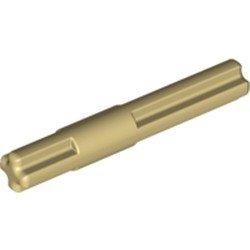
Thank you for your kind words. I tried the standard LBG 5L axle and it seems to be working well so far. Thank you for the suggestion. I was using the axle with a stop because I have always try to use an axle with a stop when it fits. It eliminates one way the axle can slide. In this case, I think it will be perfectly ok to use a standard axle. What would be ideal in this situation would be an axle like one of these except be 5L long -- the solid bit would be in the middle, 2l axle on each side: This application has (pin hole, 12t gear, pin hole, 28t gear, pin hole). All the stress happens in the middle segment between the two gears.
-
I did some improvements. Here's the overall picture: There were 3 big problems I wanted to solve. First, the connection at the top was relatively weak and relied on friction to hold it together. The new one is much better and form locked together with a simpler, more robust gear train: I think it may look a bit better aesthetically, as well. The second big problem was the tilt joint at the bottom sometimes struggled under the load and was geared down such that it was already pretty slow. It was powered by a PoweredUp XL motor. The solution was to put in 2 XL motors for more power and change the gearing to make it faster. The motor module looks like: Which goes in this spot: This is less geared down than before and overall works much better. The final problem to solve was the rotation axis on the base sometimes skipped gears under high acceleration. This was fixed by driving the turntable with two gears and building a new gear train and motor mounting to support that. Because the space that was previously used to hold the hub is now filled with motors, I needed a different way to mount the hub: As a bonus, this provides a bit more counterweight and helps the arm stay a bit better balanced. As I mentioned in a previous post, this is pushing Lego to its limits. Here's an axle after much abuse. This is one of four axles driving the two turntables for the bottom tilt axis -- the highest stress point in the whole robotic arm: I think this happened as the result of me mis-assembling the joint and having this axle taking the brunt of the stress instead of equally sharing the load with the other 3 axles. It's a cool looking failure, though. Comments, criticisms, and suggestions are always welcome.
-
These are really cool. I really like the multiple speeds on the drill press with the pulleys.
-
My dream set on the survey is the Perseverance Mars rover as a flagship. There is so much you could do with that.
-
Thank you very much! One other thing I thought was interesting: This is the main vertical arm. The basic cross section is 5x5 studs. I needed a motor in it so I was able to fit an L motor inside. The motor is actually part of the structure providing strength. There are 4 12t gears driving the 2 60t turntables. This made the gear train much more robust. When I only had 1 12t gear per turntable, it sometimes would skip. The 28t gears were the largest I could fit in that spot which helped make the rest of the gear train lower torque. I used this same technique for all the high-stress joints. The highest stress joint on the bottom has the most complicated gear train. It has 16:20, 12:36, 12:20, 8:28, 12:60 gearing packed in the base to allow the XL motor to drive it.
-
I have made a lot of progress on this robotic arm. At first, I did a bunch of optimizing of various structures, made it look a little better with better colors, and a few other things. I ended up with this: This is still basically the same as before, just incrementally improved. The big problem here is that the final couple parts of the robotic arm are too heavy for the large turntable and the way the construction works is very cumbersome to take apart. In order to get the top part of the arm apart, it needs to be taken apart into many small pieces -- not very modular. This was the best I was able to build with 100% pure Lego pieces. The next step was to use a 3D printed part designed by @efferman that allows transmitting 3 functions through a turntable: This can be found at https://www.shapeways.com/product/BGBRHWES5/three-functions-through-turntable?optionId=138357654. This was a revolution. I was able to make the end of the arm much smaller and lighter. It works much better and is now a very modular build. Here's what the new one looks like: The motors have moved to the back of the arm for good balance. This allowed me to move the hub down onto the arm which reduces stress on the bottom joint. It also is very modular. The red pins and parts typically indicate the parts to remove to take it apart into big pieces: Every joint now works well in my testing. Software is now a challenge. The hubs pictured here are the Spike Prime hubs. I'm actually using them with the Robot Inventor firmware for my tests. RI does not allow controlling multiple hubs simultaneously which has some work-arounds. It also has some incompatibilities with the L and XL motors I used -- you can't read the position on those. I could convert to use just standard technic hubs but the form factor is not nearly as nice. I'm still figuring out my options here. I have an email into Lego support about the incompatibility problems with the L and XL motors. We will see what they say. Retrospective Building this had different challenges than I thought it would when I started. I thought the big challenge would be designing the gear trains -- and they are complicated. I use 6 different differentials and precise gear ratios to eliminate coupling of functions sent through turntables. The most complicated is the top unit: This gearing allows rotating the turntable without unwanted movement in any of the other axes. The real challenge was the limitations in the strength and rigidity of the lego parts themselves. Every time I was able to improve bracing, make it more rigid, or have better form locking, everything worked better. I went through many iterations coming up with better structures. There are still things that are not as good as I would like but I think it is pretty good right now. I also found wire routing challenging. A lot of work went into routing wires well which you can see in the above picture and a couple others: That last picture also shows a color sensor I am using for calibration. I haven't been able to build a full calibration routine because of the software limitations I mentioned earlier. Another thing that has been challenging that I didn't suspect was something I'll call "color engineering". I want the colors to be clean and look nice. I don't want to see blue pins or axle pins anywhere. I ended up re-engineering different parts to eliminate the blue axle pins. I couldn't eliminate all of them so I did end up buying some of the expensive black axle pins on Bricklink. When I first built this, almost all parts were common and purchasable on Brick and Pieces but to get the colors right, I needed to buy rare parts. Some of the lime green parts are hard to find. Anyway, I wouldn't call this project done but I think most of the work now will be software related so if I end up posting about it, I will probably move it to the Mindstorms forum. I posted this here because the Mindstorms components are pretty much incidental right now. Most of my development was done with Technic hubs. It was a super fun project. I would love to hear any comments and suggestions on improvements.