Thorsten50
-
Posts
164 -
Joined
-
Last visited
Content Type
Profiles
Forums
Gallery
Everything posted by Thorsten50
-

[MOC] 90's Honda NSX
Thorsten50 replied to Gray Gear's topic in LEGO Technic, Mindstorms, Model Team and Scale Modeling
Wann veröffentlicht du es ? -
[MOC] 90's Honda NSX
Thorsten50 replied to Gray Gear's topic in LEGO Technic, Mindstorms, Model Team and Scale Modeling
The last check is in progress. -
[MOC] 90's Honda NSX
Thorsten50 replied to Gray Gear's topic in LEGO Technic, Mindstorms, Model Team and Scale Modeling
It only costs time and annoying. -
[MOC] 90's Honda NSX
Thorsten50 replied to Gray Gear's topic in LEGO Technic, Mindstorms, Model Team and Scale Modeling
@Gray Gear Nice car ! Have you ever considered making a construction manual ? I would like to do that. https://pixelts.de.tl/ -
stickers/decals in mlcad
Thorsten50 replied to lixiuus's topic in Digital LEGO: Tools, Techniques, and Projects
You need: Sticker: "ColerDraw" to greate the original stcker (export a BMP 256 Colors) Stickergenerator: to greate with the BMP the first sticker file (.DAT) MLCAD: Take the first sticker in the Model MS Text Editor: to adjust the first sticker in the model. Copy the adjust Info int to an TXT File. LDDesignPad; open the txt file to scale the sticker in the right size (rmark it - right klick - Line Part) so you have the TXT as second , new and rigt sized sticker file (delete the first and rename the fil ednding in to DAT or LDR) Sticker shapes You then need the surface of the part on which the sticker is to be bent Follow the Step 3-4 just withe the Part (without delete the original Part). open the file delete all areas and lines that you don't need to get the surface Letgui - SlicerPro: to shape the Sticker an surface with second sticker and the surface. -
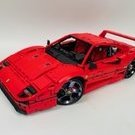
Ready Whitout buwizz Self printable stickers on page 139 https://pixelts.de.tl/Ferrari-Dino-246.htm
-
Update
-
Do you have the right logo for it? I have found only Heuer and FIAT. Like This?
-
I have only one upload for free. https://bricksafe.com/files/Thorsten50/PDF/Ferrari dino 246 .xlsx
-
PDF Instruction for free https://pixelts.de.tl/Ferrari-Dino-246.htm
-
42083 - Bugatti Chiron
Thorsten50 replied to Jurss's topic in LEGO Technic, Mindstorms, Model Team and Scale Modeling
@AFOLegofan66 Let's hope the tires and rims are the same size. -
I'm not getting anywhere fast right now. I don't know what stickers I make yet.
-
@technic_addict The 32202 Hose Soft Axle 16 is changed in to Flex Hose 17.
-
E-Mail dosent work at moment
It in Parts>
Parts Search> (Power Funktion / linear)
Click on Part
The My MOC and click ADD Part -
I've got Mail Diliverys with your E-Mail adress
-
The color Inspiration Aventador 40th Anniversary Pirelli Edition Veneno 50th Anniversary Pirelli Edition
-
I have a Head Rotor Instration of a UH1 Heuey. Instruction: Pendelachse.pdf
-
@Calabar The old verion work after many installing and uninstalling. The hase the same fail as brfor after path changing, Mklist, copying and and and ......
-
@Maico What is that supposed to help ? The Part will not show in Parlist. And I need All in one Installer 2013-01 this works.
-
I hafe Updatet ol Path from hand include mklist. No change.Thats Standard BFC. The Part is not redy its place holder. The sticker files are not displayed (sam as other). In the AIO 2013-01 was is it allright.
-
@roland I have tast this yeterday. Dos not work.
-
@roland Only the Part List does not work with cutom parts. There are four paths that do not work together with the lpub4 and MLCad 6 already. Updating LPub does not work. Changing the Pade was also futile. Lpub 4 miss same drivers Green circle ok (Part not redy). red fail
-
@roland it dosen't work with the new LDraw. I need it complete.
-
The new All in one with LPup 3D dosen't work onn my computer as it should. I cant find the old version 2013-01 wit Lpub 4. Hatt still one of you? If yes, send me a PN Thanks Thorsten
-
And delite the Chassie Pictutes at Flicker