

Rapseflaps
-
Posts
403 -
Joined
-
Last visited
Content Type
Profiles
Forums
Gallery
Everything posted by Rapseflaps
-
Layout Last Monday, my parents left for a two-and-a-half week trip to the Dutch Antilles. One of the added benefits for me is that I have the whole house all to myself until they return. Now I could do what the hip kids do: throw a party, trash the place or call my friends to inadvertently create a wish-granting sex-oozing bombshell out of a Barbie doll hooked up to my computer, all while wearing a bra on my head. Instead, I chose to build some LEGO. Quicklinks to Brickshelf: Main Folder Day 1 (browser-friendly here) Day 2 (browser-friendly here) Day 3 (browser-friendly here) Day 5 (browser-friendly here) Day 6 (browser-friendly here) Day 7 (browser-friendly here) Day 9 (browser-friendly here) Day 18 (browser-friendly here) Or leave comments over at Flickr Day 1: Monday, May 10th 2010 I started by pulling my old LEGOs down from the attic again. Last year, me and my girlfriend decided it would be fun to play with LEGO again, for old times sake, and built pretty much all I have (little did we know what this would set in motion, but that's a story for another time). We made a small town with sets from the late eighties and early nineties, occassionally invaded by some aliens (i.e.: Blacktron II, Space Police, Ice Planet...). When we cleared it all away again, everything was left intact as much as possible and it was all stored so it could be rebuilt quickly. The only things I had really taken apart since then were the 6394 Metro Park & Service Tower (for my review) and the 6389 Fire Control Center (just for the heck of rebuilding it again). I've decided not to bother with any other themes this time around and focus solely on my Town and City LEGO. Day 1 of the project consisted solely of putting the classic LEGO in place. Everything that was still assembled to some degree put in place. What you see above is just one corner of what the final town will be. There will be a residential area somewhere else, so the houses you see in the background are waiting for a place elsewhere later down the line. You may have noticed the printed BlueBrick layout in the lower right corner of the picture: it's my rough draft for the final town. Basically everything sitting behind the International Jetport is waiting to be relocated. The streets can never be too safe: the police starts patrolling early! This pilot has some work to do on his little plane. Putting all this stuff back together also led to some sad conclusions: there's a startling amount of minifigs gone and some essential parts are missing here and there as well. The hole in the plane pictured above is not by design: the piece that goes there is missing. I'm also missing half a dozen wheels, leaving me with a race car that sadly rests on its car base (and also lacks a steering wheel). I spent the rest of the evening rebuilding 6394 and 6389 and end up with this final result: The first part of my town is completed. Tomorrow, the new LEGOs go in! For now, some pictures of the town as it stands: The view from Flight Control. The guy from Fire Control can wave back! Directing ze plane! More pictures from Day 1 at Brickshelf (browser-friendly versions in the Thumbs folder). Day 2: Tuesday, May 11th 2010 It's day 2, and I realize how huge my collection of LEGO sets must have become in the past year, compared to what I had. The little bit of classic town sets takes up a small portion of the room and I know there is a lot more to add to it in the next few days. I start by bringing down parts of my newer CITY sets and re-assembling them. Most of these sets have been stored in their box as intact as possible, so getting all the vehicles back together was done in no time. When you can rebuild a gargantuan plane set in five minutes, LEGO building has just become easy. I slept in late, but by lunchtime the table is already filled with sets. I spend the rest of the morning unpacking the other stuff, but once again I come back to the whole scale issue. Those are some pretty big airplanes compared to the cute 4-wides sitting in my airport. I don't think I even have room for these planes. Also, our little town cop we saw earlier may not be a match for these monsters: Oh well. I decide to ignore the issue. As the day progresses, I find myself in a rush and start expanding the town. I rebuild 7744 Police Headquarters and take all of my Modular Buildings that are usually on display in my room and add them to the town. I pause my building to go see a movie and as I return from the afternoon showing I continue by rebuilding 7641 and 10184. In all my excitement, I forget to take any proper pictures, except for some really crappy phone picture before I leave to go see my girlfriend late in the evening. The town has more than doubled, and I can't wait to add the rest and flesh things out more. More pictures from Day 2 at Brickshelf (browser-friendly versions in the Thumbs folder). Day 3: Wednesday, May 13th 2010 Day 3 proceeds much the same as day 2, except this time there are no more nearly-assembled sets to unpack and it's all building from here on in. I re-assemble some more sets and add them to the town. The town square gets rearranged slightly. I'm still planning on putting the Fire Control Center somewhere else, but I haven't decided yet where to place it. The whole emergency helicopters taking off in the flight path of an international airport thing doesn't seem to make a whole lot of sense, so relocating will be necessary. I put it off for now. A view of the town on day 3. And the same as seen from the other end. I've started to put more cars in the streets too. I'll have to put some minifigs walking around in there as well, because the sidewalks feel very very bare as it is. The town square feels like a huge open place, because of the wide roads and small buildings, while the street with all the modulars (or Main Street, as I have come to call it) feels much more busy, even though there's hardly anyone on the street: the towering structures with roadside features already give the street the feel of a bustling town center. Some more pictures: Town Square The towering structures in Main Street lend to a dizzying bird's eye view. An escaped convict runs across the roof of the market alley! Looking down Main Street towards the airport. And again, the other way round. Wash now, movie later. More pictures from Day 3 at Brickshelf (browser-friendly versions in the Thumbs folder). Day 4: Thursday, May 13th 2010 Study time! No progress in LEGO town today. Day 5: Friday, May 14th 2010 Today... Train tracks! Read all about it here!
-
The uploader mentions the stormtrooper wasn't really included in a reply to one of the comments on the video. I think we can take this as a joke.
-
It's listed as an August 1st release. 8404 is slated for October 1st.
-
According to Brickshop.nl, it'll be €39,95. I am so getting this.
-
Um, because there's also a terminal included?
-
Wait a minute, what's up with the freaky whites around the driver's eyes? Is this guy on crack?
-
Too large signatures annoying
Rapseflaps replied to Superkalle's topic in Forum Information and Help
Yes. Apparently, there's some rich people showing off here. -
Hmm, that looks quite a bit nicer than I had thought at first. I might get that after all.
-
Too large signatures annoying
Rapseflaps replied to Superkalle's topic in Forum Information and Help
It is possible to put a limit on the number of images, URL's and lines of text allowed in signatures in the board's settings. I don't know if the board will automatically adjust old sigs that exceed that limit though (I think it doesn't, so you'd still be left with the problem of having to inform old members their sigs are too large). Same for avatars, btw. -
You know in twenty years, I've never once thought of that. That's what it must be. Excellent.
-
He has finally made it! I'm a Reviewers Academy teacher now. Yeah, baby!
-
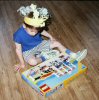
INDEXED 6394 Metro Park & Service Tower (1988) This is me. It's a slide of me on my third birthday, unwrapping my biggest gift of the day: the LEGO Metro Park & Service Tower. It was 1990 and little did I know that this set was going to be one of my all-time favorite toys and one of my most re-built and played with LEGO sets ever. It will be in my possession for 20 years next June. The 1988 Metro Park & Service Tower had been on the shelves for a while, but I was far too young to ask for Lego myself. I had just gotten my first small Lego set from my grandmother (the 1612 Victory Racer promo) and a few Basic sets from my parents. I might have had the post office from one of my earlier reviews at this point as well - I can't quite remember. I don't even remember getting this set. It's just always sort of been here - my ultimate Lego set. It has a building, cars, a motorcycle and lots of possibility for death and destruction, which was very important to me when I reached the 6 to 12 age category. So this is a very special set to me. It was the first large Lego set I ever got, provided me with more building and playing pleasure than pretty much any other set and it spent many hours as the center of my town and my town stories. To this day, it remains the one set with the largest floorplan (64x32 studs) in my collection. But it is more than just special to me. Now that Lego vehicles are six studs wide and made with tyres twice the old size, the small little cars in this set have become more of a representation of the bygone 4-wide era than ever before. The whole parking structure is built around cars this size and while the three passenger cars included in this set weren't the biggest cars available at the time, they usually didn't get much larger than this either. With the average automobile currently being 50% wider and nearly twice as long, it's probably safe to say we won't be seeing a set like this again in the very near future. The box, courtesy of BrickLink. Item #: 6394 Name: Metro Park & Service Tower Theme: LEGO System / Legoland / Town / Shops and Services Year: 1988 Pieces: 620 Minifigs: 6 Price: $58.25 / £45.00 / Fl.154,50 (€70.11) Brickipedia BrickLink Brickset LUGNET Peeron PICSL Release Released in The Netherlands in May of 1988, this was a flagship set of Town when it first came out. Fitting in with other shops and service sets like the more modest 6378 Service Station and the 6699 Bike Repair Shop it quickly became a centerpiece of citizen life in Lego Town. It stuck around for a while as the largest service set, while other service sets were phased out. Eventually the airport and racer themes took over and 6394 was dropped as well. While many sets from the late eighties have gotten recent updates (6378 became 7993 and 6699 became part of 7641), a modern update of 6394 remains unreleased. And with Lego cars growing considerably in size over the past decade a modern remake seems highly unlikely. A two-page image from the Dutch 1988 catalogue, featuring this set as the centerpiece. The Box The picture at the very top of this review remains the only picture I have of the box intact. The front has sadly been lost in the destructive force that is our paper waste bin. It probably disappeared in there nearly 20 years ago. However... Back in 1988, Lego still spent time and resources on producing alternate models to put on the back of their boxes. Thanks to the large piece count in this set, the alternates are more than just a car base with the wheels removed to turn it into a boat. There's some pretty sweet additional models on here. We've cut up the box and stored the pictures of the alternate models by pasting them on A4-sized sheets of cardboard and putting them in a big folder for safekeeping. Let's have a look. Parts & Pieces At 620 pieces, this is the largest Town set released in 1988 and the third largest released in 1988 entirely (according to Brickset, only 8865 Test Car and 6085 Black Monarch's Castle eclipse it at 900 and 702 pieces, respectively). It features plenty of white and, being a set featuring Shell, plenty of yellow and red as well. There's also a fair dab of grey and blue, along with some black here and there. Despite owning this set for nearly twenty years, it appears I still missed some pieces in the instructions the first time around. Some small pieces are not included in the image below (they are in the build section), but they are only minor exclusions. A full overview. There's a great amount of printed pieces and a notably different approach to stickering than we are used to today: only surfaces made up of multiple pieces that are to be covered by some sort of graphic use stickers. Everything else (including all the tiles that would nowadays receive the sticker treatment as well) is printed. The Shell sign in the foreground is three pieces stickered together on both sides. Everything else is printed. Not feeling like stickering some plates together, the stickers featuring word 'Shell' that go on the edge of the service station's roof were omitted and the only parts stickered together in my set are two 1x3 bricks and a 1x3 plate that make up the Shell logo sign - a vast improvement over the blank sign at the top of my Post Station. Other pieces of interest in this set include the minifig motorcycle, the large assortment of car parts, the car wash brushes and the jack. Also included for good measure: some flowers and a nice small tree. The minifig bike and accessories. A fair pile of car parts! 6394 was the first set ever to include car wash parts. No classic Town set is complete without some lovely flowers. Instructions My battered instructions manual is another testament of times gone by. Printed in a 16-page, easy to store A4-sized booklet, building the main model takes only 15 steps. The front of the instructions features an overview of the set as seen on the box's front, as well as some of the set's main features: the alternate configuration achieved by hinging the entire model and the working car elevator. The booklet may have seen better days, but it is nearly twenty years old, you know. There's no separate booklet for each and every car. Rather, all small models are on the first two pages. As was custom at the time, the first step also features a top view of the floor plan. Submodels do not receive their own page. These instructions go through the model swiftly and economically. Each step adds a single layer all around the model. If you grew up on the more recent instructions, you might actually find this a more difficult build than you're used to. There's a fair amount of pieces added with every step, they're added all over the model and if there's a submodel included in a step, there will be other pieces you need to add along with it (as you can see in steps 9 and 10 above). Compare this to the instructions of the similarly themed 7993 Service Station from 2007 (most importantly parts 2 and 3) and you'll quickly spot the difference. 6394 adds a layer across the entire 64x32 floor plan with each step, whereas 7993 will have you built the little shop first, then the car wash, then the gas pumps and so on and so forth. There's also a perspective mistake in the instructions that can be quite confusing. In step 7, you're supposed to add a white 1x1 brick in line with the grey 1x2 plate. It should partially obscure the 1x2 plate from the angle the model is seen in the instructions. Instead, the brick appears a bit to the side, appearing to float in an illogical position. How it appears in the instructions... ...and what it should really look like. You'll figure this out quickly enough as you move to the next step, where you'll need the brick for support, but it can be a bit confusing at first. This, along with the amount of bricks and wide area in which they are added in each step, adds to the relative difficulty of building the model. Having grown up with this though, I can tell you that once you've built this yourself a few times as a kid, you're pretty much ready for anything a Town set instructions manual can throw at you. You can see the complete instructions manual at PICSL. Minifigs Featuring six identical faces, the minifigs in this set are defined by their torsos. Four of these nice folk are customers, one of which drives a motorcycle. The other two are the Shell shop clerk and mechanic. I'm sure you can guess who is who. The drivers' torso color will eventually match their car as well. There is no back printing. The Build Vehicles With no less than five separate vehicles included in this set, we start off with some nice small builds to get us going. First up is the Shell service truck. It's a bit bigger than the other cars and follows quite a different building pattern. Its main base is an 8x2x1&1/3 bracket. It will disappear almost entirely into the body of the car. The build expands upon this start by adding some pieces like mudguards below the bracket. Notice the yellow covering the entire bottom of the vehicle. Soon enough, we finish our first vehicle: a rough pickup service truck for the Shell mechanic. The printed doors are lovely and notice the yellow-red-white color pattern: it's the same as that of the tower itself and the overall Shell color scheme. Ready for servicing! The motorbike is next and there's not much added other than a stand, a headlight and a taillight, but just having these lights adds a lot to the model. The set's second model completed. The three small cars included all follow the same basic building pattern: starting with a 7x4x2/3 car base, there's a one-plate layer added before mudguards and brackets, doors etc. turn it into a neat little car. The three cars differ pretty much only in color and roof type. Simple beginnings with some car parts added... ...leads to a lovely little coupé. There's a coupé-type car for Mr. Blue, a fancy multi-colored car with a deluxe sunroof for our well-dressed Grey Pants Man and a simple red car with a white roof for our lady driver. "Tonight on Top Gear... James May still refuses to get a haircut... and ends up looking like a girl!" All this makes up for a nice little array of cars to not only park in your Park & Service Tower, but send driving around your city as well. Excellent! The Metro Park & Service Tower The tower itself is quite a fun build. Like many models of its day, we start by laying out a simple floor plan, except here we are immediately thrown a lovely pillar to construct. It introduces a very nice building technique that allows for all the printed 2x2 tiles to be put up against the walls like signposts on a building. I really like this touch. All the signage adds a lot to the model. Two 1x1 headlight bricks put on their side will allow you to add parts at a 90 degree angle. A simple 1x2 plate will close the gap so you can add the next layer on top. Step 1... As mentioned, unlike modern builds, each step adds a layer across the entire model. Only a few localized subbuilds are done in different steps, but otherwise there's no focusing on just one corner of the building before moving on to the next. As such, you'll have to make sure you take your time and scan the entire image for each step. The best way to do this is just go from left to right through each image. That being said, the first stage of the build immediately brings us one of the model's main features: the car wash. The vertical brushes go up first. One interesting thing about building the car wash is that the car wash's top part starts as an upside-down build. This can be a little confusing, so you'll have to pay attention here. If you screw up, you find out soon enough though, since there's really only one way it fits. According to the instructions, all of this has to be built upside down. Confusing! The next step also reveals an interesting technique for the operation of the car wash: rather than using a rubber band, two genuine LEGO hoses are used to push the brushes back into place once a car has gone through. It works wonderfully well. It's also at this point that our last minifig gets put into place: the Shell lady starts work early and simply has her shop built around her. Convenient! From here on, the parking structure pretty much repeats its first stages for the top floor and we start to build more of the gas station. Another pillar adds some more signage to the garage exterior. As the shop nears completion, the first of the gas station's details are coming into place: a brush, a water sprayer, spare tires and, um... something featuring a hose and printed buttons. The gas pump soon follows. Don't you just love those printed pieces? Next, we get to what is probably the set's biggest feature: the elevator that will raise the cars to the desired levels to be parked. Made of a big blue plate with some smaller bits and a neat red/white panel combo, it fits the small cars perfectly. The plates running across the platform fit snugly between the wheels, keeping the small cars in place as the platform moves. A rack/winder combo will allow you to move the platform up and down by turning the knob on the winder (truthfully, though, once your fingers get bigger than those of a 10-year-old, just pushing the thing up and down becomes a whole lot easier). The last large submodel is the gas station's roof. It, too, is built entirely upside down! Another upside down submodel The roof fits snugly into place. With the roof in place, we're ready to put in the final details, like this little Shell-sponsored vacuum cleaner on the path to the car wash. We end with putting in lamp posts, the workshop's jack, flowers and a lovely little tree. The Shell signpost is three parts stickered together. There's not a lot of complex building techniques in this model, but because of the many parts added in each step and several submodels built upside down, it can be a bit more challenging than your average City build. Still, it's great fun seeing this parking structure come together and have all the details added bit by bit. All done! When all the bits and pieces have been put in place, the Metro Park & Service Tower is ready to receive a prominent place in the center of your town. It's great to have such a large set that is all geared towards servicing the citizens of Legoland. Having it in the vicinity of your shops can lend your whole setup some added scale. The set also comes with a very nice extra feature: It hinges. This allows you to place the set in your town in an alternate configuration and can turn your car wash into a drive-through service port. Of course you can always replace the hinge bricks by some simple 2x1 bricks and separate the two parts entirely, but for review purposes we're judging the unmodified set. And adding the hinges is a very nice touch indeed and one that gives the builder some extra freedom in how to place the finished model in a larger setup. Of course it could also be used to simulate earthquakes. The choice is up to you. Speaking of earthquakes, the 1x2x5 bricks serve their purpose very well in holding up the parking structure, but can also be easily pulled out from under the building. As a wee lad I always enjoyed causing death and destruction in this way. For your viewing pleasure, I include a demonstration: A pillar on the ground floor buckles... ...the weight of the structure presses down on empty space... Bang! Crash! Kablammo! All this was only amplified when I used to put this model across from my airport runway in my town setup. More than once a plane would come in too fast, skid off the runway, slide into the Metro Park & Service Tower and cause the whole thing to explode in a brilliant display of flying Lego pieces. Ah, the good old days. Leaving all the Thunderbirds-inspired demolition mayhem aside for a moment, the intact model offers plenty of play features as well. Customers can go through the electric car wash. Some red lights inform drivers the car wash is a one-way street. The height of the building can be dizzying for some. Notice the lovely printed tiles added as signage. The resident mechanic repairs a customer's car... ...while the driver chats up to the Shell shop lady. Then of course there's the elevator, the gas pumps, the vacuum cleaner, etc. etc. Plenty to do on site, and plenty vehicles included to drive across your town. Scale difference and integration into a modern City town Now you may have noticed that this model is all based on simple 4-wide vehicles. This was the common standard for many years in Lego Town and it's a standard that this model handles very well. The parking tower is a sizable structure, but not one that balloons out of proportion and becomes a towering behemoth. There's always been some scale cheating in Lego Town and it's perfectly fine the vehicle doors can't open when the cars are parked close together. It all fits together quite nicely. But when it comes to putting this model in a town made up of more recent City sets, you might run into a slight scale difference. You take a car like the 4WD from 7635 and it simply doesn't fit. Obviously, you can't place it on the lift and it can only just clear the roof of the parking structure. And quite frankly, this just looks silly: Fortunately, Lego released their Small Car this year that goes back to the 4-wide scale and fits in perfectly with the cars in this set. It matches the other cars... ...fits on the elevator... ...and makes for one happy driver! We know two more of these are coming in August, included in the new cargo train set, so it's nice to see Lego acknowledging the old standard and offering some vehicles in this size. But this is not the standard size for Lego cars these days and we must accept that the scale of 6394 is one of a bygone era. It's a bittersweet idea. It can make the set look a little out of place when put in a modern town setup, but it also makes it a true testament of days gone by, a unique set in that it fits everything we know and love from the classic Town era and that a modern remake, due to the sheer size needed to fit modern cars, is highly unlikely. This, along with the many hours of great playtime I've had with this set, is why 6394 will always have a special place in my town and in my heart. See all images made for this review at Brickshelf (browser-friendly sizes here). The Final Tally Design: 7/10 Fitting in wonderfully with the designs of the era, the scale difference might be a bit of a problem when putting the model in a modern setup. Still, it features simple, but serviceable cars, a lovely signage technique and a sturdy, functional building. Parts: 9/10 A great amount of car parts, a huge assortment of printed tiles, plenty of bars, 1x2x5 bricks, a car wash and a rack winder. Great set for parts. Minifigs: 8/10 Figures for all vehicles and one for the shop. Pedestrians are not included, but would also be unnecessary. Six minifigs is a fair number and if you're nostalgic, you'll get a kick out of the classic faces, striped shirts and "S" racer logo. Also, there's a Shell torso, which is pretty uncommon. Build: 9/10 Challenging, due to the difficult instructions, but good fun. I must have built this model a hundred times at least and I still can't get tired of it. It may not be a build on the level of a set like Green Grocer or Café Corner, but the simple fact that I still enjoy the construction after all these years warrants a high mark. Playability: 8/10 There may not be a million moving parts on the set, but with five vehicles included, there's already plenty of play options. It is a set, however, that has its playability improved when put into a larger context. Because let's face it, parking cars isn't all that exciting. But driving your cars all around your town and then parking them at the Metro Park & Service Tower is. Price: 7/10 This set had an original retail price of 154.50 Dutch Guilders, the equivalent of 70.10 Euros (not adjusted for inflation). It's hard to judge this twenty years later, but when looking at the 1988 catalogue it appears this set really towered over the rest in terms of price. I wouldn't have minded if they'd taken off a few Guilders. Luckily, my parents bought my Lego back then. Overall: 8.0/10 (average) On average we get a very decent 8/10. But when I look at this set, I am inclined to give it a 9/10 at least. Call me biased, but I have very fond memories of it and I know how great it looks in a town setup. There have been plenty of gas stations available throughout the years, but there is only one parking garage and this is it. It's unique, it's classic... it's awesome.
-
I haven't been following this at all, but that trailer must be one of the most awesome displays of epicness EVER.
-
Straight and curved tracks in one set?
Rapseflaps replied to Klaus-Dieter's topic in LEGO Train Tech
Indeed. I own two train sets with a complete track. Between these two sets, I end up with 36 (!) curved tracks and only 12 straights. So either I put some really bendy parts in my layout, or I end up not using a large part of the curves. I don't need anymore bendy rails, so buying an expension pack that I'll only use half of becomes rather unattractive. Seriously, this is a no-brainer. -
Straight and curved tracks in one set?
Rapseflaps replied to Klaus-Dieter's topic in LEGO Train Tech
I'd prefer the expansion packs to be seperated. There's always a severe shortage of straight tracks and a large overdose of curves. Seperating them would fulfill my consumer needs a lot more than the current expansion packs. Of course there's a good chance LEGO will hardly sell any curve only sets, which is probably why they ended up combining the two in the first place. Same with the road plates, by the way. I need more straight roads, but I have way to many four-way intersections. -
1. Green Grocer It has the best combination of raw size, added details and fun interiors. I love how there's so many things to discover about the finished model and building it is a great experience. 2. Café Corner The lack of interior is made up by the designers going all-out on the exterior. It's fun, it's exciting, it's everything a LEGO building can be. Tie: 3/4. Fire Brigade/Grand Emporium I only finished Grand Emporium today and have hardly had time to wallow in its glory, so this ranking is subject to change. The fire brigade has some great stuff on the interior and a car as added bonus. I love the interior of the upper floor. It's great for making little scenes with its complete kitchen, sofa and ping poing table. The façade is nowhere near as striking as the other buildings and constructing the front wall gets a little repetitive. The "1932" at the top is great though. Grand Emporium again comes with nice details, but what I really liked about the interior of Fire Brigade is that minifigs can interact with it and live in it. This gallery of display cases... not so much living there. I adore the little fitting room with the guy in his underpants though. Probably my favorite "hidden" detail in the entire series. It also comes with no less than 7 complete minifigs, which is a plus (although 2 of them end up as manequins in the shop window). The window washer is a very nice touch as well. This set does get some negative points for having two nearly identical top floors. I completely understand it being the way it is, since many large department stores are made up of buildings with identical floors, but from a pure building point of view, it's rather repetitive, unlike any of the other three official modular buildings. 5. Market Street The stepchild of the series comes in last, but is still a fun set on its own. I really like the narrower building, because it mixes things up a bit. The bladdering paint job is a nice job and helps break the color a bit. The alley mostly falls by the wayside in street assemblies though. It just feels so insignificant between all the other tall buildings. It usually ends up at the very end of the street. Not a must-have, but a nice little variation in size and difficulty from the other sets.
-
Built this today. I got the set mostly for the limo, but quite frankly, it's a bit disappointing. The design not only suffers from the usual problem that plagues modern 4-wides - the massive wheels protruding from the sides - but the front and back are blocky as well. Also, with no proper solution for putting windows over the doors, I fail to see the point in using all those black pieces to make the back of the limo look like it has tinted windows. It's a nice idea, but fails at becoming a stylish vehicle. The helicopter is decent. Sure, it's huge, but with that being the scale for air vehicles these days, I suppose it fits in well with the rest of the large aircrafts. The luggage compartments are a nice touch. Still, it's a nice addition to the airport line. I really like the idea of jetset minifigs. And with four minifigs included, at least there's plenty of jetset soap opera scenarios to play out.
-
I've had my modulars on top of my TV cupboard since I built them in Octobre. Grand Emporium will join them soon, but after that, there's no more space! I'll have to see what I do with the next one. Luckily, I get to enjoy my little street for a while before then. ;)
-
Ah. I did not know that. Well, never mind then.
-
But... most of it has been released already. Toy Store: became Cinema in 10184 Town Hall with newlyweds: 10184 Café: Pizza restaurant in 7641 Taxi: will be in the new trainstation next August Statue with benches: became fountain with benches in 10184 Red car: 8402 That being said, if LEGO ever released a traffic circle roadplate, I'd pick it up in a hardbeat.
-
From the interior shots, it looks like it holds the sliding pole in place at the top. Much like the pole in 10197. Excellent MOC, btw.
-
I quite like your town. The double road with the little park between the modular buildings is a great idea and makes the buildings look less like they dwarf everything around them. But please, for the love of God, lay off that "sharpen image" button next time.
-
Could the Public Transport set be a monorail? Yes, please.
-
Well, it did look pretty much identical to the airport shuttle. And the bus and taxi seen in that picture have since made it into existing sets (the bus in City Corner and the taxi will be included in the new train station released in August). I'd love an elevated train, though. An extra level adds something quite nice to your city.
-
Well, one half of the town square ended up in City Corner, while the other half was basically Town Plan in the end, so I suppose we already have that.