Happy SDE
-
Posts
79 -
Joined
-
Last visited
Content Type
Profiles
Forums
Gallery
Everything posted by Happy SDE
-
 4917-1 Mini Robots Theme: Creator Year: 2007 Model A LXF file <LDD 4.3.8/1564.2>, No errors Model B LXF file <LDD 4.3.8/1564.2>, No errors Model C LXF file <LDD 4.3.8/1564.2>, No errors 5762-1 Mini Plane Theme: Creator Year: 2011 Model A LXF file <LDD 4.3.8/1564.2>, No errors Model B LXF file <LDD 4.3.8/1564.2>, No errors Model C LXF file <LDD 4.3.8/1564.2>, No errors 5864-1 Mini Helicopter Theme: Creator Year: 2010 Model A LXF file <LDD 4.3.8/1564.2>, No errors Model B LXF file <LDD 4.3.8/1564.2>, No errors Model C LXF file <LDD 4.3.8/1564.2>, No errors 6910-1 Mini Sports Car Theme: Creator Year: 2012 Model A LXF file <LDD 4.3.8/1564.2>, No errors Model B LXF file <LDD 4.3.8/1564.2>, No errors Model C LXF file <LDD 4.3.8/1564.2>, No errors 6911-1 Mini Fire Truck Theme: Creator Year: 2012 Model A LXF file <LDD 4.3.8/1564.2>, No errors Model B LXF file <LDD 4.3.8/1564.2>, No errors Model C LXF file <LDD 4.3.8/1564.2>, No errors
 -
40000-1 Cool Santa Set Theme: Seasonal Year: 2009 LXF file <LDD 4.3.8/1564.2> No Errors. 40001-1 Santa Claus Theme: Seasonal Year: 2009 LXF file <LDD 4.3.8/1564.2> Errors: No prints. 40002-1 Xmas Tree Theme: Seasonal Year: 2009 LXF file <LDD 4.3.8/1564.2> No Errors. 40003-1 Snowman Theme: Seasonal Year: 2009 LXF file <LDD 4.3.8/1564.2> No Errors. 40004-1 Heart Theme: Seasonal Year: 2010 LXF file <LDD 4.3.8/1564.2> No Errors. 40005-1 Bunny Theme: Seasonal Year: 2010 LXF file <LDD 4.3.8/1564.2> Errors: no prints/stickers 40008-1 Snowman Building Set Theme: Seasonal Year: 2010 LXF file <LDD 4.3.8/1564.2> Errors: no prints/stickers 40009-1 Holiday Building Set Theme: Seasonal Year: 2010 LXF file <LDD 4.3.8/1564.2> No Errors. 40010-1 Father Christmas with Sledge Building Set Theme: Seasonal Year: 2010 LXF file <LDD 4.3.8/1564.2> Errors: no prints/stickers 40015-1 Heart Book Theme: Seasonal Year: 2011 LXF file <LDD 4.3.8/1564.2> No Errors. 40016-1 Valentine Letter Set Theme: Seasonal Year: 2011 LXF file <LDD 4.3.8/1564.2> No Errors. 40017-1 Easter Basket Theme: Seasonal Year: 2011 LXF file <LDD 4.3.8/1564.2> No Errors. 40018-1 Easter Bunny Theme: Seasonal Year: 2011 LXF file <LDD 4.3.8/1564.2> Errors: no prints/stickers. 40022-1 Mini Santa Set Theme: Seasonal Year: 2011 LXF file <LDD 4.3.8/1564.2> Errors: no prints/stickers 40023-1 Holiday Stocking Theme: Seasonal Year: 2011 LXF file <LDD 4.3.8/1564.2> No Errors. http://www.brickshel...03/04/40010.lxf
-
30212-1 Mirkwood Elf Guard Theme: The Hobbit Year: 2012 LXF file <LDD 4.3.8/1564.2> Errors: - No prints/stickers 40029-1 Valentine's Day Box Theme: Seasonal Year: 2012 LXF file <LDD 4.3.8/1564.2> No Errors. 40030-1 Duck with Ducklings Theme: Seasonal Year: 2012 LXF file <LDD 4.3.8/1564.2> Errors: - No prints/stickers 40032-1 Witch Theme: Seasonal Year: 2012 LXF file <LDD 4.3.8/1564.2> No Errors. 40033-1 Turkey Theme: Seasonal Year: 2012 LXF file <LDD 4.3.8/1564.2> Errors: no prints/stickers
-
30304-1 The Avengers Quinjet Theme: Marvel Super Heroes Year: 2015 LXF file <LDD 4.3.8/1564.2> No Errors 30305-1 Spider-Man Super Jumper Theme: Marvel Super Heroes Year: 2015 LXF file <LDD 4.3.8/1564.2> Errors: - No prints - 18663 is not in LDD 79014-1 Dol Guldur Battle Theme: The Hobbit Year: 2013 LXF file <LDD 4.3.8/1564.2> Errors: - Collision between mantle and wizard - 16627 and 16628 are not in LDD: nothing was placed instead - No prints/stickers
-
I think it should be 70813 instead of 70183 http://shop.lego.com/en-BE/Rescue-Reinforcements-70813
-
1290-1 Lava Buggy Theme: Technic AKA 8003-1 Volcano Climber Year: 2000 LXF file <LDD 4.3.8/1564.2> No Errors! 1292-1 Frost Flyer Theme: Technic AKA 8005-1 Ice Explorer Year: 2000 LXF file <LDD 4.3.8/1564.2> No Errors! 8296-1 Dune Buggy Theme: Technic Year: 2008 LXF file <LDD 4.3.8/1564.2> No Errors!
-
LDD 5, what features do YOU want?
Happy SDE replied to BasOne's topic in Digital LEGO: Tools, Techniques, and Projects
Lego Otaku, I am talking about LDD version 5, not about minor update like version 4.3.9. Some things like PPL allow to use all cores with minimal changes in code without adding explicit use of threads. -
4205-1 Off-Road Command Centre Theme: City Year: 2012 LXF file <LDD 4.3.8/1564.2> Errors: - No prints/stickers 4430-1 Fire Transporter Theme: City Year: 2012 LXF file <LDD 4.3.8/1564.2> Errors: - No prints/stickers - No thread used 4439-1 Heavy-Lift Helicopter Theme: City Year: 2012 LXF file <LDD 4.3.8/1564.2> Errors: - No prints/stickers 7639-1 Camper Theme: City Year: 2009 LXF file <LDD 4.3.8/1564.2> Errors: - No prints/stickers
-
I don't know why, but yesterday I was able to rotate it on 90 degrees only. Now I've tried it again, and I did it!!! Thank you, Superkalle! LXF, image and description were updated.
-
4528-1 Green Lantern Theme: DC Comics Super Heroes LXF file <LDD 4.3.8 brick version 1564.2> Errors: - Can't pain the head 30166-1 Robin and Redbird Cycle Theme: DC Comics Super Heroes LXF file <LDD 4.3.8 brick version 1564.2> Errors: - No prints 75085-1 Hailfire Droid Theme: Star Wars LXF file <LDD 4.3.8 brick version 1564.2> Errors: - No prints/stickers - 18651 is not in LDD => replaced with 6562
-
@mzoli Thank you, I've fixed all of these issues and updated the files.
-
1259-1 (AKA 1268-1 / 3003-1) Motorbike Theme: Technic LXF file <LDD 4.3.8 brick version 1564.2> Errors: - Thread has not been used to hold parts as in step 9 of the instructions
-
8261 - Rally Track (Model A) Theme: Technic LXF file <LDD 4.3.8 brick version 1564.2> No errors 8451 - Dump Track (Model A) Theme: Technic LXF file<LDD 4.3.8 brick version 1564.2> No errors
-
LDD 5, what features do YOU want?
Happy SDE replied to BasOne's topic in Digital LEGO: Tools, Techniques, and Projects
Just finished to assemble 2500-pieces model. And I was surprised that I had no crash in almost 12 hours! Thank you developers for such good software! I had a lot of fun! The only suggestion I may give - is to use multicore. My Q9400 slows down for seconds when I tried to stick together 300-brick part with main model. Only 1 core was used all the time (25% CPU usage) I found a workaround: divide sub model in to pieces and merge them to the main model. But I am looking forward for getting full advantage of multicore in the future! -
10212 - Imperial Shuttle Theme: Star Wars LXF file <LDD 4.3.8 brick version 1564.2> Errors: - Collision B1.p71: 2x(6541->87087) - Collision B2.p66: 2x(6541->87087) - No prints/stickers.
-
LDD 5, what features do YOU want?
Happy SDE replied to BasOne's topic in Digital LEGO: Tools, Techniques, and Projects
Thank you Calabar! This is exactly what I was looking for. -
LDD 5, what features do YOU want?
Happy SDE replied to BasOne's topic in Digital LEGO: Tools, Techniques, and Projects
When I open several old sets with current version of LDD, sometimes I see dialog "n bricks were removed from the set". It seems that physics engine has found some collisions, that earlier were not collisions. But there is no information provided what kind of bricks (DesignID+Color) were removed. =( It would be nice to have more information provided by LDD: 1. See some text/XML/... log with readable information why and what kind of bricks were removed. 2. Place removed bricks out of the model, but somewhere inside current LXF file (model will be without the bricks, but the bricks removed by LDD will be rendered not far from current model). I suggest to use at least one approach, and if it is possible - both =) Maybe someone will find a better solution to represent changes in LXF. I just would like to know, what has happened with the model and fix it manually with knowing what bricks do I need to change. -
LDD 5, what features do YOU want?
Happy SDE replied to BasOne's topic in Digital LEGO: Tools, Techniques, and Projects
Another thing I would like to have: Immediate rotate after brick selection. Current behavior: 1. I select a brick. 2. If I want to rotate it, I need to drag it a little bit. 3. After the drag cursor with arrows appears and it is possible to use arrow keys to rotate the brick. It would be nice to rotate without step 2: (after step 1 arrow keys are not used by LDD). -
5979-1 Max Security Transport Theme: Space LXF file<LDD 4.3.8 brick version 1564.2> Errors: - No prints/stickers 76018-1 Avengers: Hulk Lab Smash Theme: Marvel Super Heroes LXF file <LDD 4.3.8 brick version 1564.2> Errors: - No big head (DesignID = 16614, ItemNo = 6062515) in LDD - Failed to place 3x 6141 inside big gun (30151) - No prints/stickers 21107-1 The End Theme: Minecraft LXF file <LDD 4.3.8 brick version 1564.2> Errors: - No prints/stickers 5761-1 Model A - Mini Digger Theme: Creator LXF file <LDD 4.3.8 brick version 1564.2> Errors: - Failed to connect 4735 and 2540 5761-1 Model B - Mini Digger Theme: Creator LXF file <LDD 4.3.8 brick version 1564.2> No Errors!!! 5761-1 Model C - Mini Digger Theme: Creator LXF file <LDD 4.3.8 brick version 1564.2> No Errors!!! 30222-1 Police Helicopter Theme: City LXF file <LDD 4.3.8 brick version 1564.2> Errors: - No prints/stickers 30231-1 Space Insectoid Theme: Space LXF file <LDD 4.3.8 brick version 1564.2> Errors: - No prints/stickers
-
7603-1 - Dump Truck - Theme: Creator LXF file <LDD 4.3.8 brick version 1564.2> Errors: - collision with front tires 30022-1 - Bee - Theme: Creator LXF file <LDD 4.3.8 brick version 1564.2> No errors. 30029-1 - Pudsey Bear - Theme: Creator LXF file<LDD 4.3.8 brick version 1564.2> Errors: - Absent blanket 30240-1 - Z-95 Headhunter - Theme: Star Wars LXF file <LDD 4.3.8 brick version 1564.2> Instructions were taken from YouTube: and Errors: - No errors. 30241-1 - Mandalorian Fighter - Theme: Star Wars LXF file <LDD 4.3.8 brick version 1564.2> Instructions: Here Errors: - No errors. 30242-1 - Republic Frigate - Theme: Star Wars LXF file <LDD 4.3.8 brick version 1564.2> Instructions: Here + Errors: - Extra 2x2 plate left 30243-1 - Umbaran MHC - Theme: Star Wars LXF file <LDD 4.3.8 brick version 1564.2> Errors: - No errors 75078-1 - Imperial Troop Transport - Theme: Star Wars LXF file <LDD 4.3.8 brick version 1564.2> Errors: - No prints/stickers - Failed to place ammo box inside the ship - Failed to place ammo inside the box 75079-1 - Shadow Troopers - Theme: Star Wars LXF file <LDD 4.3.8 brick version 1564.2> Errors: - No prints/stickers 75087-1 - Anakin's Custom Jedi Starfighter - Theme: Star Wars LXF file <LDD 4.3.8 brick version 1564.2> Errors: - No prints/stickers
-
LDD 5, what features do YOU want?
Happy SDE replied to BasOne's topic in Digital LEGO: Tools, Techniques, and Projects
It does not work for me: First instance starts smoothly without attempts to install new bricks. Second instance of LDD.exe is starting to download an update. After downloading 37 MB, QT MessageBox "Bricks download failed" "Ldd cannot access the web server to retrieve new bricks. Do you want to run in offline mode?" There are 2 options: 1. No => second instance of LDD will exit immediately. 2. Yes (run offline mode) => Windows MessageBox appears "LDD failed to start". I've captured and placed all dialogs here: https://www.dropbox....ED2MC4ywaa?dl=0 The link will be valid till 2015.02.20 I have Windows 8.1 x64, LDD 4.3.8 with brick version 1564.2 -
My bad. I had to have to read this topic before my post. So, yes, this is a duplicate to your suggestion, suenkachun. I'm sorry. BTW I've bought the laptop last Sunday. But from different brand than Lego. It's also awesome! =)
-
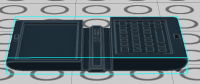
I failed to bend a laptop (62698). It is always opened like here:
-
LDD 5, what features do YOU want?
Happy SDE replied to BasOne's topic in Digital LEGO: Tools, Techniques, and Projects
Playing with LDD, I found 3 things that can improve my happiness: 1. Add tool-tip on groups in Brick palette (as on regular bricks). 2. More zoom on brick palette: sometimes it's hard to choose a brick without long close look. 3. "Memorizing" state of "Show/Hide camera control" between each start of LDD. I found that I disable it every time when I start LDD.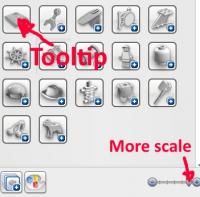
-
It would be nice to have option to place 3679 and 3680 as separate bricks, not as an assembly 74340. Especially it's important for 3680, because some sets (As 10189, Taj Mahal) have 200 of them without brick 3679 at all.