


TotalyWicked
-
Posts
137 -
Joined
-
Last visited
Content Type
Profiles
Forums
Gallery
Everything posted by TotalyWicked
-
 Technic 9390 Mini Tow Truck Download 9390.Dat No errors Trains 4532 - Level Crossing Download 4532.Dat Errors Missing Sticker Sheet
 -
New LeoCAD version
TotalyWicked replied to Philo's topic in Digital LEGO: Tools, Techniques, and Projects
Philo, I do not think it’s a problem with a file. Any model I open that has transparent bricks will render them all weird… email sant -
New LeoCAD version
TotalyWicked replied to Philo's topic in Digital LEGO: Tools, Techniques, and Projects
sure. Piece looks fine in preview window. All my video drivers are up to date... Only glitches with transparent colors. -
The result few post above is best I can do.... butits not that good. I know other rendering engines would include a map just for that purpose, but I cannot find anything like that in povray. I know povray is a free engine and still a work in progress so maybe we will just have to wait... Or use HDRI maps with out reflections in them.... so i basically gave up Double reflection Final result.
-
Well, kind off. The base plate (floor) has to be transparent and reflective. So you can still see the floors of my HDRI map, and also reflect Lego minifig. however if I only do a reflective/transparent floor, it will crease a double reflection of the celing(I'll post image tonight) Original map due to transparency+ reflection. Yeah this is confusing. Basically all I need is matte map that will receive shadows and reflections while ignoring my background (HDRI map)
-
Sorry, let me clarify a bit. HDRI map I am using, already has celing reflected on the floor. That's why I only need to reflect a minifig, and ignore HDRI map To avoid double celing reflection. I hope this makes it more clear...
-
I think i did it single pass render 800x600, no AA, fast radiosity i am still not 100% happy but its a start
-
hrontos, Still looking for 1 pass solution. so far this is the clothest thing i found. Making matte/shadow-textures in instant-compositings
-
New LeoCAD version
TotalyWicked replied to Philo's topic in Digital LEGO: Tools, Techniques, and Projects
Played with new version of LEOcad last night, however I get a weird result when bricks are colored transparent ... -
So I finally tried HDRI with POV-Ray. I am still not 100% happy with end results. Also i still need to figure out how to add a floors that does not reflect environment, and only reflects object.
-
Is there ETA for new version???
-
New LeoCAD version
TotalyWicked replied to Philo's topic in Digital LEGO: Tools, Techniques, and Projects
You can save your projects as .dat or .ldr allready. -
MOC: Postal Service at Work Before Christmas
TotalyWicked replied to Hechristensen's topic in LEGO Train Tech
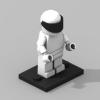
I like LEGO Stig -
Trains 9V 4549 Container Double Stack Download 4549.dat Errors Missing Sticker Sheet Missing String Missing 2648 Container Grab Missing 2649 Container Grab Grip
-
I am assuming it will work, however I did not try it. only problem I see is in my render vertical field of view is 180 degrees(can be changed) , I am not sure if they need 360 degrees. Yeah, transparency is a CPU demanding process. I am not really sure if there is a lot of things you cando to speed it up... Switch to POV Ray 3.7 if you have multi core CPU (assuming you have 3.6 on multi core CPU) render over night watch a lot of movies. Maybe somebody else can help better than I can... How did you make water???
-
Trains 4557 Freight Loading Station Download 4557.dat Errors 4557 Freight Loading Station Missing Sticker Sheet Missing 4346px3 Container Box 2 x 2 x 2 Door with Slot and Money Bag Pattern Used 4346 Container Box 2 x 2 x 2 Door Missing 892px8 Roadsign Clip-on 2.2 x 2 2/3 Triangular with Black Truck and Red Border Pattern Used 892 Roadsign Clip-on 2.2 x 2 2/3 Triangular Missing 973px122 Minifig Torso with Bulldozer Logo, Zippered Jacket and Pocket Pattern Used 973 Minifig Torso
-
360 panorama camera test… I just switched to 3.7 cannot wait to do some HDRI tests..
-
Train 10020 Santa Fe Super Chief Download 10020.dat 10022 Santa Fe Cars Set II Model A Download 10022-a.dat Model B Download 10022-b.dat Model C Download 10022-c.dat 10025 Santa Fe Cars Set I Model A Download 10025-a.dat Model B Download 10025-b.dat Errors: 10020 Santa Fe Super Chief - Missing Sticker Sheet 10022 Santa Fe Cars Set II - Missing Sticker Sheet 10025 Santa Fe Cars Set I - Missing Sticker Sheet
-
Ops. Replied to a wrong post...
-
What did you use for blur_samples and confidence??? My test renders are done with AA and no post work.... I think it might have something to do with color blending, the black line between 2 bricks, I think that reducing confidence value might help.
-
i think its a good idea to add an FX section to the guide.
-
Trains 4547 Club Car Re-released as 10002 Download 4547.DAT Errors Missing Sticker Sheet Missing 973px242 Minifig Torso with Red Truck Pattern Used 973 Minifig Torso
-
Here is another quick test. This time its a fisheye lens... i am not really sure iof i am happy with this render, but its good enough to show the effect.... To creat a fisheye lens all you need to do is add fisheye and change the angle to about 180 camera { fisheye #declare LDXCamAspect = image_width/image_height; location LDXCameraLoc sky LDXCameraSky right LDXCamAspect * < -1,0,0 > look_at LDXCameraLookAt angle 180 }
-
Sure thing. Thank you!!! You can insert it under //camera . LDView code for it looks something like this: // Camera #ifndef (LDXSkipCamera) camera { #declare LDXCamAspect = image_width/image_height; location LDXCameraLoc sky LDXCameraSky right LDXCamAspect * < -1,0,0 > look_at LDXCameraLookAt angle 57.679672 Yes you can use .jpg as background images.... I am switching from 3.6 to 3.7 so i can play around with HDR(I), maybe after i am done il'll post a quick tutorial. See this link for background info
-
Ok, i have tried DOF/Focal Blur - I think it came out relatively good, after about 5 min of playing with settings. Basically all you need to do is add these lines to camera. // focal blur settings: focal_point <0,0,0> // This point is in focus 'sharp' aperture 50 // More = more blurring blur_samples 200 // More = higher quality confidence 0.9 // How close to the correct color, 0 ~ 1, default 0.9 variance 1/128 // smallest displayable color difference To find a right focal_point I have created a sphere at the desired location, than copied sphere’s XYZ into this field For aperture it was a guess work. I did few test renders till I was happy with it. I hope this helps. Simple renders with Fast Radiosity and DOF/Focal Blur