thebricky
-
Posts
19 -
Joined
-
Last visited
Content Type
Profiles
Forums
Gallery
Everything posted by thebricky
-
 Hello Friends, I have made a Self-Balancing System and a gyroscope, then I just mounted them on the Zetros. It was nice to test that the gyroscope was always parallel to the ground while the zetros was going uphill. Then I thought of making a mechanism that could balance it when I put an object on it. Self-Balancing System i made, is able to balance in two axis. It keeps the platform parallel to the ground in all situations by means of the LEGO Robot Inventor angular sensors coded with python. Thanks.
 -
Hi Friends, I made three different modules to play basketball. 1.Manuel Catapult: You can throw the ball manuel to 3D-Printed Basketball hoop. 2.Automatic Ball Launcher: This mechanism can automatically launch the ball at the right time by measuring the distance between the moving 3D-Printed basketball hoop and the shooter through the distance sensor. 3. A Base that moves on the train railway to place the basketball hoop on it.
-
Hi Friends, i have made and tested a Lego Technic capsule holder which contains of three modules. Module-1: Capsule Holder Module-2: Lifting Platform Module-3: Convetor Belt System Thank you in advance for your opinions. Module-1: Capsule Holder Module-2: Lifting Platform Module-3: Convetor Belt System
-
I bought the following infusion set from the pharmacy and cut out the piece I marked in red. It worked. https://www.amazon.de/-/en/Ratiomed-Infusion-Device-Gravity-Sterile/dp/B0749LWCDW/ref=sr_1_8?crid=203809IH900R&keywords=aufguss+set&qid=1664613185&qu=eyJxc2MiOiI1LjE0IiwicXNhIjoiNC42MSIsInFzcCI6IjQuMzIifQ%3D%3D&sprefix=infusion+set%2Caps%2C152&sr=8-8
-
[MOC] Coating Machine
thebricky replied to thebricky's topic in LEGO Technic, Mindstorms, Model Team and Scale Modeling
It is LEGO Hub, that allows programming. Contents of LEGO Robot Inventor I'll share the result when I try your suggestion. -
Hello Friends, I have made a Coating Machine which automatically coating tape on wires or cylindrical parts up to 3 mm in diameter.
-
Thank you. I'm glad you like it, thank you for watching :) Thank you. it looks like this.
-
Hi Friends, Here is my pick and place mechanism. With this tool, I was able to take the marbles from one place and put them in another place. I bought the yellow flexible rubber that comes into contact with marbles from the pharmacy, it was useful for me. You already know everything else I use.
-
Hi Friends, Some improvements on my Delta Robot. I have turned this model upside down with the help of three main columns and added a pneumatic cylinder. The air hose attached to cylinder holds the part with the vacuum produced by the cylinder and the arms can take beams from one place and put it in another place. Issues: The biggest problem I've experienced is moving the motors in opposite directions simultaneously. To give an example, while I rotate Motor-A 360 degrees clockwise, I want to simultaneously rotate Motor-B 180 degrees clockwise and then 180 degrees counterclockwise. They must start and stop at the same time. I still can't solve this problem
-
kinetic cube sculpture
thebricky replied to Diamabolo's topic in LEGO Technic, Mindstorms, Model Team and Scale Modeling
@Diamabolo, master of kinetic sculptures :) -
It looks great already. Do you know the part number of the gray curved gear racks?
-
I have looked at your model, you did a really great job. It's also great that it removes things and puts them somewhere else. Your model is bigger than mine, tow ball joints may not be enough to hold the whole structure together. I want to ask something. I have seen you use a vacuum to lift pieces? Which parts did you use to produce vacuum.
-
Thanks, you explained well. They move really fast in real life, it is not possible to reach these speeds with lego motors. I think this tool can something print. To program in python, I'll have to deal with some kinematics equations. I'll try. Yes, rubber makes the arms more stable. I used it for the arms to resist of motor movement. There were sudden movements without the rubber that I didn't want.
-
Hi Friends, Here is my Delta Robot. I will improve this model a little more and turn it upside down. My intention is to use it as a basic plotter, that can plott something like square, circle or triangle. I wanted to add photos but couldn't it. I guess, I don't have enough space. Before that i could only upload one photo.
-
It looks really neat.
-
[MOC] Card Dealing Machine
thebricky replied to thebricky's topic in LEGO Technic, Mindstorms, Model Team and Scale Modeling
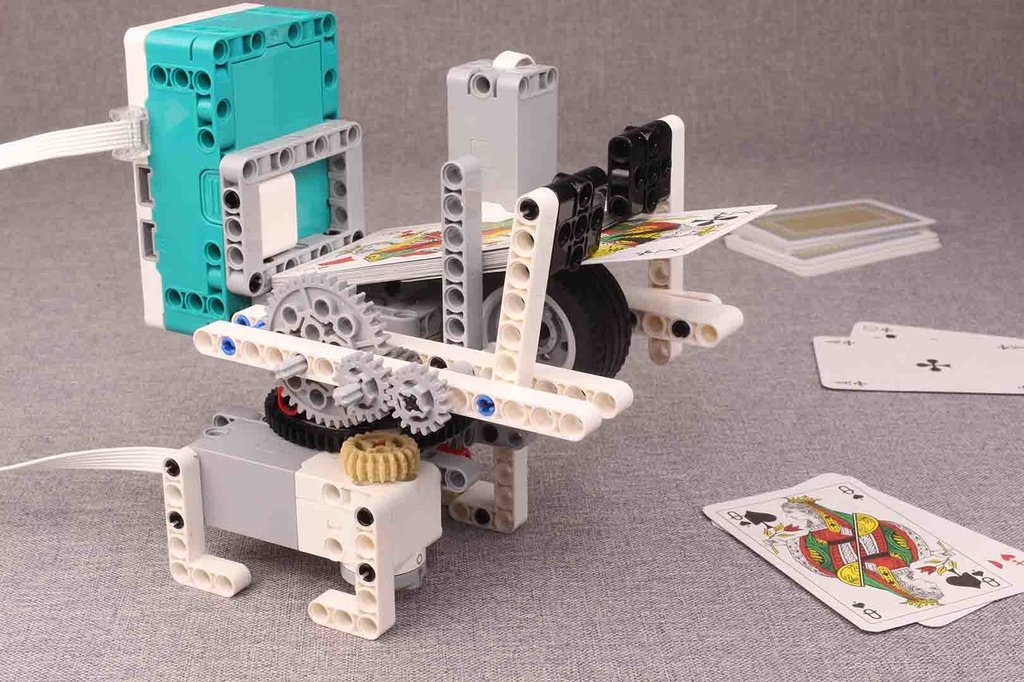
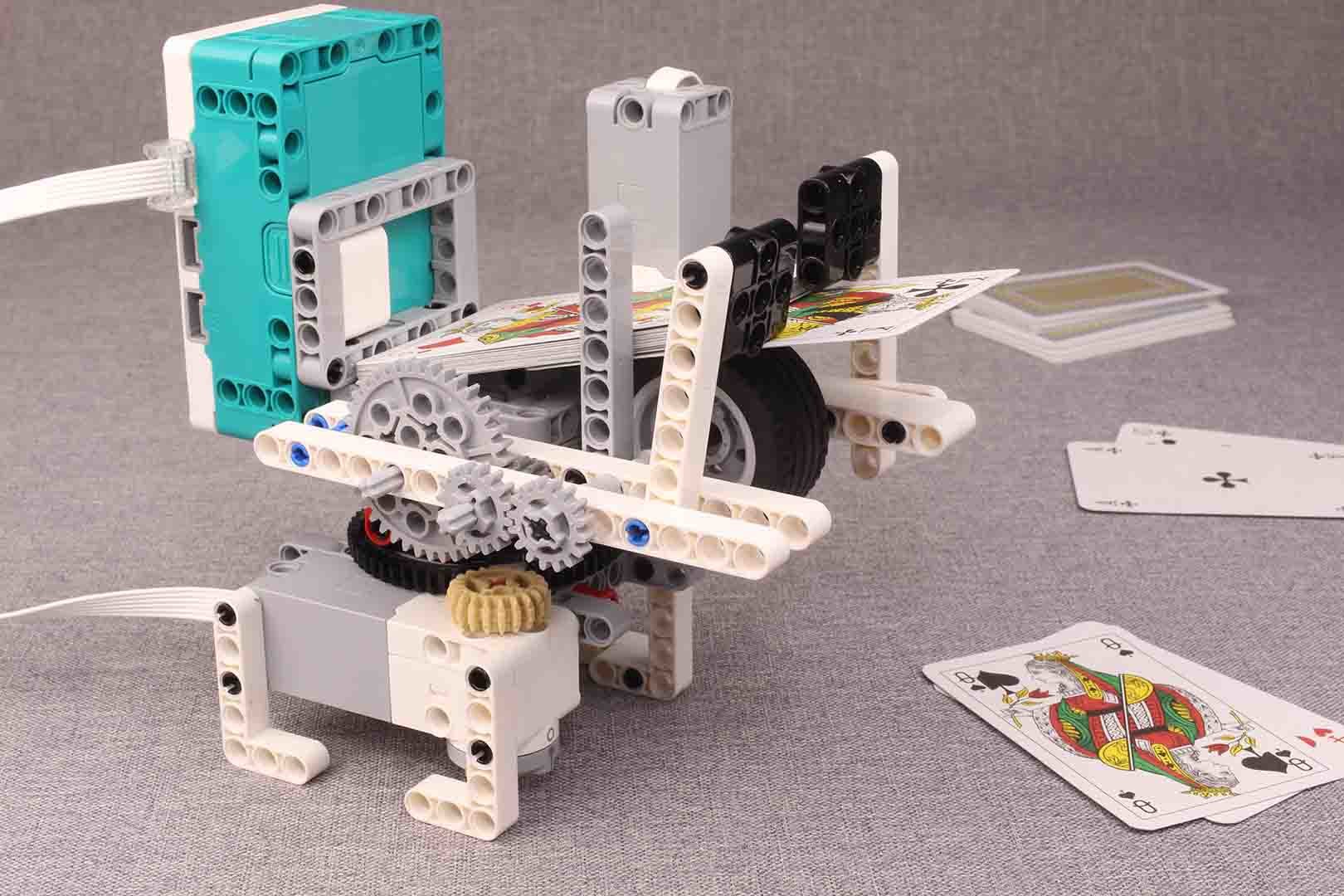
Thanks, I usually prefer simplified solutions, without making it too complicated. The programming didn't take too long, about an hour. Programming the motor below to rotate the platform left and right at certain angles, which was relatively simple. To throw the cards, i firstly measured the vertical length of the card (89mm) and the circumference of the wheel (132mm), then I found the number of revolutions of the tire required to throw a card to be about (89mm/132mm≌0.7). As the last step to find out how many degrees the top motor should rotate, I did a gear ratio calculation based on 0.7, i left the rest to Mindstorms blocks :) Thanks, I'll try to continue when I have time. -
[MOC] Card Dealing Machine
thebricky replied to thebricky's topic in LEGO Technic, Mindstorms, Model Team and Scale Modeling
Thank you, i have played ''Doppelkopf,, with friends, the rules were too complex :) -
[MOC] Card Dealing Machine
thebricky replied to thebricky's topic in LEGO Technic, Mindstorms, Model Team and Scale Modeling
i know this and admire as much as you do. -
Hello guys, I have made a fun project which is playing card dealing machine, for this I have used a programmable Lego HUB, two medium Lego motors and different Lego Technic elements. One of the motors rotate platform in both direction and the other throw the cards as programmed with Lego HUB, It works better than i expected. ,