cosmocaos
-
Posts
5 -
Joined
-
Last visited
About cosmocaos

-
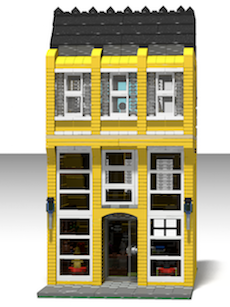
 Can you share instructions? I want to show your moc in a LEGO 5K running race. Our LUG in Monterrey will show MOCs, when we replicate MOCs from AFOLs we put a QR code with url to his website of desire. Cheers.
 -
I did not know that, thanks for the clarification. I will read more in this post to see if solves the issue I'm describing.
-
Hello I have created a topic: Stud.io, exporting POV-ray files, some is covered here. The new topic focus on editing .pov files exported from Stud.io and then rendered from a mac OS terminal. Right now I'm learning to edit .pov files. I'm trying to adapt the lines of code from CRPOwen' guide to the .pov file exported from Stud.io. But I had some trouble, because the .pov file, already has a macro for lights: WriteLight(0, 0, 1, 0, 200, 5) . If I remove that macro (see line below), somehow the rendering fails. I'm trying to understand more of the POV-ray language to find whats happening. Any help will be greatly appreciated. Solution Update: .pov files exported from Stud.io give me some trouble, so instead, from stud.io I export a .ldr file, which then I open in LDView, and from there I exported the .pov file. This also allow me to select the perspective of the model, and automatically translated to the .pov file (Which I could not do it in Stud.io). At first time the .pov file exported from LDView has mismatch colors, that was fixed updating the file /Applications/LDView.app/Contents/Resources/LGEO.xml. NOTE: I will eliminate the topic I created, or maybe change to focusing on mac OS related issues of POV-Ray Rendering.
-
Yes, very useful that guide, thanks. I'm trying to adapt the lines of code mentioned there (like the one you mention, 7.6 Radiosity) to the .pov file exported from Stud.io. But I had some trouble, because the .pov file, already has a macro for lights: WriteLight(0, 0, 1, 0, 200, 5) . If I remove that macro (see line below), somehow the rendering fails. I'm trying to understand more of the POV-ray language to find whats happening. I will post this question in the guide you provide me. #macro WriteLight(Lat, Lon, LightPower, Shadowless, AreaLightWidth, AreaLightColumns) #local latRad = radians(Lat); #local lonRad = radians(-Lon)-CameraTheta; #local sinLat = sin(latRad); #local cosLat = cos(latRad); #local sinLon = sin(lonRad); #local cosLon = cos(lonRad); #local lightVectorSize = 4.0*LDXRadius; light_source { <lightVectorSize*((-sinLon)*cosLat),lightVectorSize*(-sinLat),lightVectorSize*(-cosLon)*cosLat> + LDXCenter color rgb <1,1,1>*LightPower #if (Shadowless = 0) #if (AreaLightWidth > 0) area_light AreaLightWidth, AreaLightWidth, AreaLightColumns, AreaLightColumns adaptive 1 jitter circular orient #end #else shadowless #end } #end // Lights // camera fai = 0 // camera theta = 0 WriteLight(0, 0, 1, 0, 200, 5)
-
cosmocaos changed their profile photo
-
Hello all, I'm a beginner in rendering LEGO models in a mac OS system. I discovered that Stud.io makes its renderings using POV-ray (a software for rendering) and that you can export .pov files for render externally in the POV-ray software itself. The POV-ray 3.7 has not graphical user interface (GUI) for mac OS X, and can only be executed in the command line. The render is controlled in a text file with the .pov extension. I installed POV-ray 3.7 with the sotware mac ports: [ The command is: sudo port install povray @3.7.0.0_2 ] Then I modified the file /opt/local/etc/povray/3.7/povray.ini adding the path to the LGEO libraries, which were already installed by Stud.io. Library_Path="/Applications/Stud.io/povray/LGEO" Library_Path="/Applications/Stud.io/povray/LGEO/lg" Library_Path="/Applications/Stud.io/povray/LGEO/ar" Also modifying the Width and Height parameters. Then in the mac terminal I ran: povray Nova_AlexandriaFrontal_10.pov The result is similar to what I have obtained in Stud.io renderings. Now I want to improve the renderings learning to use POV-ray. First step learning about lights. Which I will update in this post. Any advice will be greatly appreciated, which will be included here. Solution Update: .pov files exported from Stud.io give me some trouble, so instead, from stud.io I export a .ldr file, which then I open in LDView, and from there I exported the .pov file. This also allow me to select the perspective of the model, and automatically translated to the .pov file (Which I could not do it in Stud.io). At first time the .pov file exported from LDView has mismatch colors, that was fixed updating the file /Applications/LDView.app/Contents/Resources/LGEO.xml. NOTE: I will eliminate this topic to create a new one with the focus on mac OS related issues of POV-Ray Rendering. Working with a iMac 2.7 GHz Intel Core i5, 8 GB 1600 MHz DDR3, Intel Iris Pro 1536 MB.