Courleciel
-
Posts
340 -
Joined
-
Last visited
Content Type
Profiles
Forums
Gallery
Everything posted by Courleciel
-

LDD Tricks
Courleciel replied to Nachapon Bricks's topic in Digital LEGO: Tools, Techniques, and Projects
Hi, I've just used your trick n°8 in order to disassemble minifigure parts. It works very well, but I'm wondering if there is a way to delete one or several sub-parts. For instance, keep just one leg and delete the other with the hips sub-part. I've tried to edit the .lxfml file by deleting the concerned lines. But LDD consistently removes the whole part. Is there a solution ? -
Hi everybody ! I'm wondering if there is a way to prevent the reflection on some specific parts ? I mean, I have a floor made with a lot of tiles and the objects which are on it reflect on the floor. So I would like to prevent these object accepting reflections from other objects. I don't find anything to solve this problem, but I think that everybody may find it useful. Thanks !
-
Ok, I've understood although the technique is a bit tricky. Thanks again !
-
Many thanks for your quick answer. That's perfect ! So what's the secret ? Did you edit the lxfml file ? I've tried but the code is very complex for these flexible parts... By the way, do you know if there is a way to change the length of the flexibles ?
-
Hi ! Do you have a trick to place with precision the flexible parts please ? I always find it difficult to place them... In that case, I would like to have the right part of the flexible like the left. Thanks !
-
Hi, I'm just wondering if anyone has considered making my previous request ? Thanks !
-
[Software] LDD2PovRay
Courleciel replied to Superkalle's topic in Digital LEGO: Tools, Techniques, and Projects
Ok. Does it mean that I should switched off all the outlines like this ? -
[Software] LDD2PovRay
Courleciel replied to Superkalle's topic in Digital LEGO: Tools, Techniques, and Projects
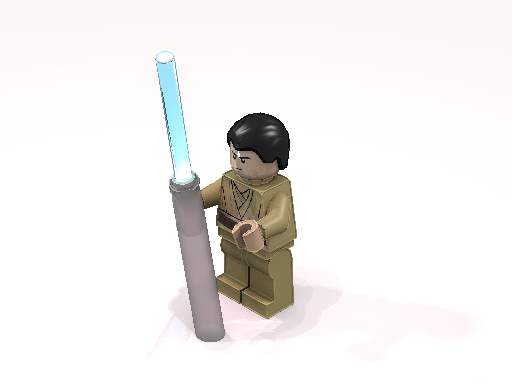
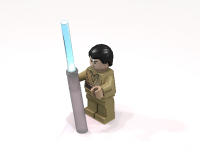
Many thanks for your help hrontos ! I have another issue. It seems there is a global effect as all edges are somehow glowing. I have the feeling that on each edge there is a small beading or a bulge. For instance, look at minfig hands or the lightsaber's hilt. It is more flagrant on a minifig, but I think I have the same problem with all bricks. I can't explain that... I have used the following settings: - basic LDD geometry with the visible bevels and the LEGO® logo - one light source = 23% (from left, right, top or front, there is the same weird effect) - radiosity: Final - crease and silhouette outlines and color outlines (I think it's 25% by default) - quality = 9 or 11 I really don't understand where does this problem can come from. -
[Software] LDD2PovRay
Courleciel replied to Superkalle's topic in Digital LEGO: Tools, Techniques, and Projects
Hi, I'm wondering how I could change the ambient light of only certain parts. Is there a simple way by modifying the .pov file or does it imply to do "illegal" things (like modifing .bin or .inc files) ? Thanks ! -
Thank you very much ! Good to know that there is always a trick.
-
Hi, Does anyone know how I could assembly these two parts please ? Thanks !
-
Question about LDD decals
Courleciel replied to Wodanis's topic in Digital LEGO: Tools, Techniques, and Projects
Ok, thank. Also, is there any way to change LDD code in order to add decorable surfaces ? -
Question about LDD decals
Courleciel replied to Wodanis's topic in Digital LEGO: Tools, Techniques, and Projects
I'm trying to apply decorations on a few slopes curved. So, does it mean that we cannot apply a decoration on this kind of parts (as LDD doesn't propose any decoration for these parts) ? -
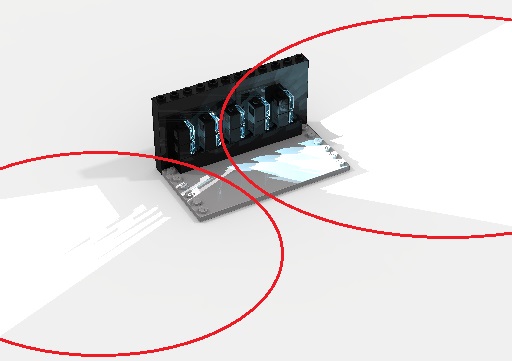
Hi, Many thanks for your help. I'm really sorry, I do my best to understand how to resolve this problem... I've tried to illustrate my problem as you've done previously: I've though it would remove these undesirable areas. In other ways, I would like to keep the light source inside the center of the parts. As you advised me, I've changed the fade_distance and the fade_power. Even though they are both equal to 0, it still gives reflections.
-
Hi, Thanks. Your scene is exactly what I'm trying to do ! Indeed, I'm using LDD. So it's still difficult to place the auras since the coordinates seem to be very different between the two softwares... Concerning the reflection. Well, I've created some light sources on many parts (which are very close), and it has given a big flash on the floor. Consequently, I was wondering if there is a simple way to remove this light reflection (only for the enlightened bricks, I would like to keep the reflection and the shadow for the other parts with no light source).
-
Thanks again for your help papacharly. I've tried to apply your code on my pov ray file. Ouah, that's not easy ! Here is the result (after many attempts): But I still have some issues: - the aura's color - the light's reflection: is there a way to remove the reflection only for the enlightened parts ? - the coordinates. It seems they are of its type : x1,y1,z1,x2,y2xz2,x3,y3,z3,x4,y4,z4. But what are these points ? The center of the part, the point of contact, the extremity points ?... I've added this:
-
Sorry for the double post. I've made some tests for the light source and it seems to work. Thanks again ! I've had an other idea: would it be possible to add an incandescent aura around a transparent part. In fact, it would be to improve the lightsaber's blade effect. I've found this code on a POV-Ray Tuto (here), but I was not able to make it work:
-
Thank you papacharly. I'm going to test it as soon as I can.
-
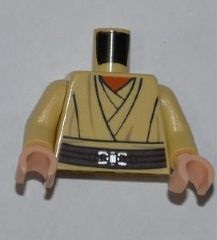
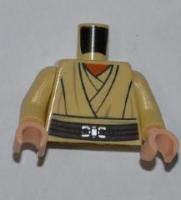
Hi there ! I was wondering if anyone can make a few decals : - Jedi legs : one decal with all transparent background, and another with Reddish Brown robe (and the rest of the legs in transparent) - Kit Fisto torso : with transparent background too (instead of Reddish Brown), but with the belt of the other Jedi torso Thanks !
-
Thanks for the links, it also interested me. I've tried this code: light_source { <-6.0000004768371582,2.4800024032592773,-3.9999995231628418> color rgb <1,1,1>*intensity 1 fade_distance 10 fade_power 3 } It seems there is an error. Could someone help me please ? Other question : how can I find the coordinates of the concerned bricks ?
-
[Software] LDD2PovRay
Courleciel replied to Superkalle's topic in Digital LEGO: Tools, Techniques, and Projects
Hi everybody ! I'm beginning to learn to use this software. I've already made a few renderings with different options. But I'm still not happy with these renderings. Did I hear right ? The lights at 23% (instead of 40%) give better renderings ? According to you, what are the best parameters about level of details, lights & shadows, outlines, rendering, radiosity and colors ? I precise that I adjust all the parameters in the LDD2POV-Ray window, I don't change anything in POV-Ray. Thanks ! -
[LDD MOC] Azure Angel vs. Ginivex Starfighter
Courleciel replied to Gunner's topic in LEGO Star Wars
I really like Clone Wars, and the ships are very well done. Great job ! The minifigs are beautiful too. -
Hi everybody, Could anybody make this two torso decals ? WW1 1914 French Officer: Front & Back WW1 1914 French Soldier (will be print on a dark blue torso) : Thanks !
-
Your decal is awesome, it's perfect. Many thanks ! Hope I'll can use it very soon.
-
I'm looking for a torso decal of the Red Baron. I precise that I would like it in Dark Gray, not in Dark Bluish Gray. Thanks !