Light it up! - GotB's X-Wing MOD
Part 1: Introduction
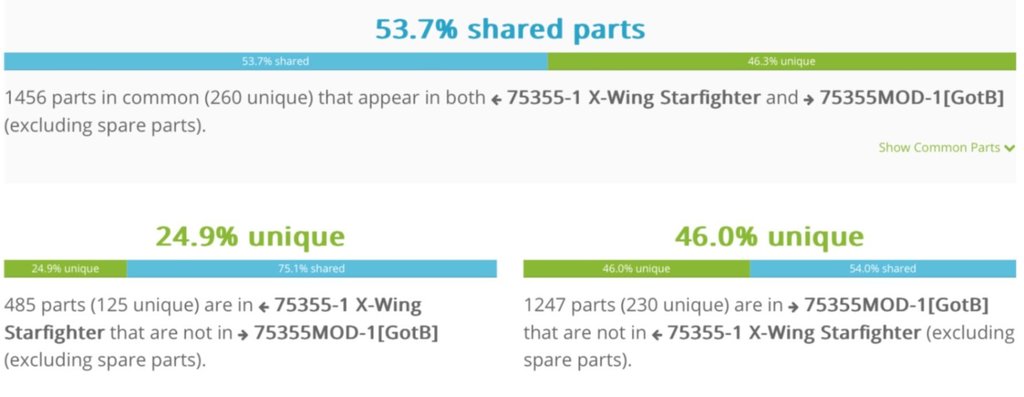
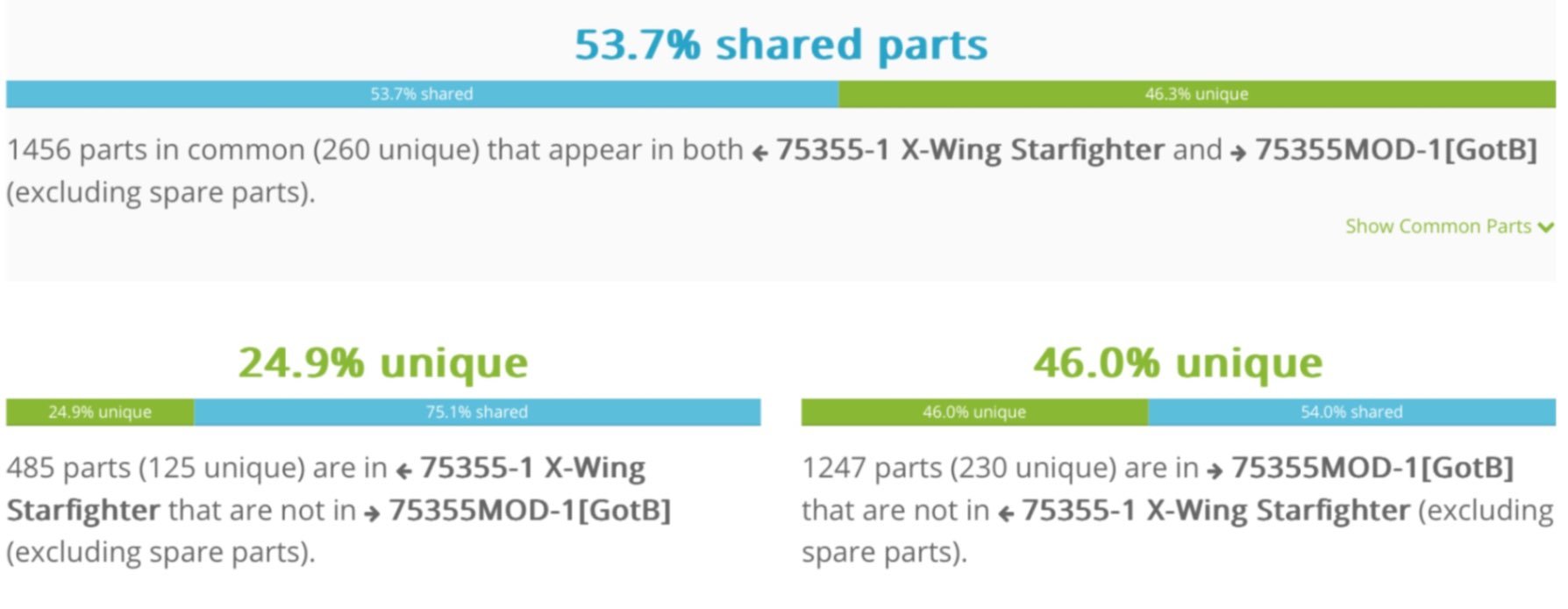
Since my first attempt at installing lights was a bit of a hasty job right before the Christmas holidays, I always wanted to dive back into this challenge to make sure it looks as clean as possible. Having received some comments about what people liked the most proved just this, namely the rear landing gears and the engines. It was understandably so since they were very well hidden when the lights were turned off as compared to the rest of my attempts that go for the wings, cockpit, and front landing gear.
Particularly the landing gear lights wiring was really nagging me as our original MOC is modular, making it easy to swap them out whenever you want to switch between the display options. I’m happy to say that I think I have a solid solution, so without further ado, let me present to you…
rilted’s Light Setup for GotB’s X-Wing MOD with Modular Landing Gear
This was quite a journey that I have felt would benefit from proper documentation for any of you to use as a template should you attempt this with your build. Or, like many of us at this forum, just sit back with a beverage of your choice and enjoy the read.
There are a few pieces that needed to be swapped out in order to allow for routing all the wires without tugging or shearing them off. I found that using ‘Plate Round 1 x 1 with Open Stud’ pieces would allow me to do so since they create a gap (and a hole) to freely pull the cables through.
The light components I have used are all from Light My Bricks (LMB) using parts from kits that were on sale as they charge quite a hefty fee for the separate DIY packages. Recently, they introduced their LMB v2.0 solution which does make cable management easier, but at the time of writing this, it is still missing the wireless connectors allowing the landing gear to remain modular.
So I ended up using the LMB v1.0 components altogether. I can recommend getting the LMB Creations Gingerbread House that contains most of the components to get you started. You’ll have to get a few more components on top of the LMB kit and I would recommend trying to get as many of these components from a complete kit on sale/clearance instead of buying them separately (DIY).
The LMB v1.0 components used are:
4x Bit Lights (Pink) 30 cm (engines)
11x Bit Lights (White) 15 cm (5x landing gear, 4x wing lights, 2x cockpit)
4x Connecting cable - 50 cm (S-foil)
3x Wireless Power Connector (modular landing gears)
6x 6-Port Expansion Board (4x engine bays, 2x landing gear)
1x 8-Port Expansion Board (main connection point under the cockpit)
1x 2-Port Expansion Board (connecting the front landing gear light with the wireless connector)
1x USB Power Cable
The additional Lego pieces for the Cockpit, S-Foil, and Engines are:
10x ‘Plate Round 1 x 1 with Open Stud’ (85861) in DBG(4x*)
1x ‘Plate Plate 2 x 2 Corner’ (2420) in DBG
4x ‘Plate Special 1 x 2 Rounded with 2 Open Studs’ (35480) in White*
2x ‘Plate 1 x 1 x 2/3 Half Round with Side Stud’ (3386) in Black*
4x ‘Tile 1 x 1 with Groove’ (3070b) in White*
2x ‘Tile Round 1 x 2 Half Circle’ (1748) in White
Additional Lego pieces for the Wings and Modular Landing Gear are:
1x ‘Plate 2 x 2’ (3022) in White*
4x ‘Plate 1 x 4’ (3710) in DBG
4x ‘Plate Special 2 x 2 x 2/3 with Two Studs On Side and Two Raised’ (99206) in Black
4x ‘Plate Round 1 x 1 with Open Stud’ (85861) in DBG
4x ‘Brick Special 1 x 2 with 2 Studs on One Side’ (11211) in Black
2x ‘Brick Special 1 x 4 with 4 Studs on One Side’ (30414) in Black
4x ‘Bracket 1 x 1 - 1 x 1’ in White (36841) in White*
1x ‘Slope 30° 1 x 1 x 2/3 (Cheese Slope)’ (54200) in Trans-Clear*
4x ‘Tile Round 1 x 1 with Hollow Bar’ (20482) in DBG
4x ‘Tile 1 x 2 with Groove’ (3069b) in Trans-Clear*
4x ‘Tile Round 1 x 1’ (98138) in Trans-Clear* OR (if you don’t want to modify the brackets) 4x ‘Plate Round 1 x 1 with Open Stud’ (85861) in Trans-Clear*
Some of these pieces are leftovers from the original Lego set, so have a look there first before you order any new parts. You can probably use the same pieces in different colours as they are hidden anyway, except for the pieces marked with an asterisk (*) in the list above, as those are visible on the exterior.
Part 2: Prepping the build
The first step is to disassemble the whole build into its main components…
As you can see from this picture (please excuse the mess from me brainstorming different solutions), I was able to do so quite easily in about 5 minutes by following these steps:
Remove the Pew-pews - unless you later on want to crawl around finding bits and pieces from the laser cannons.
Remove the rear side panels - this has proven quite tricky in the past; however, thanks to the discovery of two collision points during this endeavour of mine, it is now quite easy to do as these steps have been updated in the build instructions (as of December 9th, 2024). Also, the ‘Droop Stop Alternative’ instructions that were recently uploaded will guide you through this process.
Remove the nose cone - this slides easily off by pulling forwards away from the nose section.
Remove the front side panels - These come off in two sections (left and right) by gently rocking them off the rear mounting point on each side, which are the two ‘Plate 1 x 10’ (4477) in LBG.
Remove the two ‘Technic Beam 3 x 5 L-Shape Thick’ (32526) in Black - holding the front fuselage together with the bottom frame.
Remove the bottom frame and the roof panel - these should come of in two separate sections.
Remove the aft panel - this houses the thumb screw for operating the S-foil.
Detach the front section - pull it (nose and cockpit) away from the rear section (S-foil and wings). NOTE: It is possible and very much helpful to operate the S-foil mechanism opening and closing the wings, but since there’s all that weight straining the gears, the worm-gear axle will pop off, causing the wings to slam shut. To prevent this from happening…
Install the two ‘Technic Beam 1 x 5 Thick’ (32316) in White - these were used as build support in our MOD instructions Step 92 and 100 for temporary build support.
With these manageable pieces at hand I got to work, and my word… a lot of trial and error followed while trying to figure out how to route these cables without them ending up tangled with the gears and moving parts. My first couple of tries ended up seizing the whole S-foil mechanism, making it nearly impossible to twist that thumb screw, ultimately leading to a lot of stress on the Technic axles and a high risk of snapping those thin wires.
So the goal was to find a way to route the cables in a way that prevented this from happening and also made sure no stress was applied to the wires themselves. I believe my early years of building computers for my friends helped out a lot!
🏆 Cable Management Lvl 3 UNLOCKED!
Part 3: Cockpit, Engine, and Wing lights
For the cockpit light, I initially used a sole Large Bit Light in Cold White that was hanging loosely behind the flight stick. However, I found it exceedingly bright making it difficult to see inside the cockpit, and the ‘cool white’-light was a bit too blueish-purplish for my taste palette.
Instead, I used two ‘Plate 1 x 1 x 2/3 Half Round with Side Stud’ (3386) in Black to hide away two of the Bit Lights (15 cm) in (warm) White. Turned out to be a very straightforward installation.
For the four engine Bit Lights (30 cm) in Pink, they were pretty much installed the same way as LMB details them in their instructions. I do believe you can manage to route the light cables all the way to the cockpit without having to use extension cables.
However, since I wanted to connect additional wing lights and the modular landing gears, it was much, much easier to route extension cables from the cockpit, through the S-foil mechanism, and into each engine bay and the 6-Port Expansion Board there. Not only does it look cleaner with only one cable going to each wing, an added benefit is that I can now pull out the engines from the engine pods easily. When installing them back on, I just pull the slack of the cable back into the engine bay as this becomes important when installing the rear landing gear.
The following photo shows how I went ahead to route the cables from the cockpit to the wings.
Notice how the cables are routed behind the cockpit and underneath the Astromech (R2-D2) mounting position by removing the underlying plates and instead using a bunch of ‘Plate Round 1 x 1 with Open Stud’ (85861), then through the centre hole of the Technic bricks leading into the S-foil frame (you’ll have to remove the pin here to fit them).
The cables were then routed in pairs, two of them through the first 40-tooth gear, and the other two through the second 40-tooth gear by initially routing these on top of the S-foil frame holding them in place with two ‘Tile Round 1 x 2 Half Circle’ (1748). This way, we can have the cables moving with the 40-tooth gear that is attached together with the wing we want to continue with. It’s important to leave a bit of slack in the cables directly behind the 40-tooth gears allowing them to rotate freely (only 0° to about 20° angle is necessary).
By detaching the engine bay covers, we can now route each cable into the engine bay, swapping out the ’Tile 2 x 2 Corner’ (14719) in White with a ‘Plate Special 1 x 2 Rounded with 2 Open Studs’ (35480) in White and a ‘Tile 1 x 1 with Groove’ (3070b) in White on the front end of the cover plate connected to S-foil liftarms/beams. Doing so, there is now a hole through this cover that we can route the cable through.
The cable for engine light can be routed inside the engine bay by swapping out the ‘Plate 1 x 1’ (3024) in DBG with one of our round plates. Again, this is so to allow for some slack to pull out the engines when needed.
Moving on to the wing lights, I used a ‘Bracket 1 x 1 - 1 x 1’ (36841) in White for mounting each light on the leading edge, right next to the angled wing panel. This is where I used a Dremel (SACRILEGE!!! I’m sorry!) to create a hole and an inset for the Bit Light White (15 cm). By doing so, I could attach a ‘Tile Round 1 x 1’ (98138) in Transparent Clear for a much cleaner look. However, if you do not want to murder these precious bracket pieces, you can get away with installing ‘Plate Round 1 x 1 with Open Stud’ (85861) instead. Note that the open stud is necessary as there must be enough space for the tiny LED light.
This cable is then routed underneath the angled panel and through the small space next to the hinge (that holds said panel) into the engine bay. So with this, we have 2 lights for the engine and wing that need to be connected with the cable from the S-foil. This is done with the 6-Port Expansion Board, hiding it all away inside the engine bay.
We should now have 6 cables running into the cockpit area that is to be connected with the 8-Port Expansion Board. I chose to do so on the left side (Portside) of the model. Finally, we connect the USB power cable to test it all out. If one or more of the lights does not work, check the connections and any signs of broken cables (I went through a few unfortunately).
With this, we could stop now and put it all together to display the X-Wing in its flying position, either with the wings closed or in attack configuration.
Or… We could continue with the next part and add the lights to the modular landing gear!
Part 4: Landing Gear lights
So here we are at the final part of lighting up the X-Wing… My mind was really scrambling to think of a solution using LMB’s wireless connectors that consists of one Tile 1 x 2 and one Plate 1 x 2 with its wires. Given the limited space, there had to be a few changes to the way the engine pods of the lower wings are built up in the original MOD, as well as a few changes to the front section to ensure there are no squeezed cables.
Luckily, there was a solution that took form over many iterations that I feel like I can take pride in developing.
Starting with the front landing gear… Remove the ‘Plate 1 x 1 x 2/3 Half Round with Side Stud’ (3386) in LBG. After installing a Bit Light (Warm White) 15 cm through the 1/2 pin, we can attach a Cheese Slope (54200) in Trans-Clearwith the angled slope facing down.
Then we take the wireless connector with the flat top (tile piece) routing the cables through the hole at the back of the landing gear assembly. Make sure the cables coming out of the tile piece are facing backwards, away from the front light, as it has to do with the polarity connection to the other wireless piece. It will be hanging a bit loose, but this will not be noticeable or affect the connection.
The two cables can now be connected with the 2-Port Expansion Board and looped together in order to hide it away when attaching the front Landing Gear. Speaking of which… The other end of the wireless connection will be installed by removing the rear ‘Plate 2 x 3’ (3021) in White from the landing gear attachment point on the front fuselage, exposing the underlying ‘Technic Plate 2 x 8 [7 Holes]’ (3738) in DBG. Notice that the rearmost exposed hole has a 1 x 2 plate in Tan that we can remove from the top side.
Now we have a clear route for the other piece of the wireless connector. The rest is now covered with a 2 x 2 plate, or in my case, two 1 x 2 plates. We then route this cable to the 8-port Expansion Board underneath the cockpit that has all of the other lights and the USB cable attached to it.
You could now connect it with the USB power to see if it works… and move on to the last step, the rear landing gear!
As mentioned before, this requires a modification of the engine bay itself. Luckily, most of these pieces are from the leftover parts of the original set. The goal is to attach the tile piece of the wireless connector permanently to the wing section whilst being able to use both the modular landing gear or the engine pod cover that goes on for displaying it all in the flight configuration.
Have a look at the following photo and render to see what was changed…
Since we already have the 6-Port Expansion Board inside the lower engine bays, we can just connect the wireless cable to this.
There are two Bit Lights (Warm White) 15 cm going on each rear landing gear. By replacing the two ‘Tile Special 1 x 2 Grille with Bottom Groove’ (2412b) in DBG with two ‘Tile 1 x 2 with Groove’ (3069b) in Trans-Clear to fit the lights inside these, routing the cables on the inside to connect with another 6-Port Expansion Board that will then connect to the second part of the wireless connector piece.
That’s it, put it all back together and enjoy a very impactful X-Wing with lights!
Cheers! -Rich, ’rilted’ GotB