heryx
-
Posts
17 -
Joined
-
Last visited
About heryx

Recent Profile Visitors
956 profile views

-
How to area select in LDCAD ?
heryx replied to heryx's topic in Digital LEGO: Tools, Techniques, and Projects
Thanks you!!! exactly what i wanted. Thanks both. 1.5 don;t have this feature -
Hi Guy, I know that MLCAD is able to make area selection when 2D model, but can i do the same thing at LDCAD? it is difficult if i want to select an area brick in LDCAD model , and i have to select those brick one by one by keep pressing "Ctrl". Please help.
-
LDCAD model export part list always incorrect
heryx replied to heryx's topic in Digital LEGO: Tools, Techniques, and Projects
Finally i found that how to get part list via Rebrickable website. Thanks so much -
LDCAD model export part list always incorrect
heryx replied to heryx's topic in Digital LEGO: Tools, Techniques, and Projects
Hi Roland, LDCAD 1.6 file\clean up tool look like what i need. is this function turn all the alternate part numbers to the official part number? am i safe by using alpha version keep on my drew or i better switch back to 1.5 after fixed all the alternate part in 1.6? However, I have a part redirected to 3794a, and the number still can't find in bricklink stock, but i can find 3794 & 3794b is available. if i upload the ldr file to bricklink for get part list, the bricklink system will automatic change my 3794a to 3794. look like bricklink system is more clever Last, is BrickStock the only one program for exporting parts list? -
Hi Guy Currently i am trying to make some simply model and export parts list via "BrickStock" but i find a serious problem for choosing a correct part. Example in LDCAD: 2 x 2 brick have 3003 & u8101, >>>> if i use u8101 , the part can't read by BrickStock 2 x 2 plate have 3022 & 94148. >>>> if i use 94148 , the part can't read by BrickStock 1 x 6 Tile have 6636 & 63324 >>>> if i use 63324, the part can't read by BrickStock Above just a example and much more on my test model have this situation, what i only can do is replace the parts manually when BrickStock report problem. it will waste so many time Anyone know how it should be? i can't remember each correct part number when i need it. or do i need to confirm the part is correct and buy-able before using the part? i think LDD part number is more accurate but LDCAD is more easy to build model so far. please give me some suggestion. one last question is parts number 74573 in LDCAD, i can't find the part available in BrickLink!! Please advise me Many thanks
-
Who can i find to help build Lego Model?
heryx replied to heryx's topic in Digital LEGO: Tools, Techniques, and Projects
No Problem, will looking for you if i need technic MOC. Thanks for your information -
Who can i find to help build Lego Model?
heryx replied to heryx's topic in Digital LEGO: Tools, Techniques, and Projects
Hi Ryan, a Building model with: H: 150cm x L:130cm x W:15cm, no any function needed, for display only -
Who can i find to help build Lego Model?
heryx replied to heryx's topic in Digital LEGO: Tools, Techniques, and Projects
use an object pictures to make a scratch in digital version. i know that is difficult but just want to know if anyone else doing this -
Hi Guy, I am trying to find any company or personal will help to build Lego Model. anyone know?
-
Thanks for your help, I don't know how to attach image when reply the post, anyway.i have turned the PS (in green) on beside AEP, but don't know why still look like that as my first image. i tried to restart the LDCAD, same result, However, if it just display issue but it actually work. i don't mind to keep going
-
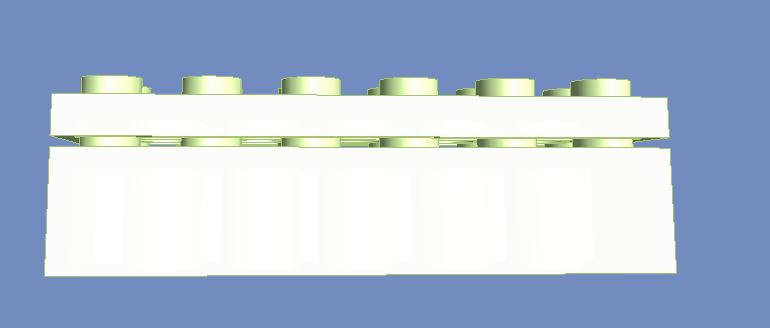
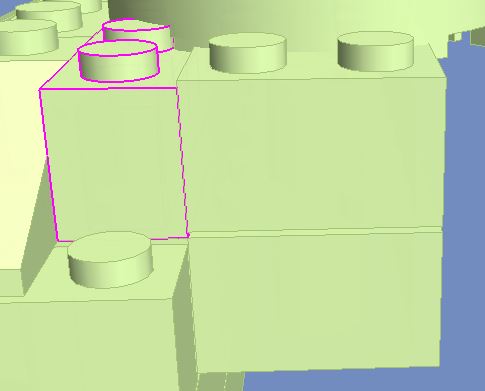
I am trying to build some model but sometime can see a gap between 2 brick, example: when 3795.dat on top at 2456.dat. 1. is it really not fit ? what can i do when this situation happen? if i continue to buy brick base on my model and build it in real, will there have problem? 2. any way to scan all the single brick to see anywhere not snapping correctly? Thanks
-
OK, i found that MLCad with the Dimensions information but LDD just didn't. as you saying, Do i shouldn't use LDD to begin the design because it will hang after reach a number of brick? LDD look more easy so i just thinking to build in there. MLCad is the only choose for big model?
-
Hi David Thanks for your helping, i am trying to use LPub3D (LPub3D 1.3.4.591.2) for building the instructions. i am new to design in this kind of software, i saw function call "Step", do i need to indicate every step when i design the model? if i didn't tell the software my "Step" and just put brick together, will LPub3D still generate the building instruction? Lego Digital Designer didn't have "Step" concept. Thanks
-
Hi Guy, I am thinking to design a little huge model (around H:150cm L:100cm W:50cm) by using LDD, but the problem is how can i know do i my final model reach the size requirement(any ruler in the program?) i am thinking if my result not match my size requirement, i have to design AGAIN! hope to hear any good idea form here. Many thanks
-
Hi David, After try the LDCAD , i find that the dimensional control is really difficult for me and after some try i feeling dizzy on my head. However. i can;t find out how to export instruction step to combine your design and can;t find where to export part list. Do you know anywhere i can learn more about this?