Search the Community
Showing results for tags 'Stadler'.
Found 4 results
-
Hello everyone, I recently designed a new Stadler product in my LDD, after I made it work on Linux 14.04. I designed this train only because I got a little motivation finding this picture on Brickshelf: http://www.brickshel...y.cgi?i=5929835 So I grabbed my LDD and tried making an 8W, but narrow gauge vechile from LEGO bricks, here you can see the first results: Overall view. The entire train wasn't a deal, the most interesting parts could be find on the front and under the train. The only noticable building technique from the side of the train is the 3 stud wide white doors on end waggons - the real thing is wider than two, but less then four. Look from the front. I'm really proud of it, because it looks like much more as the typical FLIRT/GTW look, than my actual existing FLIRT models. Maybe I should upgrade them with this technique. Also the trans yellow cheese can be enlighten by standard LEGO leds, little trick behind it is the 1×2×1 red panel part, which can contain led light. SNOT tiles grants the space for bogie turnout. Some cogwheels missing from modell, LDD doesn't let me to put them inside, but based ony my prototype bogies, it will work. I plan to drive the train with two L-motors and V2 IR-receiver through first and last bogie. I hope once we can develope our 1000 mm gauge LEGO modell system here in Hungary, unfortunately we have only lots of plans, but less time and money to make these things real. Please leave your comments and critics here! I also attached lxf file for those who are interested in details. http://www.brickshelf.com/gallery/AshiValkoinen/OtherTrainMOC/RHB-StadlerAllegra/allegra.lxf
-
Hello all It's been some time since EB Member Ashi Valkoinien posted his version of this train, view his topic here:http://www.eurobrick...=103708&hl=kiss I also built one, since these trains are running also in Switzerland and I use them quite regularly. Ashi's train and mine are basically the same, except for the livery, however the building technics are very different as you will seee on the pictures. As every double-deck train in Switzerland (and west-Europe I guess) the upper part of the train is kind of round and creating curves with LEGO bricks is sometimes difficult. However with the new 1 x 2 x 2/3 I managed to come up with a good solution. The front was also challenging because the SBB livery contains two red stripes which make a "V-shape" on the front but with some SNOT building it looks quite acceptable. Here are some LDD screenshots: Stader KISS cab car by StefanEris, on Flickr KISS Front by StefanEris, on Flickr KISS building technic by StefanEris, on Flickr Stadler KISS (RABe 511) by StefanEris, on Flickr There are no pantographs because they would be a pain to build with the LDD. You also might notice a small hole on the front part, thats because the 1 x 2 tile, which should be there, cannot be attached to the brick with the stud on one side. (Well, it could be attached, but only on certain positions.) Critics and comments are welcome Stefan
-
 Previous tests with description of how SBrick should be mounter in trains and how it can be used from smart devices, please refer to this thread: http://www.eurobrick...howtopic=115885 After equipping my red Stadler FLIRT EMU (415-001) with SBrick and testing it on different events I decided to put the SmartBrick inside my blue (415-061) Stadler FLIRT EMU as well. The two 9V train motors had been removed and two PF train motors (each attached previously to a 9V one) remained in the trains. The basic idea from switching from 9V to SBrick was that the two Stadler FLIRT units with 8 train motors together needed a really high current to move, and after several tries with paralell speed regulators and more power supplies connected to 9V loops it became obvious for me that making 7 kg of trains consisting of two invidual EMUs run is not sustainable on longer time period, and I can't expect other LUG members to supply me with all those extra cables and custom 230V AC->10V DC adapters under their part of layouts. Other issue was that voltage in 9V tracks depended how far the 9V train motor from power supply was, so synchronising the speed of my two FLIRTs seemed impossible. The two PF-train motors driven from SBricks can deal with the 3.5 kg weight of each FLIRT train, however they really slowed down on sharp turns and points. Each train can run around 3 hours with 6 pieces of 2100 mAh VARTA AA rechargeable batteries. For synchronised run I needed to design a new SBrick profile on designer.sbrick.com, where a slider drived both trains' SBricks' driving output (actually output "D" in my MOCs). After setting up the right polarity (done in profile settings, the two EMUs started into opposite direction for first try) they started to run, the magnet couplers hold them together and there were no problems on straight track segments. Problems started to appear in curves, the rear train, running still on straights was faster than the first one slowed down in curves, so it simply pushed the first one through the coupling causing derailment of the last bogie of the first train. Unfortunately it seems that two PF train motors are not enough to keep up the speed in curves, however with careful driving and slowing down in time the derailment can be avoided. Also rechargeable batteries should be approx in the same condition, a train with fresh or stronger batteries will be faster, however they have approx. the same weight and number of train motors. These derailments and problems (I almost couldn't run coupled FLIRTS on points, the first train leaving the point become faster and decoupled from the rear one) are caused by the not satisfying number of train motors and maybe failures of my train couplings, I'm working on them by now :) , equipping FLIRTs with a third PF-train motor for less slow-downs and a stronger, technic-parts containing coupling system (but still keeping magnets for easy to play experience) Also I need to put EMUs front/tail lights for ends "A" and "B" to different outputs - I can't reach the small polarity reversal bricks to turn off lights between units (see Fig.1. for details). Fortunately SBrick has four outputs - now two for front/tail lights, one for driving and one for indoor lights are being used. Fig.1. Polarity reversal brick to turn off front/tail lights manually on my EMU when the end is connected to other EMU. Not very playable when the train is in the middle of they layout. And let see how the application worked for me. I used a HTC One M8 mobile with the latest application and latest firmwares on my SBricks. Problem 1.: You are not allowed since version 1.6 for Anroid to attach an SBrick port to more sliders or buttons. Therefore when I start to operate Stadler FLIRTS simultanously, I have to first exit from the profile wich allowed to run them separetely (with two driving sliders) then load a profile with one slider for synchron run. It's such a pity that only one slider or button can handle a function. Problem 2.: derived from problem one, application crashed when I tried to reconnect to the two SBricks with a new profile. I don't really now how informatics and programming works, but crashes happened only on the first day of exhibition (7th of April), for the remaining three days they magically disappeared. Problem 3.: Connection lost. It happened quite often, at least three-four times in 10 minutes time gap. When running two trains synchronised and the first stops due to disconnect,well, derailments and broken couplers were the results. Also while App tries to reconnect, the profile screen gets darkened (see Fig.2.) and while it is darkened, you can't handle your outputs - even while the other, connected train is running. The only way to stop if reconnect not happening in short period of time is to exit from the profile. I couldn't figure out the cause of these disconnects, they appeared both while trains were running together, trains were running separately or one or two of them were just staying somewhere with turned on lights only. Fig.2.: One Sbrick disconnected, but other working - and if set to run, still running. Photo is just illustration, taken of different phone and with second SBrick in my Bombardier Talent EMU previously. A short video of the FLIRTs running together with SBrick: Conclusions: Pros +Playability for first - I liked to have my trains run together, controlling both of them with the same slider, then decouple them and let them run on their own way. +Four outputs on one SBrick - I need them more then ever. Increases level of playability. +SBricks can be hidden - no visual contact needed and high range of control - a very needed advantage for bigger layouts. +Not SBricks's Pro, but my FLIRTs now can run on non-9V track as well, ME-models R102s really tempting for smoother run, while I spared 4 of 9V train motors for other MOCs. Cons: -Once it was available to drive an output from different buttons and sliders, it is needed when you need your train solo and synchron run as well. (Or a non-train application - turn sign of car can be driven separately, but when signing warn or get stucked you need to blink them synchronised.) -Still too many disconnect problems, when two SBricks connected to a profile, can't stop non-disconnecting one. (I know, disconnects vary with different type of phones and phone operation systems and it should be hard to write the code which works fine on every device.) -Slider's 80% still not moving a train - not only my heavy ones but any train driven with SBricks. Voltage output function for trains applications should be changed. Please note, this review was focused on the coupled run and my needs, previous review focused more on how to use SBricks. I hope you find useful informations here when you plan to run your locos, motor units together to pull a heavy freight train or carry more passangers in your LEGO-City! My experiences also had been sent to SBrick developer team.
 -
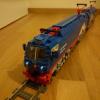
Indexed by Moderator After a long time I'd like to introduce my new train MOC, which one is actually my first 6-wide train, the narrow-gauge Stadler GTW. Fig.1: The whole train on brick-built train track. The second meeting in 2012 of hungarian LEGO users group (MALUG) was held last weekend in Budapest. Before this event on of our LUG members called others to build narrow gauge vechiles for the meeting. After thinking about my possibilities and favourited vechiles I started to build the first popular vechile of Stadler, the GTW. The coloring of this train is not autenthic, there are no OBB/SBB colored GTWs in narrow gauge, but I had only red and white bricks to use. The real challenge was to build the PF-system into the train and make it able to run on narrow-gauge train track (the curved track pieces from Indiana Jones sets in dark bluish gray and from Space sets in black). The LUG member called others to build narrow-gauge vechiles set up a test-track for all trains, built from this curved track pieces, including two S-turns. That was the test-track (with the little green train): http://www.brickshel...11/dsc_1882.jpg Firstly I've realized, that I've had to build one and half windows less to the modell then the original train. The radius of these curve is 27 stud, and my train actual length is 90 studs. The middle-section contains two PF M-motors, both of them are driving one axle via 12 tooth-gear wheels. One of the low-floor sections contains the battery box and the IR-reciever. The train has two yellow front lights on each end, PF leds' cables are hidden in the roof. Fig.2: Driven axles and coupling solution for the train. Left side coupled, right disconnected. The coupling enables about 75° turnout and looks like closed until 30° turnout. Fig.3: Turnout. However I did not have test track for the meeting, the train succeded to run on the test track. The most 'engineering' success for me is the coupling solution. Using SNOT slopes by the coupling looks really great, they are avaliable in lot of colors, and you don't need rubber. This method will work for trains with Jacobs-boogies, too, the only difference is, that the middle section is narrower. The front part of the train is built of prepared modules, it can be repared, changed without getting of the train from the rails. Fig.4: Modules forming the train front with power functions lights built in. Hope you enjoyed, please comment you critics here. AV