nvsukhanov
-
Posts
7 -
Joined
-
Last visited
Content Type
Profiles
Forums
Gallery
Everything posted by nvsukhanov
-
[app] MOC Commander
nvsukhanov replied to nvsukhanov's topic in LEGO Technic, Mindstorms, Model Team and Scale Modeling
The app has moved out of its alpha stage and has gained some new features such as widgets, installing as a standalone PWA application and much more. Additionally, I've recorded an introductionary video (link in the starting post) because it was definitely needed. The original post has been updated to reflect all these changes and improvements. -
[app] MOC Commander
nvsukhanov replied to nvsukhanov's topic in LEGO Technic, Mindstorms, Model Team and Scale Modeling
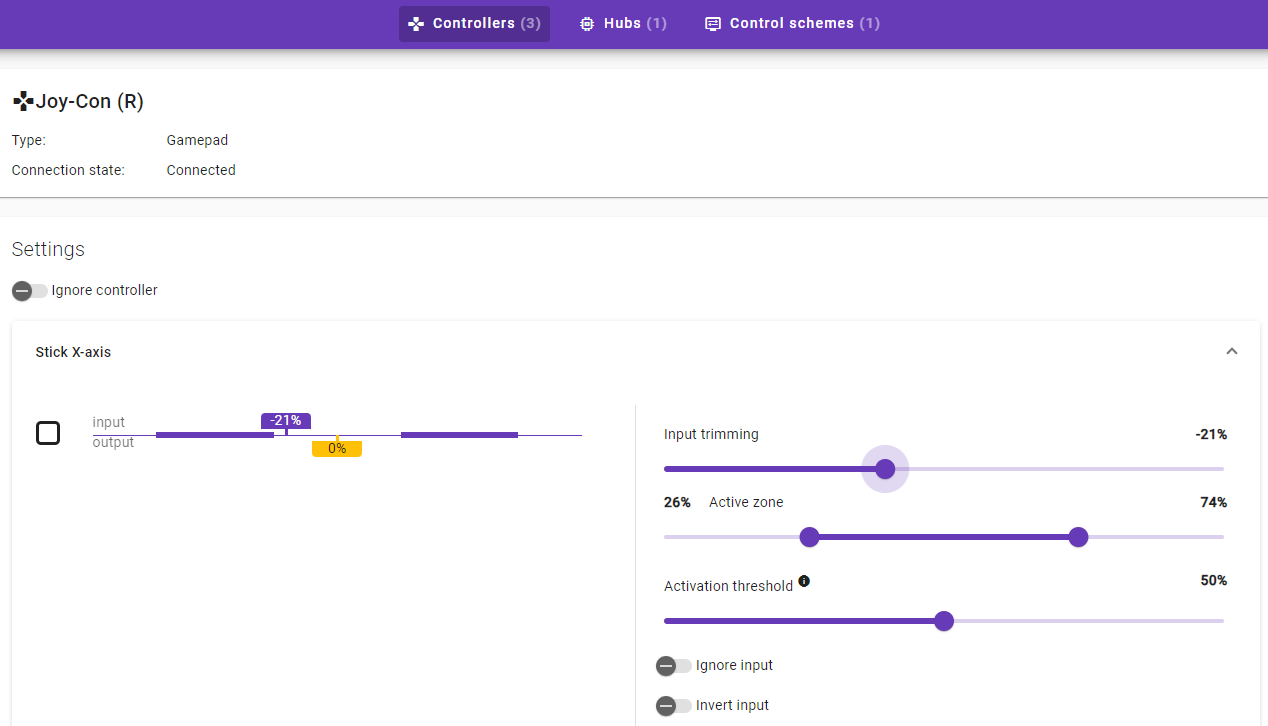
@2GodBDGlory, many thanks for your feedback. I have attempted to address the issues you've encountered by introducing new gamepad configuration options. Off-center values can now be mitigated through the 'input trimming' option for button and axial inputs. The latest update also includes several bug fixes, enhancements to accessibility (although there is still much work to be done in this area), reduced latency, an increase in connection stability, and minor UI tweaks. Also I've changed the project name (links in the first post have been updated). The latest version of the app is available at both the old and new URLs.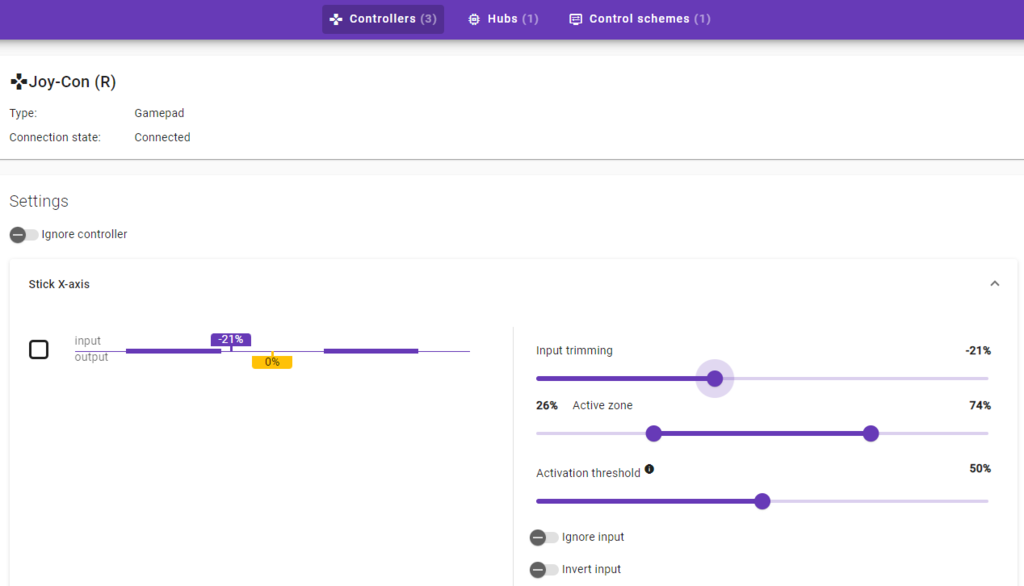
-
[app] MOC Commander
nvsukhanov replied to nvsukhanov's topic in LEGO Technic, Mindstorms, Model Team and Scale Modeling
Hey, @2GodBDGlory, thank for your feedback! Currently mouse scroll wheel input is not supported, but it definitely can be added in a way that won't block you from using mouse inside the app. I've added that feature request to the backlog. I assume that your controller present in the list of connected bluetooth devices on your PC, but pressing buttons or moving sticks of your controller didn't result in the controller appearing in the controllers list. Could you please share the model name of your controller? I can PM you later when I have a chance to investigate it, if that's alright with you of course. -
[app] MOC Commander
nvsukhanov replied to nvsukhanov's topic in LEGO Technic, Mindstorms, Model Team and Scale Modeling
Everything is stored locally, in your browsers localStorage. The app does not send any metrics or usage data to the mothership since there is no mothership to begin with) Hoster may inject some scripts to collect web analytics, but the app has nothing to do with it. -
[app] MOC Commander
nvsukhanov replied to nvsukhanov's topic in LEGO Technic, Mindstorms, Model Team and Scale Modeling
I'm really glad to hear it! Try "Speed shift" op mode. If you need a to bind a single input which turns motor "on" and "off", you'll have to set a Looping mode option to "Wrap" ("Mirror" will work too in that specific case). No, it's GMT +4 -
[app] MOC Commander
nvsukhanov replied to nvsukhanov's topic in LEGO Technic, Mindstorms, Model Team and Scale Modeling
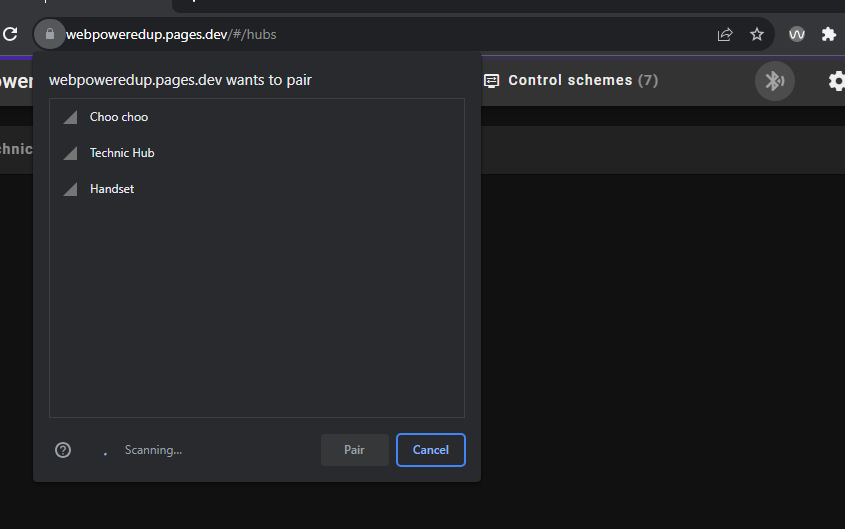
@Lok24 , you are absolutely correct! Thanks for your feedback! Guess I should've composed a manual (and I will definitely do). In a meantime, that one small button on the toolbar should initiate device discovery process (see attached pictures). Just importing control scheme won't help because control scheme bindings are "bound" to hub by it's unique id. After importing you can replace "bounded" hub with the hub that you have discovered&connected, but that will require such hub. Anyway, here's a sample control scheme import string, just in case: 0:3YCAgIJfgYCAgICAgIC9CArit6jM4OQ6Z8Ygr0y3Bq3N/aZxhB/CiFEE1mBrLiOP3j5fzMhDimX9p8D8GGlnMUoMf5V3N9Pu6V7Zxj0zPmPowOo9uGtfHhnoEmH3sUbr2zy05pAcDKgT0wV2Vk/+yPZS3KolkL3xPqJdNPXQtJj3cnNUNjVz7dHOQWZ0mrszG4aVkLctDVj7TzEZrb8egpideEWYIrVc5eJyFXOymY7JwoRX5K5OdeC/U5Mkf6xQ7hwjFvezBoIyQLZVOnFyRMlRRaEXut+X+SCtY8PtEDiRwVzEkwHN6yeebtd0Gyuq3fr8EbO1K7Vkf38k9uaA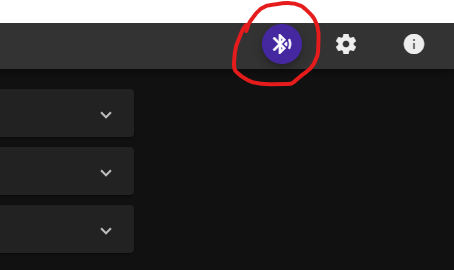
-
Hey, Recently I've been tinkering with the browser's experimental Bluetooth API and cooked something called "MOC Commander" (formerly known as 'webPoweredApp') as my hobby project. It's an open-source progressive web app designed to control LEGO PoweredUP MOCs using physical input. It can be run straight from the browser or installed as a standalone application for an offline use. I'm not sure how to embed a YouTube video here, so here's the link to my introductory video with a step-by-step demonstration of basic usage. The app utilizes LEGO Wireless Protocol and relies solely on dynamic IO capabilities discovery. In theory, it *should* support any LWP-compliant device with capabilities that the app can handle and know of. However, there is a downside in this approach: non-LWP devices are not supported (BuWizz, etc). Supported platforms (essentially anything that can run Chrome-based browsers and has Bluetooth): Windows PC Linux (with a little tinkering the app can be installed on a Steam Deck, which doubles the fun) macOS Android With the exception of iOS devices (iPhones, iPads), which currently lack support for the Web Bluetooth API. Implemented operation modes: Speed (separate inputs for 'forwards', 'backwards' and 'brake') Set Angle (to designate an angle within a range of -180 degrees to +180 degrees) Servo (with separate 'clockwise' and 'counter-clockwise' inputs, auto-calibration, up to a 1440-degree range) Stepper Train (allows iteration over arbitrary number of pre-assigned speeds) Gearbox (switch between arbitrary numbers of motor positions within a range of -180 degrees to +180 degrees) Supported controllers: Up to four gamepads (tested with DualShock, Xbox 360 and Nintendo Joy-Cons) LEGO 88010 Remote Control Keyboard Hubs and RC Handsets' green buttons Additionally, the app has widgets that can display control scheme runtime information, such as: Voltage Separate widgets for the hub's pitch, yaw, and roll Temperature (I'm not sure who needs this, but it's there) Plus: The app theoretically supports simultaneous connections to any number of hubs (the app does not impose any limits on this, and I have only a couple of hubs and a handset to test its limits) Highly customizable gamepad configurations (including active zone settings and input trimming for non-centered sticks) Axial direction awareness for most inputs (e.g., moving the left stick to the left rotates the servo clockwise, and moving the right stick up rotates it counter-clockwise) Dark and light theme Import and export of control schemes Backup and restore of app internal state Support for native acceleration/deceleration profiles for all motor operation modes The current app version is v1.2.6. The app and the underlying LWP-interface library are in an active development stage and may (and absolutely do) contain bugs. It's a fun project that I'm having a blast working on, and though it's a niche thing, I hope someone may find it useful. Your feedback (e.g. bug reports, feature suggestions, compatibility issues, or usability feedback) is greatly appreciated. And of course, LEGO® is a trademark of the LEGO Group of companies which does not sponsor, authorize or endorse this application.