gerkenz Posted April 9, 2012 Posted April 9, 2012 Hi, I made a LEGO knight from scratch with cheetah 3D some time ago, hope you like it. :-) Without any imported parts, just wanted to get used to the functions of the software. Cheetah 3D gallery: More info on my page: Knight - gerkens.org Quote
Palathadric Posted April 10, 2012 Posted April 10, 2012 This is absolutely magnificent, gerkenz! Very, very impressive. The plume doesn't quite have the same reflection as the rest of the model, it seems. Or maybe it's just the angle. It looks slightly less real than the rest. I am still incredibly impressed though. Quote
Calabar Posted April 10, 2012 Posted April 10, 2012 Very good work. I've a question: how did you create the 3D model? As there are complex and irregular shapes, I don't think you based your pieces on measures. Have you got a 3D scanner? The most interesting thing of the work is the vectorial printings. LDD uses bitmaps, and the few bitmaps inside the database occupy a great amount of space. Vectorial decals could help to reduce this amount and strongly increase the number of supported decorations. And obviously increase quality! Quote
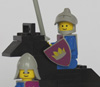
Lalror Posted April 11, 2012 Posted April 11, 2012 (edited) In reply to Calabar, making a lego minifigure in 3d is not too hard as long as you have a good reference. I modeled the minifig below in Blender a while back for similar reasons as gerkenz. Vectors actually need more information than a regular raster image because they need to store information about the paths and shapes, rather than just pixels, and while they look very nice when rendered, they are very difficult to use when doing real time rendering which is what LDD uses. http://farm8.staticflickr.com/7029/6552551247_a1c340501a_b.jpg Edited April 11, 2012 by Calabar Oversized images converted in text links (maximum size is 800x600 px) Quote
Calabar Posted April 11, 2012 Posted April 11, 2012 Thanks, Lalor. About the shape of the model, it seems to me difficult to exactly match the right shape, but I'm not expert in this kind of things. About vectorial decorations, I see that the bitmaps occupies about 10-20 KB for a 128x128 pixel image. It seems to me a great amount of space, and I thought a vectorial version could be lighter. Perhaps gerkenz can help me to understand the proportion comparing his vectorial decoration with a 128x128 pixel png. About the use in real time, LDD could create temporary mipmaps to use in the viewport. Quote
gerkenz Posted April 11, 2012 Author Posted April 11, 2012 (edited) Thanks for your comments. to modell a minifig it's for me kind of impossible to meassure the figure by hand. I've googled some references and used the values from both to get the best fit: Minifig Measurements 1 Minifig Measurements 2 I modified the pictures a little to use them as blueprints in Cheetah 3D. And then creating spheres and cubes or just planes to start modeling. A lot of time went into creating a most perfect shape. All rounded edges where tricky but that was my first complete modell, so I learned a lot. ;-) Prints: I took pictures of a prints ( torso, shield, legs and hips ) and bumped up the threshold so only the black lines appear. I've used the "vectorisating" feature of inkscape to convert it in vectors. After that I created vector forms for each color area and filled it with the corresponding color. After moving the black lines to the to layer the prints looks like painted. :-) The advantage is to have a print which can be scaled without quality lost, but for the render I exported them to about 500x500 pixel png's ( max. 196 KB ) @palathadric: the plume has the same material the figure have, so it's just the angle. :-) Edited April 11, 2012 by gerkenz Quote
Calabar Posted April 11, 2012 Posted April 11, 2012 to modell a minifig it's for me kind of impossible to meassure the figure by hand. I've googled some references and used the values from both to get the best fit: [...] I didn't think it was possible to obtain a precise shape from measures like these, especially for irregular elements that are very difficult to convert in simple numbers. The advantage is to have a print which can be scaled without quality lost, but for the render I exported them to about 500x500 pixel png's ( max. 196 KB ) Saving your image as a 128x128 .png I obtained a 19-20KB image. What is the size of the vectorial file? Quote
Zeya Posted April 11, 2012 Posted April 11, 2012 Wow he looks great. You did a fantastic job! About how long did you spend on this project? I used to work on video games, and one of our artists probably would have spent a week or more making something like this. (Although, they have certain limitations to adhere to.) Quote
Palathadric Posted April 12, 2012 Posted April 12, 2012 @palathadric: the plume has the same material the figure have, so it's just the angle. :-) Yeah, I thought as much. Keep up the good work! Quote
gerkenz Posted April 12, 2012 Author Posted April 12, 2012 (edited) Wow he looks great. You did a fantastic job! About how long did you spend on this project? Thanks! As it was one of my first finished modells I think it took some evenings over a periode of about 8 weeks. Now I think I would need a weekend to create it and some hours for the prints, hopefully Edited April 12, 2012 by gerkenz Quote

Recommended Posts
Join the conversation
You can post now and register later. If you have an account, sign in now to post with your account.