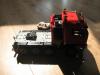
olaf9198 Posted April 29, 2011 Posted April 29, 2011 (edited) the picture's are coming soon (so its not wip) . the example was coming from : Ditzj link : http://www.ditzj.de/html/en/trucks/scania/nizzoli164g.html almost all the parts ar coming from the 8258 i use the 8879 to control the truck Edited April 29, 2011 by olaf9198 Quote
DLuders Posted April 29, 2011 Posted April 29, 2011 You have built this out of Lego? Let us see it! Quote
olaf9198 Posted April 29, 2011 Author Posted April 29, 2011 You have built this out of Lego? Let us see it! no olny the truck and i have the picture's Quote
LEGO Train 12 Volts Posted April 29, 2011 Posted April 29, 2011 Nice design! Is there any motor with pistons? I like the coupling mechanism on the back of the truck Quote
Alasdair Ryan Posted April 29, 2011 Posted April 29, 2011 Looks good. If any thing maybay make the truck a wee bit longer. Quote
olaf9198 Posted April 30, 2011 Author Posted April 30, 2011 Looks good. If any thing maybay make the truck a wee bit longer. but its a special transport truck or for heavy tings so it also why it has 1+3 axles and the truck is almost the same as the example from ditzj Nice design! Is there any motor with pistons? I like the coupling mechanism on the back of the truck no because its running by pf and its not easy to make then also a engine in it so no engine Quote
olaf9198 Posted April 30, 2011 Author Posted April 30, 2011 link to my new bs gallery link: http://www.brickshelf.com/cgi-bin/gallery.cgi?f=471331 Quote
legolijntje Posted April 30, 2011 Posted April 30, 2011 Can you maybe put some pictures here on EB? Your BS folder is not yet public Quote
olaf9198 Posted April 30, 2011 Author Posted April 30, 2011 Can you maybe put some pictures here on EB? Your BS folder is not yet public i am sorry it cant i can only upload 1.78k and my pictures are 90.00k or somting and as i made dem smaler then you snee almost nothing of the pictures Quote
legolijntje Posted April 30, 2011 Posted April 30, 2011 i am sorry it cant i can only upload 1.78k and my pictures are 90.00k or somting and as i made dem smaler then you snee almost nothing of the pictures But you don't have to upload them, just "deeplink". Read HERE how you can do it. It's very simple Quote
olaf9198 Posted April 30, 2011 Author Posted April 30, 2011 http://www.brickshelf.com/gallery/olaf9198/trucks/img_3402-bordermaker.jpg do you mean this Quote
legolijntje Posted April 30, 2011 Posted April 30, 2011 (edited) http://www.brickshelf.com/gallery/olaf9198/trucks/img_3402-bordermaker.jpg do you mean this At least we can see the image now, but it's not what I mean: If you write a topic/comment, just click on the little button right to "insert link" (that button is next to the smiley button on the top) called "insert image". Paste the link you put above there and click on insert. Now your image is inserted in your post whitout uploading it to Eurobricks I hope I'm clear enough PS: what I told you here, can you also read in the tutorial I linked in my previous post Edited April 30, 2011 by legolijntje Quote
legolijntje Posted April 30, 2011 Posted April 30, 2011 (edited) No. You have to do it like this: Again; read this: READ THIS, CLICK HERE If you follow that instructions, you can do the same as me. If you don't understand me or the tutorial, just say. I'm also Dutch, so I can tell you detailed informations about this in Dutch But I think we hae to go back on topic: If I look to the 2 pictures I can see; it looks good. I think I can provide som images..... Edited April 30, 2011 by legolijntje Quote
olaf9198 Posted April 30, 2011 Author Posted April 30, 2011 so that is what i must do thanks legolijntje Quote
olaf9198 Posted May 1, 2011 Author Posted May 1, 2011 a have made also an extra axle i can ad to the truck like this the wheel can also lift down up Quote
Alasdair Ryan Posted May 1, 2011 Posted May 1, 2011 (edited) Great looks better now !! It was very clear to see how you biult that extra axle in the BIG PICS YOU UPLOADED you might want to make sure in future you check the size of them before posting,You could also try geting a photo Bucket account. Edited May 1, 2011 by Alasdair Ryan Quote
DLuders Posted May 1, 2011 Posted May 1, 2011 @ Alasdair Ryan: When replying to a post with LOTS of HUGE PICTURES, please do not use the "Reply" button WITHIN that post. Use the "Add Reply" button at the BOTTOM of the entire string of posts. That way, you won't be DUPLICATING the same HUGE PICTURES a second time. As it stands now, there are two posts that take up an entire page and LOTS OF BANDWIDTH. Quote
Alasdair Ryan Posted May 1, 2011 Posted May 1, 2011 @ Alasdair Ryan: When replying to a post with LOTS of HUGE PICTURES, please do not use the "Reply" button WITHIN that post. Use the "Add Reply" button at the BOTTOM of the entire string of posts. That way, you won't be DUPLICATING the same HUGE PICTURES a second time. As it stands now, there are two posts that take up an entire page and LOTS OF BANDWIDTH. Sorry ,man i forums some times. Quote

Recommended Posts
Join the conversation
You can post now and register later. If you have an account, sign in now to post with your account.