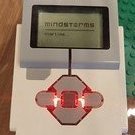
Mr Jos Posted September 20, 2020 Posted September 20, 2020 (edited) For my High Bay Warehouse I have now a 3rd brick. The 1st on the crane still will work independent and be controlled by the 2nd brick by bluetooth communication between the 2 of them. The 3rd brick controlling the second corner transfer with Chain/Roller conveyors I want to daisy chain so 1 program controls all the conveyors. I found that Port number 101/102/103 will control the outfeed conveyors (original black cables), 201/202/203 will control the infeed (white cables). It works with wired connection. I want to use this wired connection as it is 2 times the same setup and I will be making myblocks to control the conveyors. However I can not manage to get the sensor reading working with wired connection for the 2nd brick sensors. Port 11 does work for the touch sensor on brick 1, Port 12 does work for the ultrasonic (5.8cm). However when I read Port 21 and 22 I just get the values from the sensors on brick 1, ultrasonic on 22 should be 29cm but it puts outjust the same 5.8cm. same for the touch sensor giving wrong (same as 11) output. Am I doing something wrong, or do I have the wrong port numbers? And extra question: I can change the display of the masterbrick, but is it possible to display something on the slavebrick aswell? Same for the keys, is it possible to use them as inputs. Or is this 2nd daisy chained brick really a dumb slave not being able to give any inputs, only output motors. Edited September 20, 2020 by Mr Jos Extra questions Quote
David Lechner Posted September 21, 2020 Posted September 21, 2020 The port numbers are 100 times the brick number plus the port number (convert letters to numbers for output ports). So ports on the 2nd brick should be 201, 202, etc. Only the input and output ports can be used directly in daisy-chain mode, not the display, sound, buttons or lights. But you can write programs that use message blocks to send messages between EV3s to accomplish the same thing. Quote

Recommended Posts
Join the conversation
You can post now and register later. If you have an account, sign in now to post with your account.