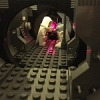
Richpepperell Posted September 10, 2016 Posted September 10, 2016 Hey all, This is not much more than a 30 min play around, but I thought I'd share it anyway. I recently picked up a little string of battery-powered LED lights with the intention of back-lighting a Death Star corridor MOC that I've never finished. They've just been sat about so I thought I'd see if they actually worked - with inspiration being supplied by the arrival of a advent calendar minifigure! Just by poking the tine LEDs into the axel hole in the corner of the 12x12 bricks and covering up the hole with the trans-yellow stud, it gave me quite a nice effect! I took a couple of shots which showed the lights nicely, but didn't really capture the mood. I MOCed up a few of the Cloud City buildings (fairly accurate to the photo I used) and then set up the background. It's not a greenscreen or photoshop job... can you guess how I did it? I particularly liked the way the evening sun's reflecting off of some of the surfaces - the end of the Carbonite block, Slave 1's ramp and Boba's helmet for example. I also like the way it's coming through the windows of the "Bespin Heights" apartment block. To get the effect, I simply sent a still image of the set set from my iPad to my TV - see the behind the scenes shot below. Not exactly a professional set up, but it's a techniques I might use again if I need an exotic background for a shot. You can find a few more pics here on my flickr. Feed back and thoughts always welcome! (ps. I know the landing platform is supposed to be circular before anyone mentions it :-)) Quote
dimnico Posted September 10, 2016 Posted September 10, 2016 This is really nice. Thanks for sharing the behind the scenes. Very inspiring! I think I might have to try the backdrop technique as I want to start adding a bit of production to my photos. (do I need a board game or will any box work Quote
TWP Posted September 13, 2016 Posted September 13, 2016 Hmm, that's a very creative way to make pictures, I may steal that technique from you if you don't mind Quote
brobert Posted September 13, 2016 Posted September 13, 2016 aww man, I was just going to do this exact shot with my newly built UCS Slave-I....but after this, I don't think I can improve much. I was going to use a blue background, but then it's much more work with the lighting and other effects in PS, so this is a great job with the "digital matte painting" :) well done. Quote
mortesv Posted September 13, 2016 Posted September 13, 2016 That is a great ideas! And excellent lighting. I want to do something similar now - I just need a bigger TV... :D Quote
Gouniaf Posted September 13, 2016 Posted September 13, 2016 Everything is good in your MOC, from the Slave 1 to the background. The little buildings add a lot to the scene. Good work ! Quote
VaderFan2187 Posted January 21, 2017 Posted January 21, 2017 On 9/11/2016 at 3:20 AM, Richpepperell said: Hey all, This is not much more than a 30 min play around, but I thought I'd share it anyway. I recently picked up a little string of battery-powered LED lights with the intention of back-lighting a Death Star corridor MOC that I've never finished. They've just been sat about so I thought I'd see if they actually worked - with inspiration being supplied by the arrival of a advent calendar minifigure! You opened the calendar a little early? Really like this setup. I like using unprofessional setups to achieve a professional finish too Quote
eliminator Posted January 21, 2017 Posted January 21, 2017 Great pic! And thanks for showing how you made it. Quote

Recommended Posts
Join the conversation
You can post now and register later. If you have an account, sign in now to post with your account.