Ulfraut Posted April 28, 2016 Posted April 28, 2016 (edited) Phase 2 of the Age of Mitgardia Challenge. https://www.flickr.c...N06/26372864330 Can anyone help me with inserting it as an image? Space for attachments is used up, and the forum doesn't seem to like the use of Flickr links. Thanks. Edited April 30, 2016 by Ulfraut Quote
Alfadas Posted April 28, 2016 Posted April 28, 2016 Well, the shop looks nice! As for the pictures, when you have the picture on Flickr, in the bottom right corner you have a down facing arrow. You click that, followed by All sizes. You get takes to a new screen, there you select the size you want. Then rightclick on the picture, choose "Copy image adress" or "copy image URL". After that you go back to eurobricks. In the comment/make topic box you have a taskbar. in the lower part of the task bar you can change to Bold, Italics, and so on. slightly to the right of the middle, you see a sort of picture. when you hover over it it says Image. click that, insert the image address and voila. there you go. Hope this made sense Quote
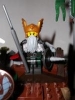
LittleJohn Posted April 28, 2016 Posted April 28, 2016 Great work here! The assortment of weapons is excellent and I really like that banner design Quote
soccerkid6 Posted April 29, 2016 Posted April 29, 2016 This guide should help your picture trouble: link Very cool market stall, I like how you're incorporating the Mitgardian colors The little bush/trees you included are neat as well Quote
Captain Braunsfeld Posted April 29, 2016 Posted April 29, 2016 Fine build - with Mitgardian colours! Quote
Ulfraut Posted April 30, 2016 Author Posted April 30, 2016 Thank you very much, my friends! I was able to get the image. Quote

Recommended Posts
Join the conversation
You can post now and register later. If you have an account, sign in now to post with your account.