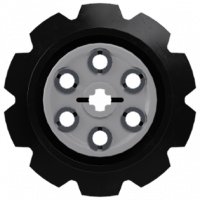
Tommy Styrvoky Posted February 6, 2015 Posted February 6, 2015 I am working on a model in Bricksmith, and I have attempted using Lsynth. Though I am uncertain how to make the treads fit around the 6 wide inverted radar dishes, and the 4x4 round plate on the rear idler, as there isn't a constraint for it. Is this just not possible, or will I have to place each tread individually ? Lego Jagdpanzer 38(T) Hetzer (RC) by Tommy Styrvoky, on Flickr Quote
lego2lego Posted February 6, 2015 Posted February 6, 2015 (edited) As I don't think you are using brick smith for MAC, you can do the following: Create a mock-up of our undercarriage, one side will do. (You can duplicate your file and delete everything except the dishes, 4x4 round plate and the front gear. You need to know where the treads should run) Place your Lsynth constraints, doesn't matter if they don't line up, just make sure your tread will be where you want them to be. Delete your mock-up and run through Lsynth. Delete the constraints and you should have a model of your treads in the correct shape, you can copy that model in your original file and position it accordingly on both sides. Maybe there is an easier solution, but this is how I used to do it. Alternatively you could do it without creating a mock-up and do it all in your original file, but that's your own preference. Cheers Edited February 6, 2015 by lego2lego Quote
legolijntje Posted February 6, 2015 Posted February 6, 2015 Maybe this will work (I've never tested it though): At every dish, place two gears. One that touches the top of the dish and one that touches the bottom of the dish. Make sure that the innerside of the teeth match the top and bottom, and not the teeth itself. Run LSynth Remove the gears (or hide them) If it's not clear what I mean, let me know Quote
Tommy Styrvoky Posted February 6, 2015 Author Posted February 6, 2015 (edited) As I don't think you are using brick smith for MAC, you can do the following: Create a mock-up of our undercarriage, one side will do. (You can duplicate your file and delete everything except the dishes, 4x4 round plate and the front gear. You need to know where the treads should run) Place your Lsynth constraints, doesn't matter if they don't line up, just make sure your tread will be where you want them to be. Delete your mock-up and run through Lsynth. Delete the constraints and you should have a model of your treads in the correct shape, you can copy that model in your original file and position it accordingly on both sides. Maybe there is an easier solution, but this is how I used to do it. Alternatively you could do it without creating a mock-up and do it all in your original file, but that's your own preference. Cheers I am using it on Mac... Maybe this will work (I've never tested it though): At every dish, place two gears. One that touches the top of the dish and one that touches the bottom of the dish. Make sure that the innerside of the teeth match the top and bottom, and not the teeth itself. Run LSynth Remove the gears (or hide them) If it's not clear what I mean, let me know How can I make them invisible ? This is one of my first times using Lsynth Edited February 6, 2015 by Tommy Styrvoky Quote
legolijntje Posted February 6, 2015 Posted February 6, 2015 How can I make them invisible ? This is one of my first times using Lsynth LSynth can be quite... annoying to work with (to say the least) I've never worked with Bricksmith (I'm not using a Mac). In MLcad, there's a "hide" option, which adds the following meta-command in front of the part: MLCAD HIDE That also works with the constraints (since they are also just parts). MLcad is being used less and less nowadays, but because there's still no successor to LPub, we're still quite stuck with it. LPub can read most of MLCad's meta-commands. So, if it says MLCAD HIDE in front a part, LPub (and LDview too by the way) won't show the part. It could very well be that BrickSmith also has a hide feature. I don't know. And, if it has, it could be a bricksmith meta-command, or it's maybe using the MLCAD HIDE command. Again, I don't know... Quote
Philo Posted February 6, 2015 Posted February 6, 2015 but because there's still no successor to LPub, we're still quite stuck with it Well, LDCad does quite a bit of the work of LSynth, and much, much more easily. Unfortunately for Tommy, it runs only on Windows and Linux (maybe a virtual machine would help?) Quote
Tommy Styrvoky Posted February 6, 2015 Author Posted February 6, 2015 LSynth can be quite... annoying to work with (to say the least) I've never worked with Bricksmith (I'm not using a Mac). In MLcad, there's a "hide" option, which adds the following meta-command in front of the part: MLCAD HIDE That also works with the constraints (since they are also just parts). MLcad is being used less and less nowadays, but because there's still no successor to LPub, we're still quite stuck with it. LPub can read most of MLCad's meta-commands. So, if it says MLCAD HIDE in front a part, LPub (and LDview too by the way) won't show the part. It could very well be that BrickSmith also has a hide feature. I don't know. And, if it has, it could be a bricksmith meta-command, or it's maybe using the MLCAD HIDE command. Again, I don't know... I figured out I can hide the Lsynth constraints just like normal bricks in Bricksmith Quote

Recommended Posts
Join the conversation
You can post now and register later. If you have an account, sign in now to post with your account.